
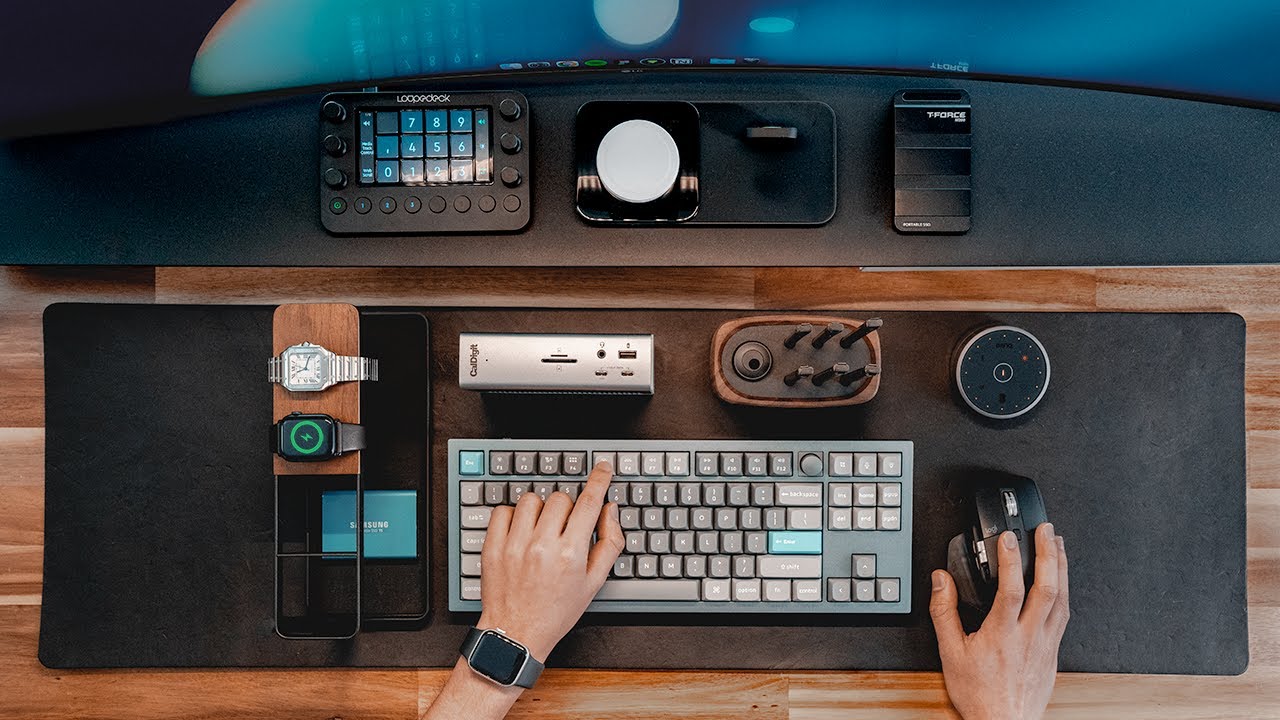
Maintaining a pristine workstation is no longer just about aesthetics; it is a critical component of hardware longevity. For many gamers and remote professionals, the “desk setup” has become a curated space where performance meets style. However, the accumulation of dust, skin oils and debris on mechanical keyboards and laptop screens can degrade the user experience and, in some cases, lead to hardware failure.
Recently, a trend has emerged across social media platforms highlighting the availability of an affordable electronics cleaning kit, with some entry-level options appearing on e-commerce platforms like Mercado Libre for as little as 25 Mexican pesos. While these ultra-budget tools are often viewed as “impulse buys,” they introduce a broader conversation about the necessity of routine tech hygiene and whether low-cost tools can effectively protect expensive investments.
For the average user, the goal is simple: remove contaminants without causing permanent damage to sensitive circuitry or screen coatings. While professional-grade cleaning services exist, the shift toward accessible, budget-friendly maintenance tools allows users to perform daily upkeep that prevents the need for costly professional repairs.
The Rise of the Budget Desk Setup
The intersection of PC gaming culture and the “minimalist” aesthetic has driven a surge in demand for peripherals and accessories that keep hardware looking new. From mechanical keyboards with RGB lighting to high-resolution OLED monitors, the hardware being used today is more expensive and more sensitive than the equipment of a decade ago.
This demand has created a massive market for low-cost maintenance accessories. Platforms such as Mercado Libre have become hubs for these “gadget finds,” where small, specialized tools—such as keycap pullers, soft-bristle brushes, and microfiber cloths—are sold in bundles. The appeal lies in the low barrier to entry; for a few pesos, a user can acquire the basic tools needed to stop dust buildup before it affects the actuation of a switch or the clarity of a display.
What to Expect from an Ultra-Budget Cleaning Kit
When encountering a cleaning kit at an ultra-low price point, it is important to manage expectations. These kits typically focus on “dry cleaning”—the removal of surface debris—rather than deep chemical cleaning. A standard budget kit generally includes a few core components:

- Soft-Bristle Brushes: Used for sweeping dust and crumbs from between keyboard keys. These are essential for mechanical keyboards where debris can lodge under the keycaps.
- Microfiber Cloths: These are designed to lift oils and fingerprints from screens and chassis without scratching the surface.
- Small Air Blowers or Dust Brushes: Basic tools to displace loose particles from ports and vents.
- Keycap Pullers: Simple plastic or wire tools that allow users to remove keys for a deeper clean without damaging the switch housing.
While these tools are effective for surface maintenance, they lack the specialized capabilities of professional kits, such as high-pressure compressed air or industrial-grade isopropyl alcohol solutions. However, for the vast majority of daily users, these basic tools are sufficient to maintain a hygienic workspace.
Essential Maintenance: How to Clean Your Tech Safely
Owning the tools is only half the battle; using them incorrectly can lead to permanent hardware damage. Technology editors and hardware engineers emphasize a “less is more” approach to cleaning electronics. To ensure safety, users should follow these industry-standard guidelines:
Keyboard and Peripheral Care
For mechanical keyboards, the first step is always to power down the device and unplug it from the USB port. Using a soft brush to clear surface debris prevents particles from being pushed deeper into the switches. For a deeper clean, a keycap puller should be used to remove the caps, which can then be cleaned separately with mild soap and water—provided they are completely dry before being reinstalled.

Screen and Display Hygiene
Screens are the most vulnerable part of any setup. Many modern displays have oleophobic or anti-reflective coatings that can be stripped away by harsh chemicals. Users should avoid using window cleaners, ammonia, or bleach. Instead, a dry microfiber cloth is the safest starting point. For stubborn smudges, a small amount of distilled water or a specialized screen cleaner applied to the cloth—never directly to the screen—is recommended.
Port and Vent Maintenance
Dust accumulation in cooling vents can lead to thermal throttling, where a computer slows down to prevent overheating. While budget kits provide basic brushes, users should be cautious not to push dust further into the machine. Using a handheld air blower or compressed air in short bursts is the most effective way to clear heat sinks and charging ports.
Evaluating the Value: Cheap Tools vs. Professional Gear
The debate over whether a 25-peso kit is “worth it” comes down to the frequency of use. For a user who cleans their desk once a week, a budget kit is an excellent value. It provides the necessary physical tools to prevent the buildup of grime that eventually requires more aggressive (and risky) cleaning methods.
However, there are limits to what budget tools can achieve. Professional-grade kits often include 70% or higher isopropyl alcohol, which is the gold standard for removing conductive grime and disinfecting surfaces without leaving a residue. Isopropyl alcohol evaporates quickly, making it safe for electronics when used sparingly on a cloth. Budget kits rarely include these solutions, meaning users may still need to purchase a bottle of electronics-grade alcohol separately to achieve a truly sterile environment.
| Feature | Budget Kit (e.g., <25 Pesos) | Professional Tech Kit |
|---|---|---|
| Dust Removal | Manual brushes/cloths | Compressed air/Vacuum systems |
| Surface Cleaning | Microfiber (dry) | Isopropyl Alcohol (70%+) |
| Keycap Access | Basic plastic pullers | Precision steel pullers |
| Frequency | Daily/Weekly upkeep | Quarterly deep cleaning |
The Long-Term Impact of Tech Hygiene
Beyond the immediate visual appeal, regular cleaning has a direct impact on the lifespan of consumer electronics. Dust is not just an eyesore; it is an insulator. When dust coats the internal components of a laptop or a gaming PC, it traps heat, forcing fans to run at higher speeds and increasing the wear and tear on the motherboard and CPU.
Similarly, debris under keyboard keys can lead to “key chatter” or unresponsive switches. By investing in even the most affordable cleaning tools, users are essentially performing preventative maintenance. In the world of technology, a small investment in a cleaning brush today can prevent the need for a keyboard replacement or a professional thermal paste re-application tomorrow.
As the market for budget gadgets continues to expand on platforms like Mercado Libre, the accessibility of these tools encourages a healthier relationship with our devices. The goal is not to spend a fortune on maintenance, but to establish a consistent habit of care that preserves the functionality of the hardware we rely on for work and play.
For those looking to start their maintenance routine, the next step is to audit your current setup for dust buildup in the vents and ports. Regular checks every 30 days are recommended to ensure optimal airflow and performance.
Do you have a favorite budget tech find that keeps your workspace clean? Share your tips and experiences in the comments below.