Liquid Detection on Your iPhone: A Complete Guide to Safe Handling
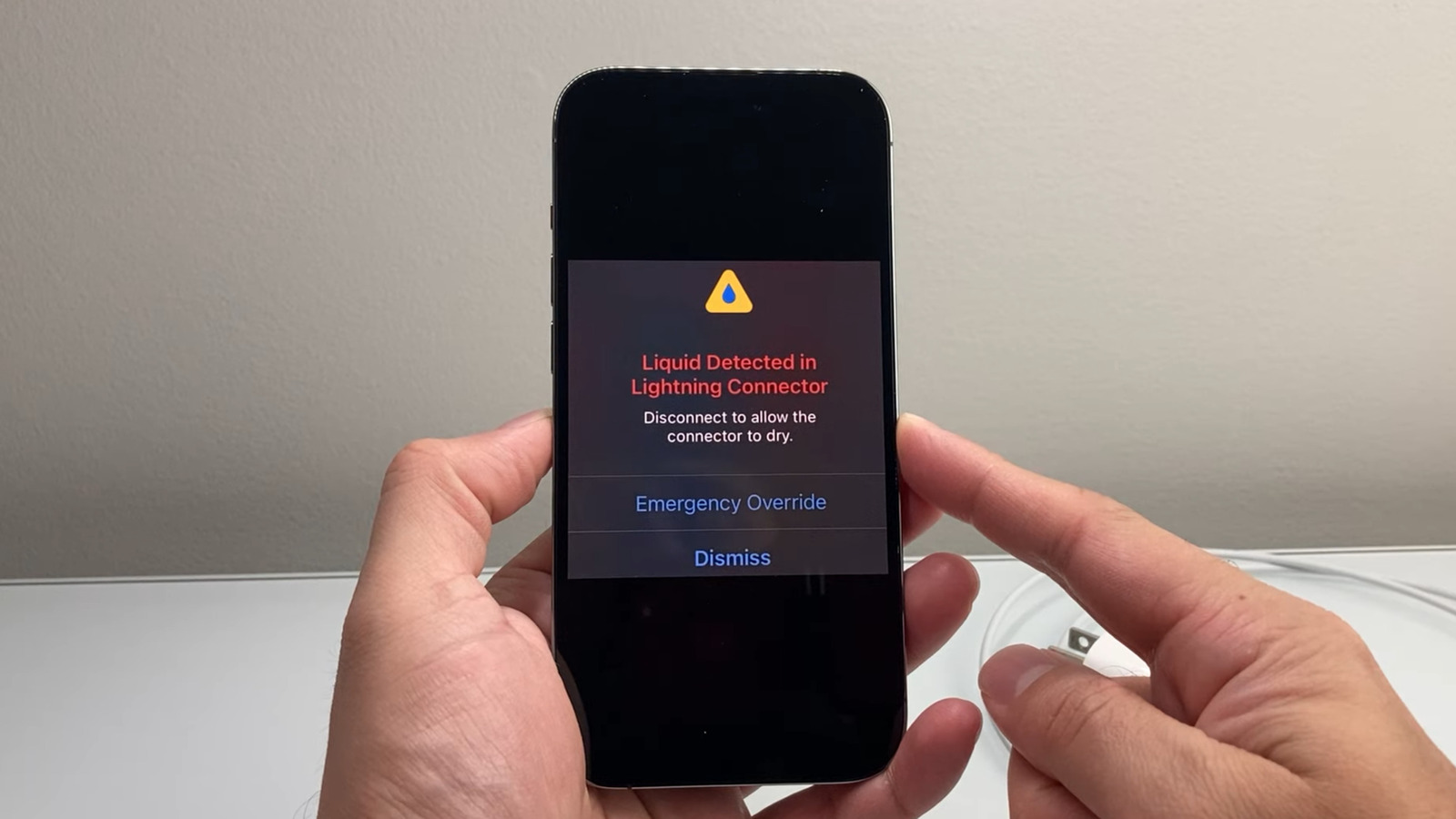
Encountering a “Liquid Detected” alert on your iPhone can be alarming. It’s a safety feature designed to protect your device, but understanding why it happens and how to respond is crucial. I’ve seen countless iPhones come through my repair shop with water damage, and a calm, informed approach is always the best course of action.
Understanding the Alert
Your iPhone is equipped with liquid detection sensors in the Lightning port and around the internal components. These sensors trigger an alert when moisture is detected, preventing potential corrosion and short circuits. It’s important to remember this isn’t always from a dramatic dunking; even humidity or sweat can set it off.
Immediate Steps When You See the Alert
When the “Liquid Detected” notification appears, here’s what you should do immediately:
* disconnect everything. Unplug any charging cables, headphones, or accessories.
* Power down your iPhone. A quick shutdown minimizes the risk of electrical damage.
* Gently remove excess water. Carefully tap the iPhone with the Lightning port facing downwards to encourage any trapped liquid to drain.
* Dry the exterior. Use a soft, lint-free cloth to gently wipe down the outside of your device.
The Waiting Game: Patience is Key
Resist the urge to immediately try charging your iPhone. Allowing sufficient drying time is paramount.
* Ventilation is vital. Place your iPhone in a well-ventilated area at room temperature.
* Avoid quick fixes. Do not use compressed air, cotton swabs, or, surprisingly, rice. These methods can actually push moisture further inside or introduce damaging particles.
* Test periodically. After at least 30 minutes, you can cautiously try plugging in a cable. Be prepared for the alert to reappear.
* Allow up to 24 hours. Complete drying can take up to a full day, so patience is truly your friend here.
What About Emergency Override Charging?
you might see the option to ”Emergency Override” charging. While it allows you to power up your iPhone despite the alert,it’s generally not recommended. Using this feature when moisture is present significantly increases the risk of corrosion and permanent damage. Think of it as a last resort for truly critical situations.
Preventing Future Liquid Detection Alerts
Proactive measures can significantly reduce the chances of encountering this issue:
* Avoid wet environments. Be mindful of exposure to water, humidity, and even heavy sweat.
* Consider a waterproof case. A quality waterproof case provides an excellent layer of protection, especially if you frequently spend time near water.
* Keep the port clean. Regularly inspect the Lightning port for debris and gently clean it with a dry, soft brush.
* Inspect for damage. Look for any visible signs of damage to the port or surrounding areas.
Ultimately, the “Liquid Detected” alert is a protective mechanism. By following these steps and exercising patience, you can minimize the risk of damage and keep your iPhone functioning smoothly.Remember, a little caution goes a long way in preserving your device.
Worth a look