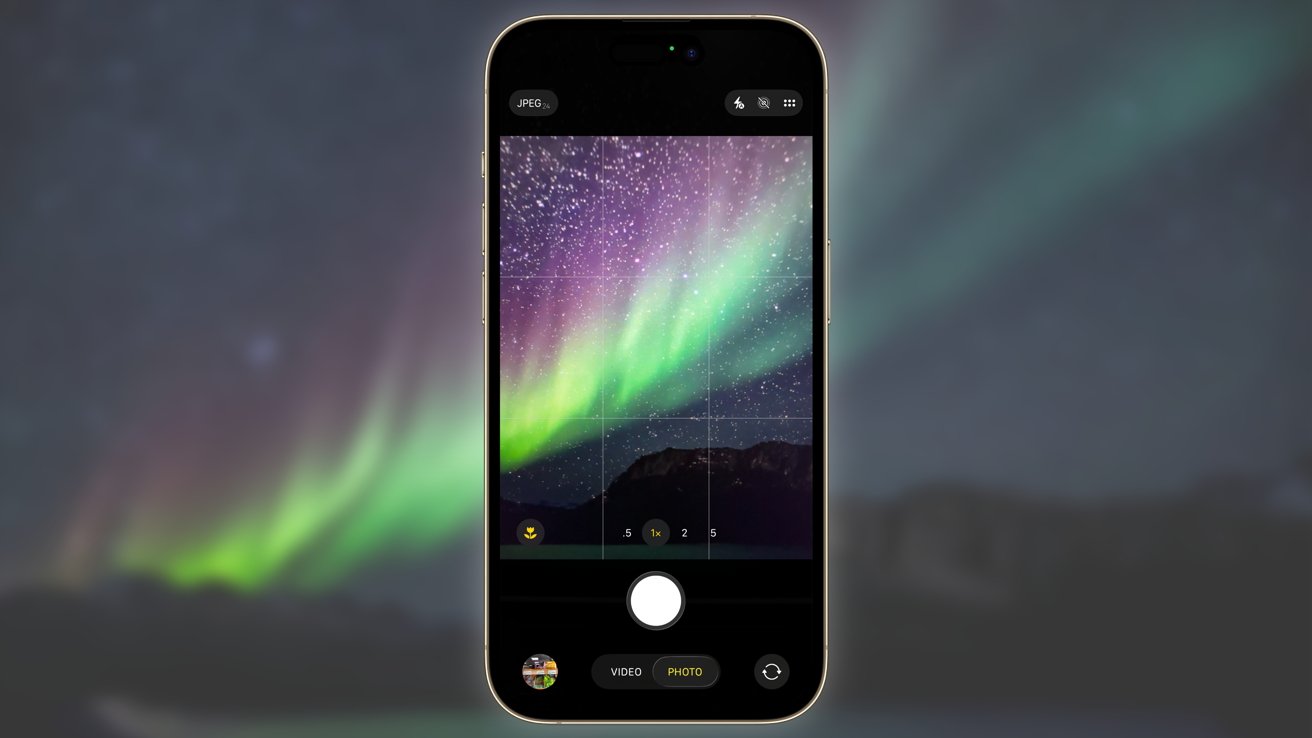
Capturing the Celestial Dance: A Complete Guide to Photographing the Aurora Borealis with Your iPhone
The night sky is putting on a show! A important geomagnetic storm is making the Aurora Borealis - the mesmerizing northern Lights – visible across an unusually wide swath of the United States and Canada on November 12, 2025, and possibly for several nights following. While witnessing this natural phenomenon is breathtaking, capturing its ethereal beauty with your iPhone requires a bit more than just pointing and shooting. This guide provides a extensive, in-depth look at how to photograph the Aurora Borealis using your iPhone, covering everything from understanding the science behind the lights to mastering your device’s camera settings and post-processing techniques.
Did You Know? The intensity of the Aurora Borealis is directly linked to solar activity. Geomagnetic storms, like the one currently occurring, are caused by coronal mass ejections (CMEs) from the sun, sending billions of charged particles towards Earth.
understanding the Aurora and Predicting Visibility
The Aurora Borealis (and its southern counterpart, the Aurora Australis) is created when electrically charged particles from the sun collide with atmospheric gases like oxygen and nitrogen. These collisions release energy in the form of light, creating the vibrant colors we see – greens, pinks, reds, and purples.
Currently, NOAA’s Space Weather Prediction Center (SWPC) is forecasting a G4 (Moderate) to G5 (Strong) geomagnetic storm. This means the Aurora is potentially visible as far south as northern California, Colorado, and even Texas, as reports are already indicating.However, visibility depends on several factors:
* Geographic location: The further north you are, the better your chances.
* Dark Skies: light pollution from cities drastically reduces visibility. Seek out locations away from urban areas.
* Clear Skies: Cloud cover will obscure the Aurora.
* Solar Activity: Monitor the SWPC website (https://www.swpc.noaa.gov/) for real-time updates on geomagnetic activity.
* kp Index: The Kp index measures geomagnetic disturbance. A higher Kp index (5 or above) indicates a stronger storm and wider visibility.
Pro Tip: Use a real-time aurora forecast app like My Aurora Forecast or Aurora Alerts. These apps use data from the SWPC to predict visibility in your location.
iPhone Camera Settings for Aurora Photography
Modern iPhones are surprisingly capable of capturing stunning night sky images. Here’s how to optimize your settings:
* Night Mode: This is your primary tool. iPhones automatically engage Night Mode in low-light conditions. The iPhone 15 Pro and Pro Max, with thier larger sensors and improved image processing, perform exceptionally well in Night Mode. Experiment with the exposure duration (indicated by the yellow Night Mode icon). Longer exposures capture more light but can result in motion blur if the Aurora is rapidly changing.
* ProRAW (iPhone 12 Pro and later): Shooting in ProRAW format preserves more image data,giving you greater versatility in post-processing. Enable ProRAW in Settings > Camera > Formats. ProRAW files are larger, so manage your storage accordingly.
* Manual Focus: Auto-focus can struggle in low light. Tap on a bright star or distant object to manually focus. lock the focus by holding your finger on the screen.
* ISO: While iPhones automatically adjust ISO in Night Mode, understanding its impact is crucial. Higher ISO values increase sensitivity to light but also introduce more noise. ProRAW allows for more aggressive noise reduction in editing.
* Shutter Speed: In Night Mode, the iPhone determines the shutter speed.However, with third-party apps (see below), you can manually control it. Generally, a shutter speed of 1-5 seconds is a good starting point.
* Tripod: Absolutely essential! Long exposures require a stable platform to avoid blurry images. A lightweight travel tripod is ideal.
* Remote Shutter Release (Optional): Even pressing the shutter button can introduce slight camera shake. Use Apple Watch as a remote shutter, or a Bluetooth remote.
Beyond the Built-in Camera: Third-Party Apps
While the iPhone’s native camera
- Xbox CEO: Future Console Pricing Faces Major Challenges
- OpenAI Agent Attacks Hugging Face: A Forensic Analysis of the AI Sandbox Escape
- Unihertz Titan Slim Review: Is This QWERTY Phone a BlackBerry Successor? (world-today-news.com)
- Why Your Phone's Battery Still Drains When It's Completely Off (daybreakwire.com)