Is AI Overstepping on Your Pixel? A Growing Backlash & What You Can Do
The latest Google Pixel release has sparked a surprisingly heated debate – and it’s not about camera quality or battery life. Instead, a growing number of users are voicing frustration that AI features are becoming too pervasive, detracting from the core smartphone experience.This isn’t just a Pixel problem, either; Samsung Galaxy users are experiencing similar shifts. Let’s dive into the concerns, explore why this is happening, and what options you have to reclaim control of your device.
The Pixel & The AI Infusion: A Breaking Point?
Recent discussions on platforms like Reddit (specifically, this post on r/GooglePixel) reveal a critically important level of discontent. The original poster, and hundreds of others, express a preference for older Pixel models, citing a frustrating increase in AI-driven interruptions and lag.
Specifically,users are pointing to:
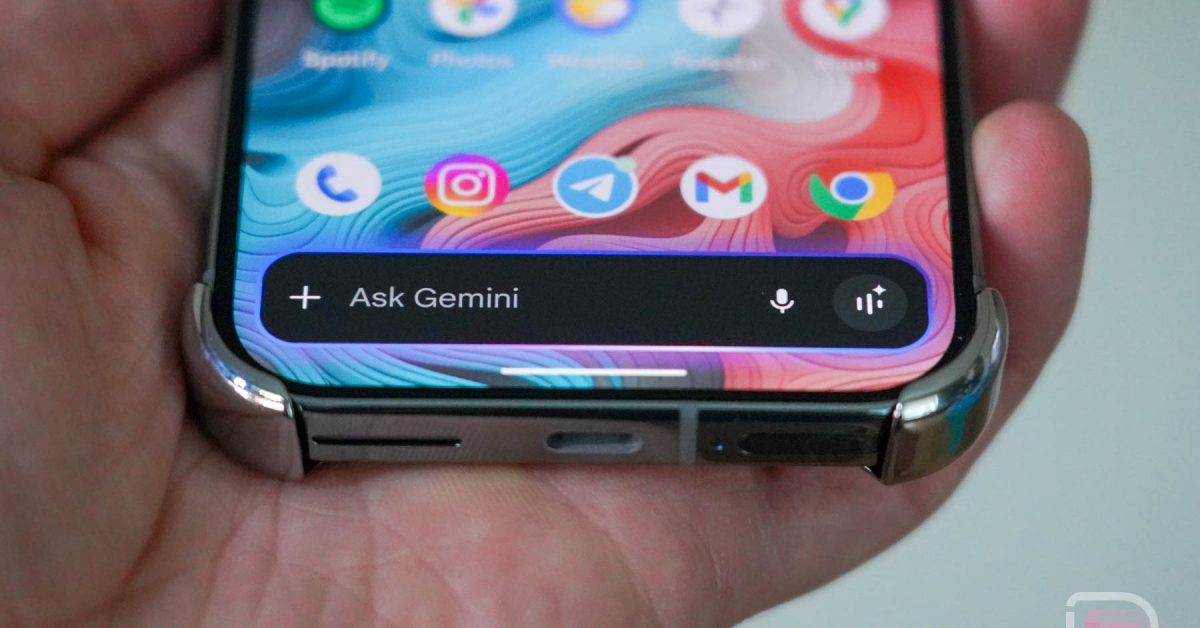
* Laggy Navigation: The “G pill” (the navigation bar) now often launches a full-screen AI interface,adding an unnecessary step to simple tasks.
* Assistant & Screenshot Issues: Google Assistant feels clunkier, and even basic actions like editing screenshots are now complex by AI integration.
* Ubiquitous AI Prompts: AI features are constantly being pushed, frequently enough feeling intrusive and unhelpful.
This isn’t isolated feedback. We’ve observed Google rapidly integrating Gemini – its powerful AI model - across the entire Android ecosystem. What started as subtle enhancements has quickly become a dominant force in the Pixel and Android experience.
Beyond Pixel: The Samsung Galaxy Experience
Samsung is also heavily investing in AI with its “Galaxy AI” suite. While perhaps not as aggressively implemented as on Pixel, many Galaxy AI features rely on Google’s underlying AI technology. The debate over which AI is ”better” feels a bit like a circular argument - a classic case of the Spider-Man meme (pointing at each other).
The Deeper Concern: ”Slopification” & the Attention Economy
Beyond usability issues, a more profound concern is emerging. One Reddit comment perfectly encapsulated this sentiment: AI is being used for ”slopification” – designed to keep you endlessly scrolling and consuming content.
This isn’t just about convenience; it’s about the potential for AI to manipulate attention and contribute to a cycle of passive consumption. It’s a valid concern in a world already saturated with digital distractions.
reclaiming Control: Disabling AI Features
Fortunately, you can take steps to mitigate the AI overload on your Pixel. Google provides options to disable many of these features. Here’s how:
- Go to Settings.
- Navigate to Apps.
- Select all Apps.
- Locate and disable AI Core, Private Compute Services, and Android System Intelligence.
keep in mind that disabling these services will impact certain AI-powered features you might enjoy. Though, if you’re feeling overwhelmed, it’s a viable option to restore a more streamlined experience.
The Bigger Picture: A Call for Thoughtful AI Integration
The backlash against AI on pixel and galaxy devices highlights a crucial point: AI should enhance our technology, not define it.We need a more thoughtful approach to AI integration – one that prioritizes user control, respects attention spans, and avoids unnecessary complexity.
As technology evolves, it’s vital to remember that you are in control of your devices. Don’t hesitate to customize your experience and prioritize functionality over the latest AI gimmick.
Let’s Discuss (Respectfully): We’re eager to hear your thoughts on this topic. Are you experiencing AI fatigue? What features do you find helpful, and which ones feel intrusive? Let’s keep the conversation civil and respectful – we’re all navigating this evolving technological landscape together.
Worth a look
- NASA Opens First New Wind Tunnel in 40 Years at Langley Research Center
- China Dominates Global Humanoid Robot Startup Rankings with Six Spots in Top Ten
- EA Sports FC 27: Release Date, Gameplay, and New Features Preview (world-today-news.com)
- LG Smartphone Production Ends and Smart TV Features Explained (newsdirectory3.com)