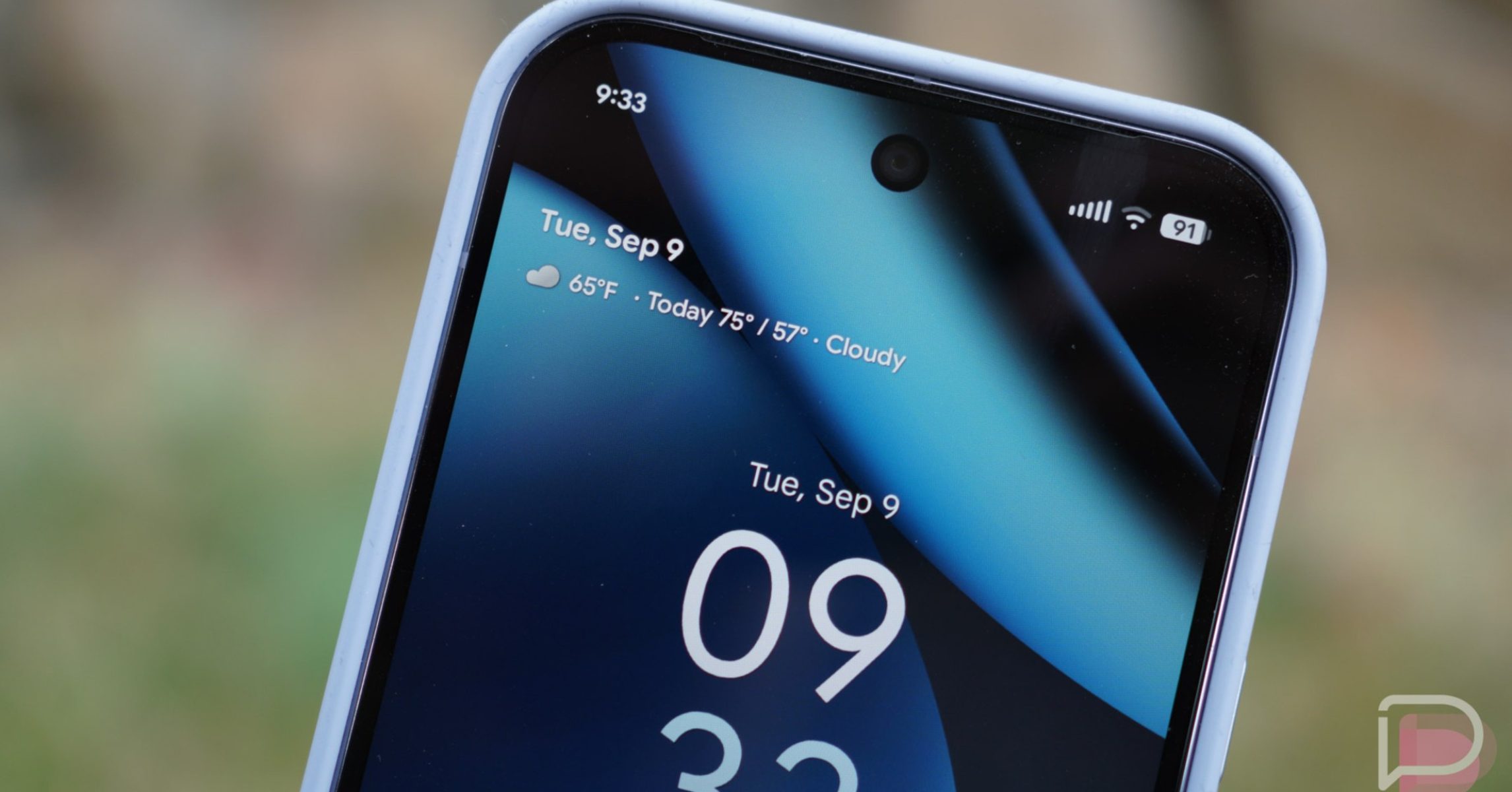
Pixel users are gaining new ways to stay informed at a glance – literally. Google has begun rolling out updates to its At a Glance feature, adding support for both Sports and Finance information. This marks the first significant expansion of At a Glance’s capabilities in quite some time, offering users more personalized and timely data directly on their home and lock screens.
For Pixel owners, At a Glance has long been a convenient tool for surfacing essential information, including upcoming calendar events, tasks, and weather alerts. Now, with the latest update, users can opt-in to receive real-time scores for their favorite sports teams and track the performance of their chosen stocks. This integration aims to provide a more comprehensive and personalized experience, keeping users connected to the information that matters most to them without needing to open separate apps.
What is At a Glance and Who Can Use It?
At a Glance is a feature exclusive to Pixel devices, designed to proactively display relevant information on the home and lock screens. Introduced with Android 12, it leverages on-device intelligence to anticipate user needs and deliver timely updates. According to Google’s support documentation, the feature is available on Pixel 3 and later models running Android 12 or newer. It’s important to note that some features may not be available in all languages or countries.
The core functionality of At a Glance includes displaying upcoming events, tasks, and weather information. Users can customize which types of information are shown, and even adjust the level of detail. The feature is enabled by default, but can be toggled on or off through the Pixel Launcher settings. Touching and holding the date on the home or lock screen provides access to these settings.
New Sports and Finance Updates: What You Necessitate to Know
The addition of Sports and Finance updates represents a notable expansion of At a Glance’s capabilities. As 9to5Google reported, the Sports feature allows users to follow live scores and updates from Google Sports. Users can select their favorite teams to receive tailored information. The Finance feature, similarly, enables users to track the performance of stocks from their Google Finance watchlist.
Google has cautioned that enabling Sports updates may impact battery life. This is likely due to the continuous data fetching required to provide real-time scores. No such warning has been issued for the Finance updates, suggesting a potentially lower impact on battery performance. Both features are enabled by default, but users can easily customize their preferences within the At a Glance settings.
How to Enable and Customize Sports and Finance Updates
Enabling or disabling the new Sports and Finance updates is a straightforward process. Users need to ensure they are running the latest version of Android System Intelligence – specifically version B.21 – on their Pixel device. Here’s how to customize the feature:
- Touch and hold the date displayed on your home screen.
- Tap “Settings” and then “At a Glance settings.”
- Under the “Customize” section, you’ll find options to toggle Sports and Finance updates on or off.
- For Sports, you can choose your preferred teams.
- For Finance, you can select the stocks you want to track.
Users also have granular control over the types of information displayed by At a Glance. The settings menu allows you to disable specific updates or categories, tailoring the feature to your individual needs. This level of customization ensures that At a Glance remains a helpful and unobtrusive tool.
Managing Sensitive Information on the Lock Screen
Google recognizes the importance of privacy and has implemented features to manage sensitive information displayed by At a Glance, particularly on the lock screen. As outlined in Google’s aid documentation, users can control whether sensitive content from app notifications, such as calendar events, is shown on the lock screen. This allows users to balance convenience with privacy, ensuring that personal information remains protected.
To manage sensitive content settings:
- Touch and hold the date on your home screen.
- Tap “Customize” and then “At a Glance settings.”
- Under “Manage Personalization,” tap “Sensitive content on lockscreen.”
- Adjust the privacy settings to control which notifications are displayed.
The Evolution of At a Glance: From High Contrast Text to New Information Types
The addition of Sports and Finance updates marks a significant step in the evolution of At a Glance. Previously, updates to the feature focused on improving the user interface and accessibility. For example, Google introduced a “high-contrast” design for the At a Glance widget, which has now been replaced by “outline text” in Android 16, enhancing readability for users with visual impairments. These incremental improvements demonstrate Google’s commitment to refining the feature and making it more accessible to a wider audience.
The introduction of new information types, like Sports and Finance, signals a broader strategy to transform At a Glance into a more versatile and personalized information hub. This suggests that Google may continue to expand the feature’s capabilities in the future, potentially adding support for other types of data, such as news headlines or travel information.
Looking Ahead: What’s Next for At a Glance?
While Google has not publicly announced any specific plans for future updates, the addition of Sports and Finance suggests a renewed focus on expanding At a Glance’s functionality. The company has been working on these features since 2024, indicating a deliberate and strategic approach to development. It’s likely that Google will continue to leverage on-device intelligence to anticipate user needs and deliver increasingly relevant information.
The success of the Sports and Finance updates will likely influence Google’s future development efforts. If users embrace these new features, we can expect to see further expansion of At a Glance’s capabilities. The potential for integration with other Google services, such as Google News and Google Travel, is particularly promising. The next major update to Android System Intelligence is expected in the coming months, and it may provide further insights into Google’s plans for At a Glance.
The rollout of the Sports and Finance updates to At a Glance is currently happening with the stable Android 16 February release. Pixel users should check for updates to their Android System Intelligence to version B.21 to access the new features.
What do you think of the new At a Glance features? Share your thoughts and experiences in the comments below. And don’t forget to share this article with your fellow Pixel enthusiasts!
Related reading