
Microsoft has officially confirmed the development of the Windows 11 26H2 update, signaling a shift in how the company will deliver its next major feature set to enterprise and consumer users. According to official documentation from the Microsoft Windows Release Health center, the update will utilize an enablement package rollout model, a method designed to streamline deployment for IT administrators by activating dormant features already present in the operating system.
This update cycle continues the company’s established cadence for Windows 11, focusing on incremental improvements rather than a complete overhaul of the system architecture. For IT professionals and system administrators, the primary takeaway is the need for early preparation to ensure compatibility with existing management tools and security policies. The enablement package approach is intended to reduce the downtime typically associated with major OS upgrades, as the core files are effectively pre-installed and only require a small patch to toggle the new functionality.
How the Enablement Package Model Works
The enablement package model is a long-standing strategy for Microsoft, first popularized during the transition phases of Windows 10. By delivering the 26H2 update as a small, fast-installing file, the company ensures that the base version of the operating system remains consistent across the fleet, minimizing the risk of application crashes or driver conflicts that often accompany traditional, full-image OS deployments. According to Microsoft’s technical guidance, this method allows systems already running the previous version to move to the new build with a single restart.
This approach offers several practical benefits for large-scale enterprise environments. Because the underlying build remains largely unchanged, IT departments can maintain their existing testing protocols without needing to re-validate the entire operating system stack. The update acts as a “master switch,” turning on new features only after the patch is applied. Administrators managing thousands of machines via Microsoft Intune or Configuration Manager can push these packages in the same way they deploy monthly cumulative updates, significantly reducing the administrative burden of annual feature releases.
Steps for IT Administrators
Preparation for the Windows 11 26H2 release should begin with an audit of current hardware and software compatibility. While the enablement package model is designed to be low-risk, enterprise environments often rely on specialized software that requires validation against new OS builds. Microsoft suggests that organizations use the Windows Update for Business reporting tools to monitor readiness and identify any devices that may not meet the minimum requirements for the update.
Beyond compatibility checks, administrators should review their group policy settings. Some new features introduced in 26H2 may require updated administrative templates. Keeping these templates current is essential for maintaining control over user environments and ensuring that security features are correctly implemented across the network. Experts at Microsoft’s Tech Community forums frequently emphasize that proactive testing in a staging environment—rather than a direct rollout to production—remains the most effective way to avoid unexpected service interruptions.
Why the Shift Matters
For the end-user, the transition to 26H2 will likely be invisible, appearing as just another routine monthly update. This reflects a broader trend in the software industry toward continuous delivery, where the distinction between “feature updates” and “security patches” becomes increasingly blurred. By moving away from massive, disruptive biannual upgrades, Microsoft is attempting to balance the need for new innovation with the stability required by business users.
However, this model also places more responsibility on the user to keep their system updated. Because the features are pushed as part of the standard update stream, delaying these updates for too long can lead to a build that eventually falls out of support. The Windows lifecycle policy mandates that users remain on a supported version to continue receiving security patches, making it vital for both home and business users to keep their automatic update settings enabled as the 26H2 release approaches.
Next Steps for Users and Admins
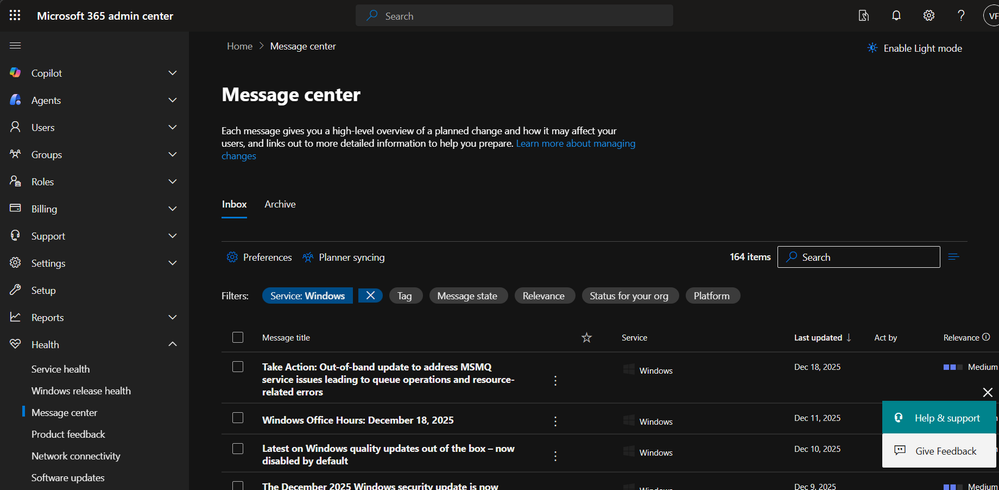
Microsoft has not yet announced a specific calendar date for the general availability of 26H2, though historical trends suggest a release in the latter half of the year. IT administrators are encouraged to monitor the Windows Message Center for official announcements regarding release candidate availability and specific documentation on new features. Organizations currently participating in the Windows Insider Program can already access preview builds to begin their testing phase.
As the rollout date approaches, users can expect further technical guidance regarding the specific feature set included in this update. If you have questions about how these changes will affect your specific enterprise environment, or if you have experienced issues with previous enablement packages, feel free to share your experiences in the comments section below. We will continue to track the development of Windows 11 26H2 as more details emerge from official channels.
Worth a look