
If you have noticed a small green dot appearing at the top of your Apple TV screen, you are seeing a privacy indicator implemented by tvOS to signal that the device’s hardware components are currently in use. According to Apple’s official support documentation, this visual cue appears when the microphone or camera—if connected via a supported device—is actively capturing data.
This feature, which first arrived on Apple TV through the tvOS 17 software update in late 2023, serves as a transparent security measure. By displaying the indicator, the operating system ensures that users are aware of potential data collection, aligning the Apple TV interface with the privacy standards previously established for iPhone and iPad devices. The green dot acts as a system-level notification, meaning it cannot be disabled by third-party applications, providing a reliable check against unauthorized recording.
Understanding the Green Dot Privacy Indicator
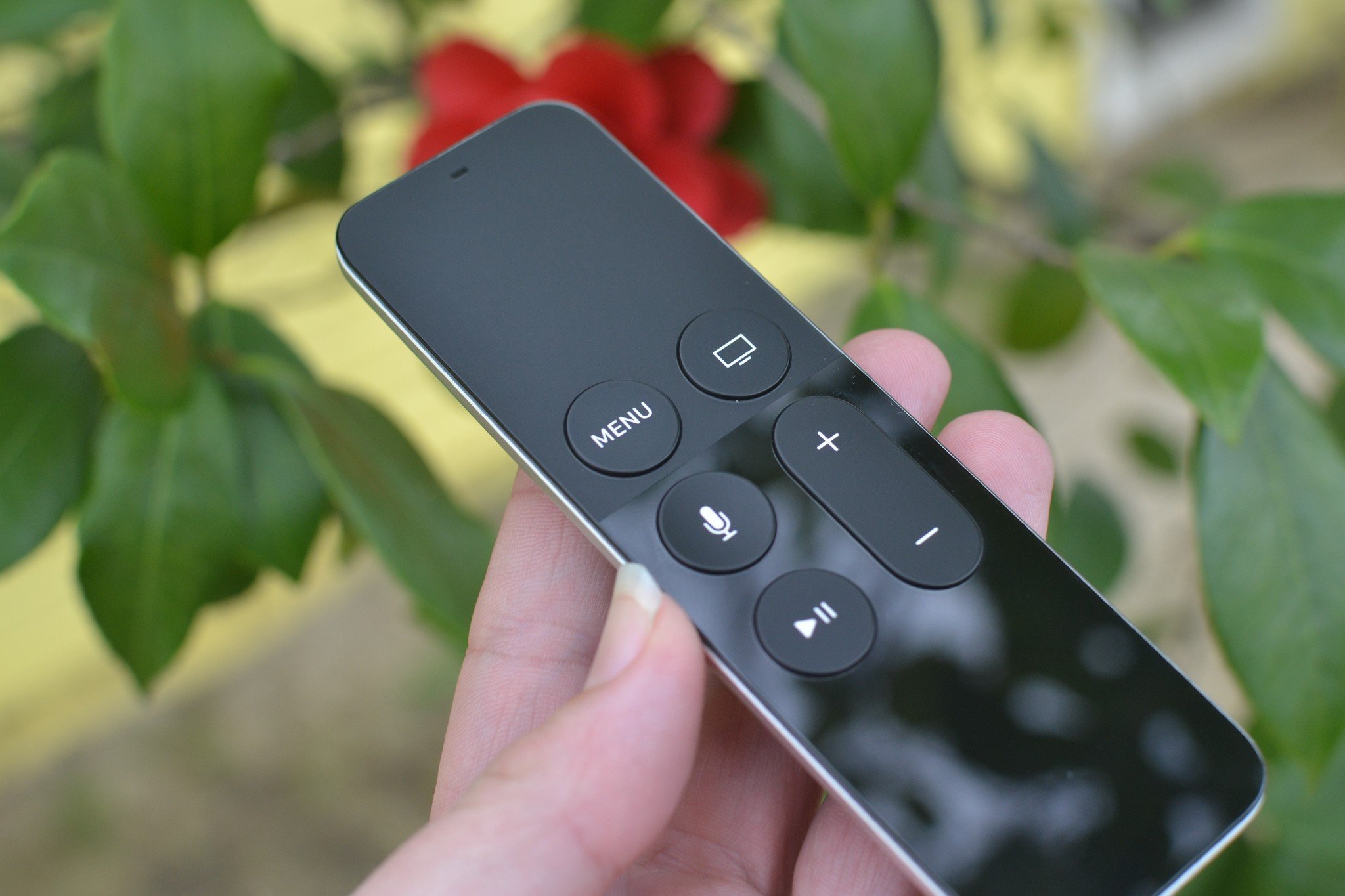
The green dot is primarily triggered by the use of the microphone integrated into the Siri Remote or an externally paired microphone. When an application requests access to the microphone to process voice commands or facilitate audio input, the system displays the indicator in the top-right corner of the television display. As detailed in the Apple Developer documentation for AVFoundation, this is a mandatory OS-level behavior designed to prevent “background listening” without user consent.
For users who have connected a Continuity Camera—a feature that allows an iPhone to serve as a webcam for Apple TV—the indicator may also appear when the camera is active. Because the Apple TV 4K does not have a built-in camera, this light serves as a critical notification that an external video source is live. If the light persists when you are not actively using voice search or video conferencing applications, it may indicate that an app is still holding an active session with the hardware.
Troubleshooting Active Hardware Sessions
If you find that the green dot remains on your screen when you are not using features that require a microphone or camera, you can take specific steps to identify and terminate the session. The most direct method is to force-close the application that was last in use. On the Apple TV remote, double-press the TV/Control Center button to open the app switcher, then navigate to the relevant app and swipe up to quit it.

This action forces the application to release its hardware permissions. If the green dot persists even after closing all open applications, a system restart is recommended. You can perform a restart by navigating to Settings > System > Restart, or by holding down the Back and TV buttons on the Siri Remote simultaneously until the status light on the Apple TV unit flashes rapidly. According to Apple’s troubleshooting guidelines, a system reboot clears temporary cache files and resets active sensor permissions, which typically resolves persistent indicator issues.
Privacy Controls in tvOS
Beyond the visual indicator, users maintain granular control over which applications have access to hardware sensors. You can review and modify these permissions at any time by navigating to Settings > Privacy > Microphone or Settings > Privacy > Camera. This menu displays a list of all installed apps that have requested access to these sensors, allowing you to toggle permissions off for any application that does not require them for its core functionality.
Apple’s move to include this indicator reflects a broader industry trend toward “privacy by design.” By providing a persistent, non-dismissible visual alert, the company aims to mitigate concerns regarding smart home device security. For users concerned about how their data is managed, Apple provides a Privacy Center portal that outlines how the company handles user data and provides instructions on managing data transparency settings across all Apple hardware ecosystems.
Why the Indicator Matters for Users
The implementation of the green dot is a significant step in hardware transparency for living room devices. Unlike smartphones, where users are accustomed to privacy indicators, television interfaces have historically lacked clear, standardized signals for hardware usage. The introduction of this feature provides a consistent experience across the Apple ecosystem, ensuring that users can immediately identify when their privacy might be at stake.
This system-level notification is particularly relevant in households with children or shared devices, where users might not be aware of what applications are running in the background. By standardizing this indicator, Apple ensures that even if an application is poorly designed or behaves unexpectedly, the user is never left in the dark about hardware activity. As Apple continues to update tvOS, users can expect these privacy indicators to remain a permanent, non-negotiable fixture of the Apple TV interface.
The next scheduled major update for the platform is expected to follow Apple’s annual Worldwide Developers Conference (WWDC) cycle, where the company typically unveils new software features and security enhancements. For ongoing discussions regarding tvOS updates, users are encouraged to monitor the official Apple Newsroom for the latest announcements. Feel free to share your experiences or questions about Apple TV privacy settings in the comments section below.