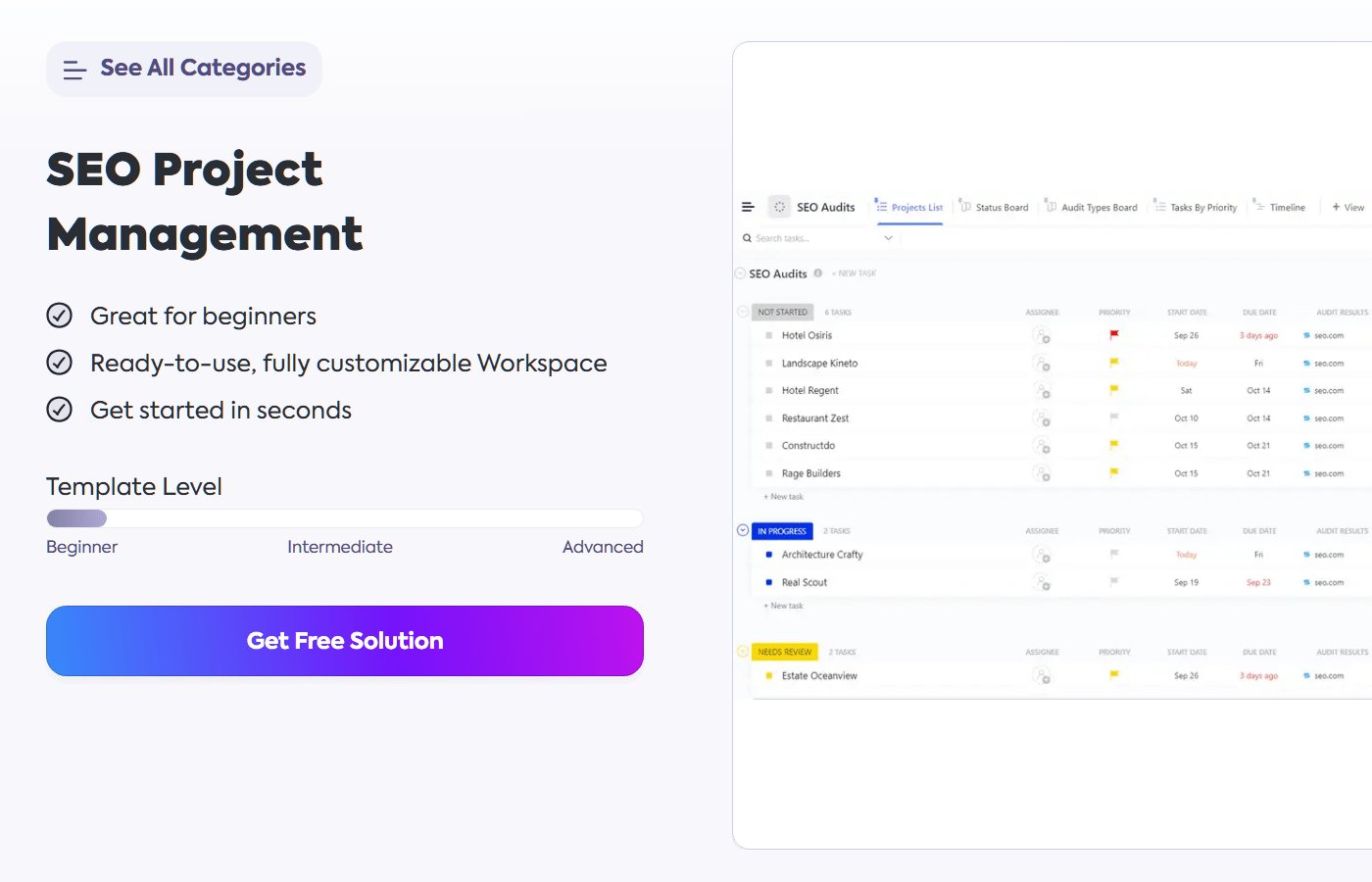
Choosing the right SEO project management templates can streamline complex digital marketing campaigns, coordinate content teams, and track technical website audits without relying on ad-hoc spreadsheets. As search engine optimization involves diverse tasks ranging from keyword research to backlink monitoring, digital marketers frequently deploy structured systems to keep deliverables on schedule.
Search engine optimization frameworks vary widely depending on agency size, internal resources, and budget constraints. Organizations can select from dozens of free spreadsheets to comprehensive paid software suites that integrate directly with web analytics tools. Evaluating these options requires balancing ease of use against advanced feature sets like automated reporting and real-time collaboration.
Implementing a dedicated tracking system helps prevent critical technical oversights, such as broken redirects or missing metadata, during large website migrations or redesigns. Marketing managers can assign specific responsibilities, set firm deadlines, and monitor completion rates across multiple client domains simultaneously. Selecting the optimal layout depends on whether an organization prioritizes content production, technical optimization, or backlink outreach.
Content Strategy and Editorial Scheduling Frameworks
Content-heavy search campaigns rely heavily on editorial calendars to maintain consistent publishing schedules and target high-value keyword clusters. Free spreadsheet templates available through platforms like Google Sheets or Microsoft Excel offer basic grids for tracking article status, target keywords, and publication dates. These lightweight tools suit small teams and individual bloggers who need simple visibility into their content pipelines without complex user permissions.
More robust paid project management platforms provide specialized board views and automated handoffs between writers, editors, and publishers. These environments allow users to attach keyword research documents, brief outlines, and graphic assets directly to individual task cards.
Technical Audits and Site Maintenance Checklists
Technical search optimization demands rigorous, step-by-step verification to ensure search engine crawlers can index pages efficiently. Specialized technical templates guide developers and SEO specialists through comprehensive checks covering robots.txt configurations, XML sitemaps, core web vitals, and canonical tags. Using structured checklists minimizes the risk of overlooking critical errors that can depress organic visibility overnight.
Advanced enterprise suites often integrate technical tracking with automated crawling tools, connecting audit findings directly to project task lists. When an audit uncovers broken links or slow-loading pages, the system generates actionable tickets assigned to specific developers. This direct link between diagnostic data and task management accelerates site remediation and improves overall site health.
Competitor Analysis and Keyword Tracking Templates
Monitoring competitor movements and ranking fluctuations requires dedicated frameworks to aggregate large datasets over time. Dedicated SEO tracking templates help analysts record keyword ranking shifts, backlink acquisition rates, and estimated organic traffic metrics month over month. These templates often incorporate formulas that calculate visibility scores and highlight gaps in existing content strategies.
Paid systems frequently automate data ingestion via APIs from major search analytics providers, eliminating manual data entry errors. Marketing teams utilize these dashboards to present clear progress reports to stakeholders, demonstrating the tangible impact of ongoing optimization campaigns. Establishing a standardized reporting template ensures consistent communication across client accounts and internal departments.
Selecting Free Versus Paid Options
Budgetary considerations often dictate whether an organization adopts free open-source templates or invests in subscription-based project management software. Free solutions provide high flexibility and zero upfront costs, making them ideal for startups and freelancers managing a limited number of websites. However, as teams grow, maintaining complex formulas and disparate spreadsheets can become cumbersome and prone to version control errors.
Paid platforms introduce centralized billing, advanced permission controls, time-tracking features, and customer support, albeit with recurring monthly fees. Organizations evaluating these tools must weigh the administrative hours saved through automation against the cost of software licenses. Matching the template complexity to actual team capacity ensures long-term adoption and cleaner campaign execution.
Readers are encouraged to share their experiences with specific workflow frameworks in the comments below.
Related reading