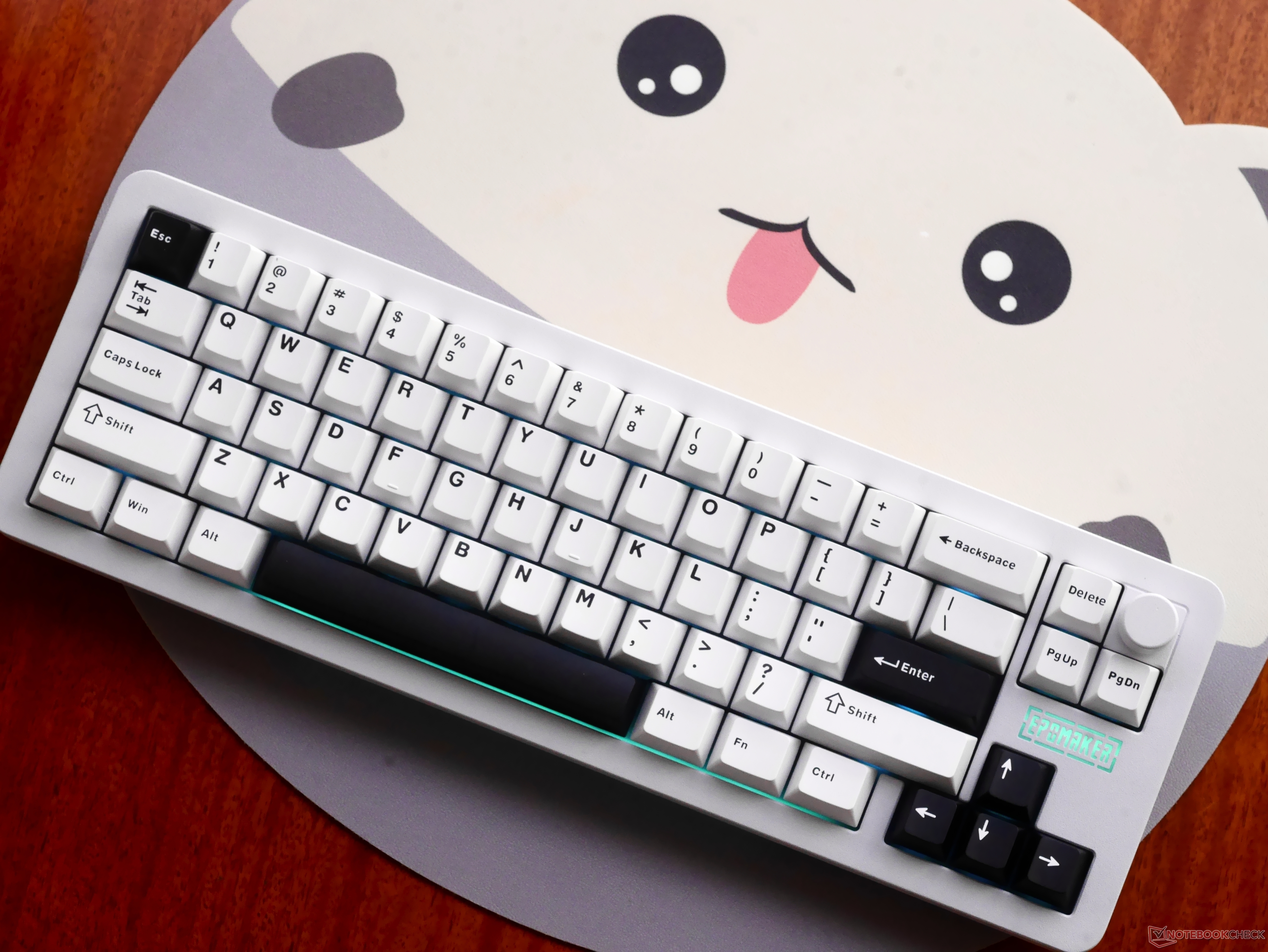
the Galaxy68 Mechanical Keyboard: A Deep Dive into Customization and Performance
The mechanical keyboard market is booming, offering enthusiasts a vast landscape of options.Among the contenders, the Galaxy68 stands out as a compelling choice, particularly for those seeking a blend of customization, portability, and a satisfying typing experience. This thorough review delves into the specifics of the Galaxy68, examining its build quality, keycaps, switches, software compatibility, and overall value. We’ll explore what makes this keyboard a strong contender in the increasingly competitive world of custom mechanical keyboards.
Understanding the Galaxy68S Core Features
The Galaxy68 isn’t just another pre-built keyboard; it’s a platform for personalization. It’s a 68% layout keyboard, meaning it omits the numpad for a more compact footprint, ideal for smaller desks or users who prioritize portability. This size retains function keys and arrow keys, striking a balance between functionality and space-saving design. Recent data from Statista (November 2023) indicates a 25% increase in demand for 65% and 68% layout keyboards in the last year, driven by the growing popularity of minimalist desk setups and gaming.
Did You Know? The 68% layout is frequently enough favored by programmers and writers due to its efficient use of space while still providing essential keys.
Build Quality and Aesthetics: A Gasket-Mounted Experience
The Galaxy68 boasts a gasket mount design, a feature typically found in higher-end custom keyboards.This mounting style utilizes silicone or foam gaskets between the plate and the case,aiming to reduce vibrations and create a more dampened,agreeable typing feel.While the gasket mount does contribute to noise isolation, initial impressions suggest it doesn’t significantly soften bottom-outs. The case construction feels solid, though the focus is clearly on providing a stable base for customization rather than premium materials.
The aesthetic is clean and minimalist,allowing the user’s choice of keycaps and switches to take center stage. the keyboard’s relatively low profile contributes to a comfortable typing angle,reducing wrist strain during extended use.
Keycaps and Switches: The Heart of the Typing Experience
The stock Galaxy68 typically ships with PBT keycaps, known for their durability and resistance to shine. The slightly matte texture of these keycaps provides a pleasant tactile experience, allowing fingers to glide across the surface. However,a potential drawback is the susceptibility of the coating to wear and tear. Even light abrasion, such as from a fingernail, can mar the finish.
Pro Tip: Don’t let the potential for wear deter you! Keycap sets are readily available and relatively inexpensive.A replacement set can be found on Amazon for as little as $10-$20.https://www.amazon.com/Translucent-compatible-Switches-Mechanical-Keyboard/dp/B0D1JWX3PP?tag=nbcnewsnet-20
The review unit featured Feker Marble White switches. These switches are consistently lubricated, eliminating any scratchiness throughout the keystroke. Importantly, the switches exhibit consistent feel and sound across the entire keyboard, a testament to quality control. Switch choice is a highly personal preference, but the Feker Marble Whites provide a solid foundation for a satisfying typing experience. Consider exploring different switch types – linear, tactile, or clicky – to find what best suits yoru needs.
VIA Compatibility and Programmability: Unleashing Customization
One of the Galaxy68’s most significant strengths is its VIA compatibility. VIA is open-source keyboard firmware that allows users to remap keys, create macros, and customize lighting effects without needing to delve into complex coding. This level of programmability is a game-changer for users who want to tailor their keyboard to their specific workflow.
The integrated rotary knob, pre-configured for volume control with a press-to-mute function, further enhances usability. VIA allows you to assign macros to the knob, opening up a world of possibilities for streamlining tasks. While the knob feels good to use, it does exhibit some side-to-side wobble, and the gap between the knob and the case is slightly noticeable.
<
![Border Patrol Expansion: Impact on US Cities | [Year]](https://i0.wp.com/static01.nyt.com/images/2025/10/18/video/rv-chicago-border-patrol-cover/rv-chicago-border-patrol-cover-facebookJumbo.png?resize=150%2C150&ssl=1 "Border Patrol Expansion: Impact on US Cities | [Year]")




![Redo & Succeed: How to Improve After First Attempts | [Industry/Topic]](https://i0.wp.com/www.trustedreviews.com/wp-content/uploads/sites/7/2025/12/Meze-99-Classics-2nd-Gen-headphones.jpg?resize=330%2C220&ssl=1 "Redo & Succeed: How to Improve After First Attempts | [Industry/Topic]")