Adam Conway
2026-01-09 20:30:00
I recently purchased a 3D printer, and I’ve been using it to print all kinds of things relating to my smart home and my workspace. From enclosures for my smart home projects to storage baskets and even small trinkets I can give to friends and family, I’ve been amazed at the utility I’ve already derived from it in such a short space of time. Smart home projects are the biggest reason I purchased it, though, as I wanted to build enclosures for the devices that I actively use on a day-to-day basis. After all, there’s nothing really “seamless” about a bare ESP32 board and some wires.
Some of these I designed myself, others I found on sites like Printables or MakerWorld. The ones I’ve desiged are rather basic at present, but I’m still finding my feet and trying to settle on what tool I’ll use in the long-term. Right now, I oscillate between Onshape and Fusion 360, but both work just fine once I have measurements to work with. I use a digital callipers for measuring devices I want to build for, and while I had originally thought I could rely on dimensions provided by sellers, I’m glad that I didn’t, and I highly recommend re-taking measurements yourself if the seller of a board doesn’t provide a CAD modelling file to work with.
These are some of my favorite enclosures that I’ve printed for my ESP32 devices.
ReSpeaker Lite voice assistant enclosure
Just like any other voice assistant
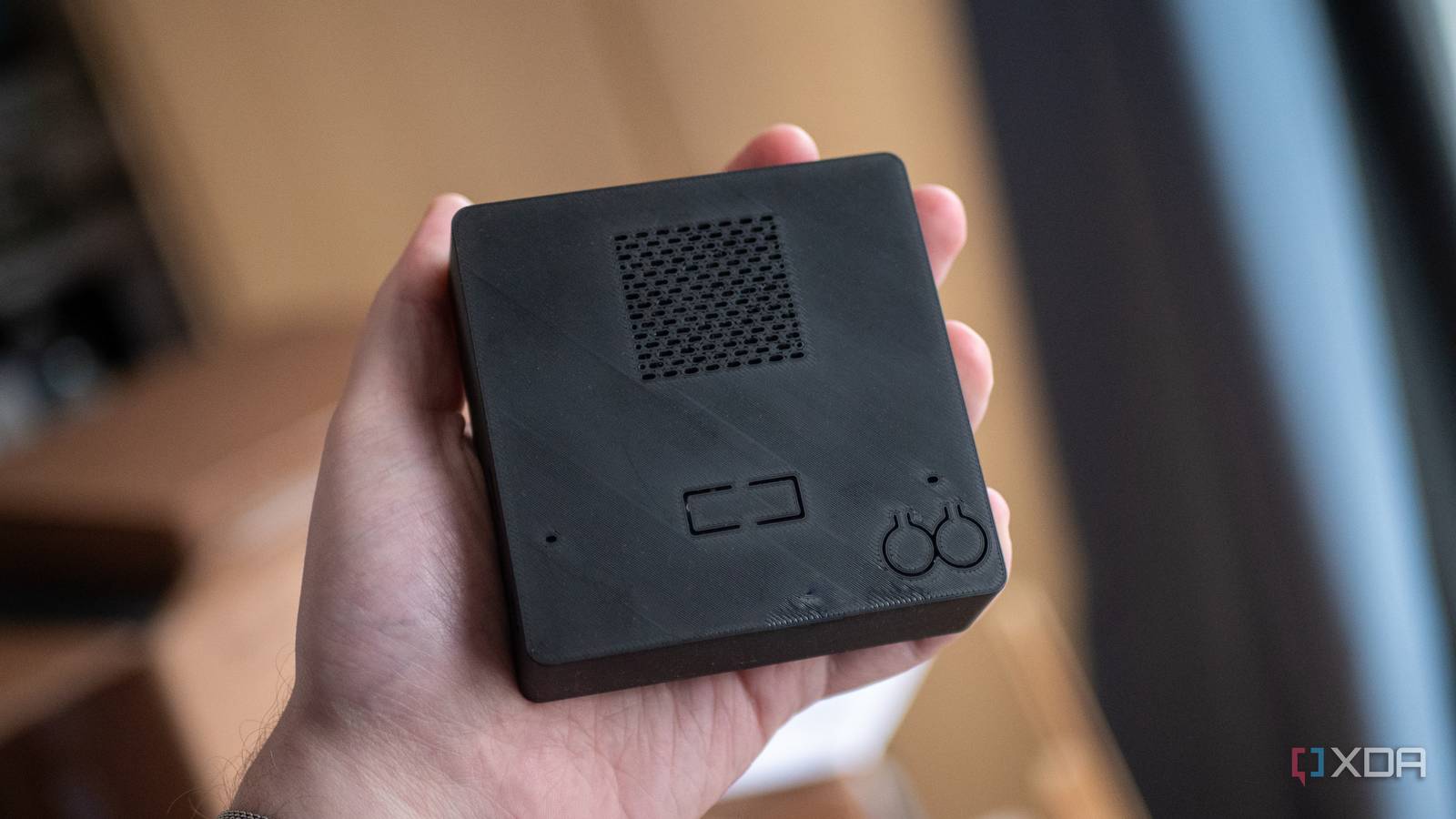
The ReSpeaker Lite is a single-board kit for building your own smart speaker, packing a dual microphone array, mute and user buttons, a 3.5mm out jack, a JST PH-2.0 speaker connector, and an XMOS XU316 audio processor. I previously connected mine to a CD wallet speaker that I took apart, but I’ve since migrated it from that housing and stuck it in a 3D printed speaker enclosure.
I’m using a 3D print that I found on Printables, but I also designed and printed my own holder block to hold the speaker in place on the inside, as the 3W 8 ohm speaker inside it is a lot smaller than the one the case was originally made for. There are two holes for the dual-microphone array, two buttons for boot and reset, and a hole for the LEDs to shine through. The USB-C port can be accessed on the side, as can the 3.5mm jack.
This is one of my favorite 3D prints, and was also one of my first. Rather than a floating board with some wire and a speaker, it’s significantly less eye-catching in a casing that can be mistaken for any other voice assistant, while still remaining fully functional.
Colorful productivity display
Perfect for my needs

I’ve been using the XIAO 7.5-inch ePaper Panel for quite a long time now, and it kick-started a lot of my ESP32 interest. It was a mainstay of my desk for about half a year, as it shows me what I need to work on that day, what calls I have that day, and what the weather looks like for the day. It’s been a great way to keep on top of my day, and after I received the Spectra 6-color E-Ink display, alongside the EE04 driver board, I was able to upgrade and print my own housing for it, too.
The housing isn’t too dissimilar from the XIAO ePaper Panel housing, but it’s in black rather than white. I like the contrast of the black body to the white panel, and it doesn’t take up any additional space on my desk. The 3D printed case that I’m using is this one from Printables. It’s for the 7.5-inch TRMNL DIY kit, but it fits perfectly, as the glass panel itself is the same size.
If I were to print a new housing for it, I’d likely design my own in order to make the body of it slimmer, and make it so that the base of the body can slide into place, rather than using the plastic pins that clip into position. Still, it’s perfectly functional, and I really like how it looks.
WT32-SC01 Plus display holder
This display needs a frame

This one is super basic, but super basic also means very cheap and quick to make. This one was found on Thingiverse, and requires just 17 grams of filament to print. It’s very simple: all it does is round out the WT32-SC01 Plus’ body so that it can be stood upright or lie flat without rocking, as it seems to have been designed in a way where the user is expected to build an enclosure for it. There’s a hole in the side to feed a USB-C cable through for power, and you can easily remove it if you want to put a microSD card inside.
This is one of my favorite 3D prints simply because of how basic it is. It’s not overly complicated, you don’t need to print any supports, and the cost of printing it is extremely cheap. Yet it entirely changes the WT32-SC01 Plus in terms of looks and what you can do with it, as it makes it fully capable of sitting upright on a desk displaying whatever information you need it to.
There are many other cases for this display that make it wall mountable, and others that hold it vertically in a phone-like stand. For most devices, I just search on Yeggi to find models that I can print, and I usually find something that I can work with.
ReSpeaker XVF3800 voice assistant holder
Showing off those LEDs
The ReSpeaker XVF3800 is a more advanced version of the ReSpeaker Lite, with quad microphones, noise cancelling capabilities, and with this model, an ESP32-S3 at the center of it all. It’s a very powerful speaker board, and it deserved a high-quality housing to match.
The challenge with designing a case for this speaker is that there are 12 LEDs on the back. These light up and point in the direction of the user when speaking, and are also used for visual feedback when listening for a prompt or when responding to the user. I designed a basic puck-style case that would hold the speaker in place, while still allowing access to the 3.5mm aux port, USB-C port, and side buttons.
This is only the first version of it, but it’s already surprisingly functional. My second iteration will likely have thinner side walls for easier button access, a way to lock the board in place (perhaps a lid with holes for the LEDs and microphones), and I might make it slightly taller to allow for a speaker to sit inside of the housing that can be connected to the onboard JST PH-2.0 speaker connector.
My current build allows clearance for the board parts when it’s mounted in the holder, but nothing holds it in place or allows you to use the onboard speaker. It’s super basic, and I designed it more as a prototype than anything else. I designed it by taking measurements with my digital callipers and building a CAD model that satisfied those requirements in Onshape, but it needs a lot of work to be something I’m truly proud of.
Waveshare LED matrix display holder
An alarm-clock style enclosure

This model for the Waveshare 64×32 LED matrix display is one I designed by taking measurements and building a CAD model to fit it, and I’m really happy with how it turned out. It’s an alarm-clock style housing with room for the ESP32 wiring inside and a hole towards the back for AC power. The back is closed with a sliding door, and it was one of the first designs I made myself.
Thankfully, ESPHome’s newly-introduced native HUB75 support makes developing for it significantly easier than it was in the past. WIth this display, I can show information about the day, the date and time, images, and more. It’s only a 64×32 display, but you can still do a lot with a low resolution display like this when you’re aware of its limitations.
This is an early version of the model I’m designing, and as such, it’s quite barebones. There’s no way to lock the display in place, for example. The case is wide enough to hold the display inside, and there’s a small lip that extends in front of the display so that it can’t go all the way through. Still, it gets the job done, and I love it.
ESP32-S3 desk holder
No more flying ESP32 boards

This one isn’t necessarily an enclosure, but it’s useful enough that I still had to share it. You see, when I’m developing for the ESP32, sometimes I just want something that will hold it in place on my desk, rather than have it float around on a cable, ready to be knocked off my desk by accident. That’s exactly what this desk holder enables me to do. It’s a super basic print, using less than 10 grams of filament, but makes things significantly more convenient.
I found this model on MakerWorld, and I modified the scale of it to make it slightly longer for my ESP32-S3. There’s not much to say on it really; it’s just a good print that makes it much easier to keep track of where my ESP32 is without dropping it on the ground or having it get buried other under sensors and displays. It leaves plenty of room for the GPIO pins, too, so that you can still build with it.
However, this model also proves something that’s useful to know if you build a lot of different projects with different chips. You don’t need a display or otherwise “functional” device to still get benefit from a 3D printed model. In this case, it’s a minor inconvenience, but it’s a minor inconvenienced that’s been solved by my 3D printer nonetheless.