
Enhance Your Viewing Experience with Amazon Prime Video’s Dialog Boost
Are you constantly adjusting the volume while watching your favorite shows and movies? Do you find yourself straining to hear dialogue over background music or sound effects? Amazon Prime Video’s dialogue Boost feature offers a simple yet powerful solution,and it’s likely a game-changer you didn’t even know existed.
This often-overlooked tool, launched in 2023, subtly improves the audio experience, making voices clearer and more prominent without sacrificing overall sound quality. Let’s explore how Dialogue Boost works and why you should be using it.
What is Dialogue Boost and How Does it Work?
Dialogue Boost intelligently balances the audio mix, prioritizing spoken words. It doesn’t simply increase the volume of dialogue; instead, it dynamically adjusts the soundscape to ensure voices remain clear even during intense action sequences or emotionally charged musical moments. This means you can enjoy a consistently immersive experience without constantly reaching for the remote.
Here’s what makes it particularly useful:
* Improved Clarity: Dialogue becomes easier to understand, even in complex audio mixes.
* Reduced Volume Fluctuations: You won’t need to crank up the volume during quiet scenes and then quickly lower it during loud ones.
* Enhanced Accessibility: Individuals with hearing difficulties will find Dialogue boost particularly beneficial.
* Subtitle reduction: Clearer dialogue may allow you to enjoy content without relying on subtitles.
Who Benefits Most from Dialogue Boost?
While anyone can appreciate clearer audio, certain viewers will find dialogue Boost especially valuable. Consider if any of these scenarios apply to you:
* Late-Night Viewers: Enjoy your shows without disturbing others with a high volume.
* Those with Hearing Impairments: Experience a more balanced and accessible audio experience.
* Fans of Poorly Mixed Content: Improve the clarity of dialogue in shows or movies with subpar audio engineering.
* Subtitle averse Viewers: Follow the story without the distraction of on-screen text.
How to Enable Dialogue Boost
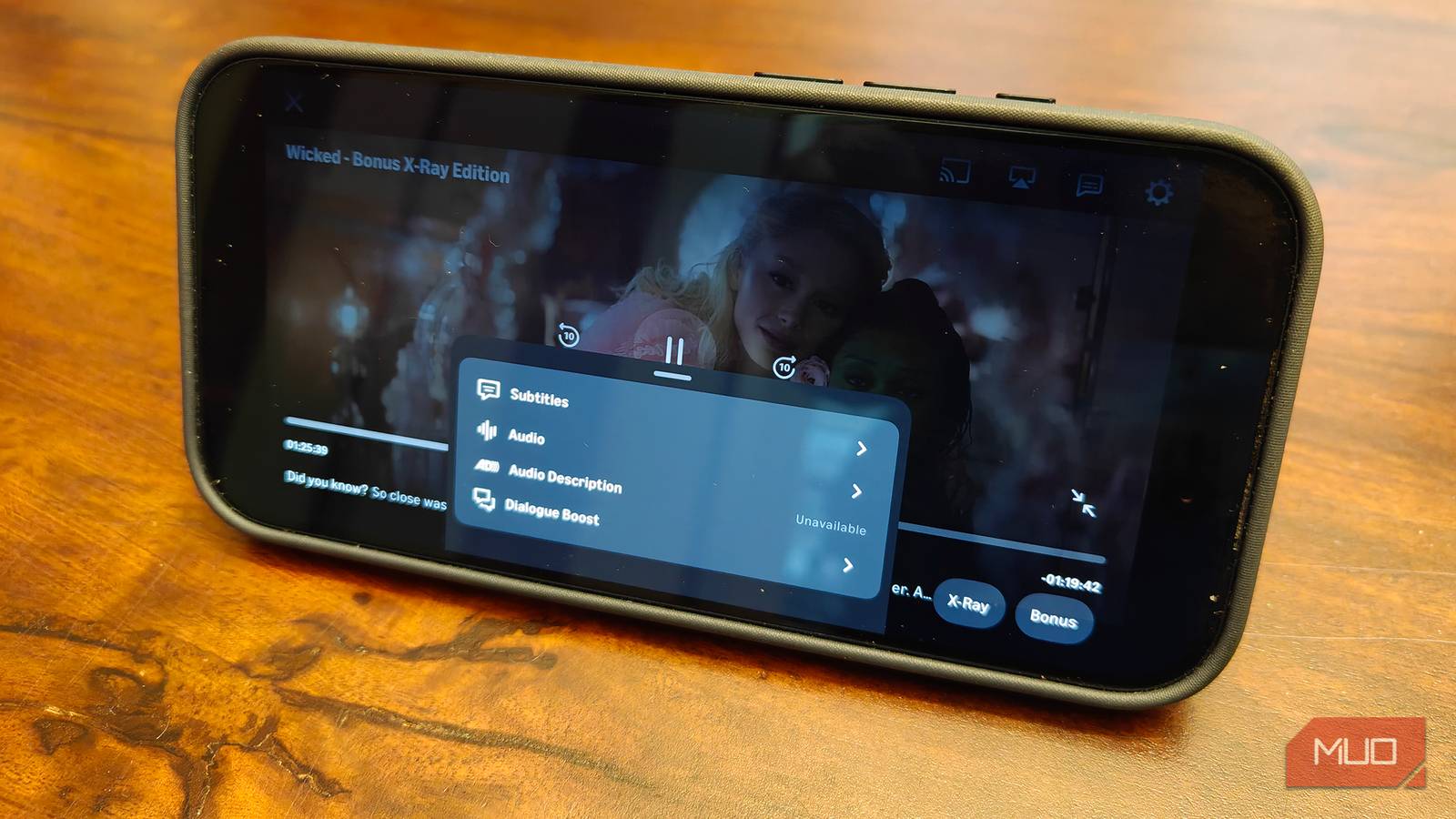
Activating Dialogue Boost is straightforward. Here’s how:
- Begin playing a title on Amazon Prime Video.
- during playback, navigate to the audio settings.
- Locate the “Dialogue Boost” option and toggle it on.
- Enjoy the enhanced clarity!
It’s crucial to note that Dialogue Boost isn’t available for all titles. However, it’s becoming increasingly common, and you’ll likely find it supported on manny of your favorite shows and movies.
Amazon Prime Video: More Than Just Streaming
Amazon Prime Video consistently ranks among the top streaming services, offering extraordinary value beyond its extensive content library. When bundled with an Amazon Prime membership, you also gain access to:
* Fast, free shipping on eligible Amazon purchases.
* Exclusive deals and discounts.
* Amazon Music streaming.
* Cloud storage for your photos and videos.
* Access to Amazon gaming benefits.
Ultimately, Dialogue Boost is a testament to Amazon’s commitment to improving the viewing experience for all its subscribers. It’s a small feature that makes a big difference, and once you start using it, you may wonder how you ever watched TV without it. Take a moment to explore this hidden gem and rediscover your favorite content with newfound clarity.





