Fresh: A Modern Terminal Text Editor
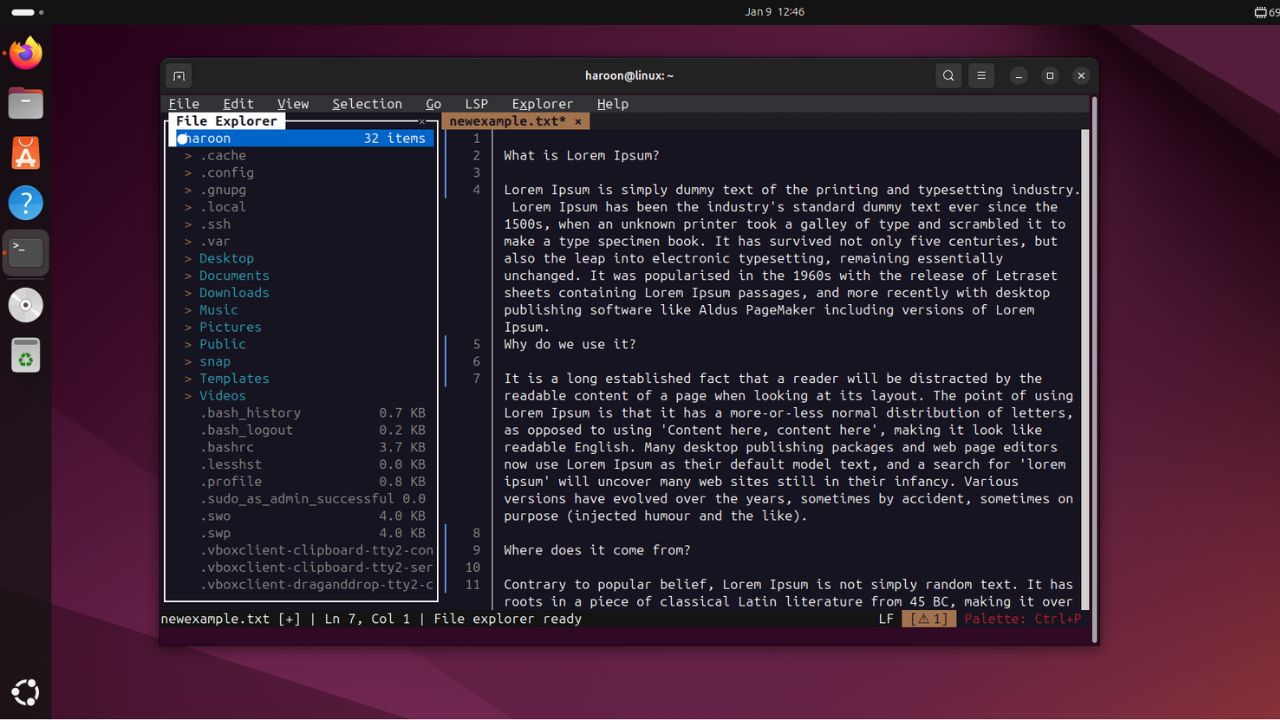
This text details Fresh, a new terminal-based text editor. Here’s a summary of its key features and how to install it:
Key Features:
* Efficient Large File Handling: Designed to handle very large files without loading them entirely into memory.
* Advanced Editing: Offers deep undo/redo, multi-cursor editing, column selection, smart indentation, comment toggling, and system clipboard integration.
* Precise Navigation: Includes features like go to line,bracket matching,word movement,position history,bookmarks,and direct navigation to language server errors.
* Powerful Search & Replace: Supports incremental search, regular expressions, selection-scoped operations, and project-wide searches.
* Keyboard Macros: Record and replay actions for repetitive tasks.
* Git Integration: Displays repository status and provides a visual Git log viewer.
* Extensibility: Uses a sandboxed plugin system with TypeScript for customization.
Installation:
* Speedy Install (Recommended):
“`bash
curl https://raw.githubusercontent.com/sinelaw/fresh/refs/heads/master/scripts/install.sh | sh
“`
* Cargo (requires Rust Toolchain):
“`bash
cargo install fresh-editor
“`
* arch-based Systems (AUR):
“`bash
yay -S fresh-editor-bin
“`
* more Info: https://github.com/sinelaw/fresh?tab=readme-ov-file#installation
* Alternative Options: AppImage and Flatpak are also available.
Running fresh:
* From Terminal: fresh
* With a file: fresh filename.txt
* Open fresh then Load: Use the File menu or built-in file browser. Files open in tabs.