
Instagram’s New Map Feature: A Complete Guide to Location Sharing & Privacy
Instagram recently launched a new feature allowing users to share their location with friends – and see where they are,too. Think of it as a blend of Snapchat’s Snap Map and Apple’s Find My, bringing a new layer of connection (and potential privacy considerations) to teh platform. This guide will walk you through everything you need to know, from accessing the feature to controlling your privacy settings.
What is Instagram’s Map Feature?
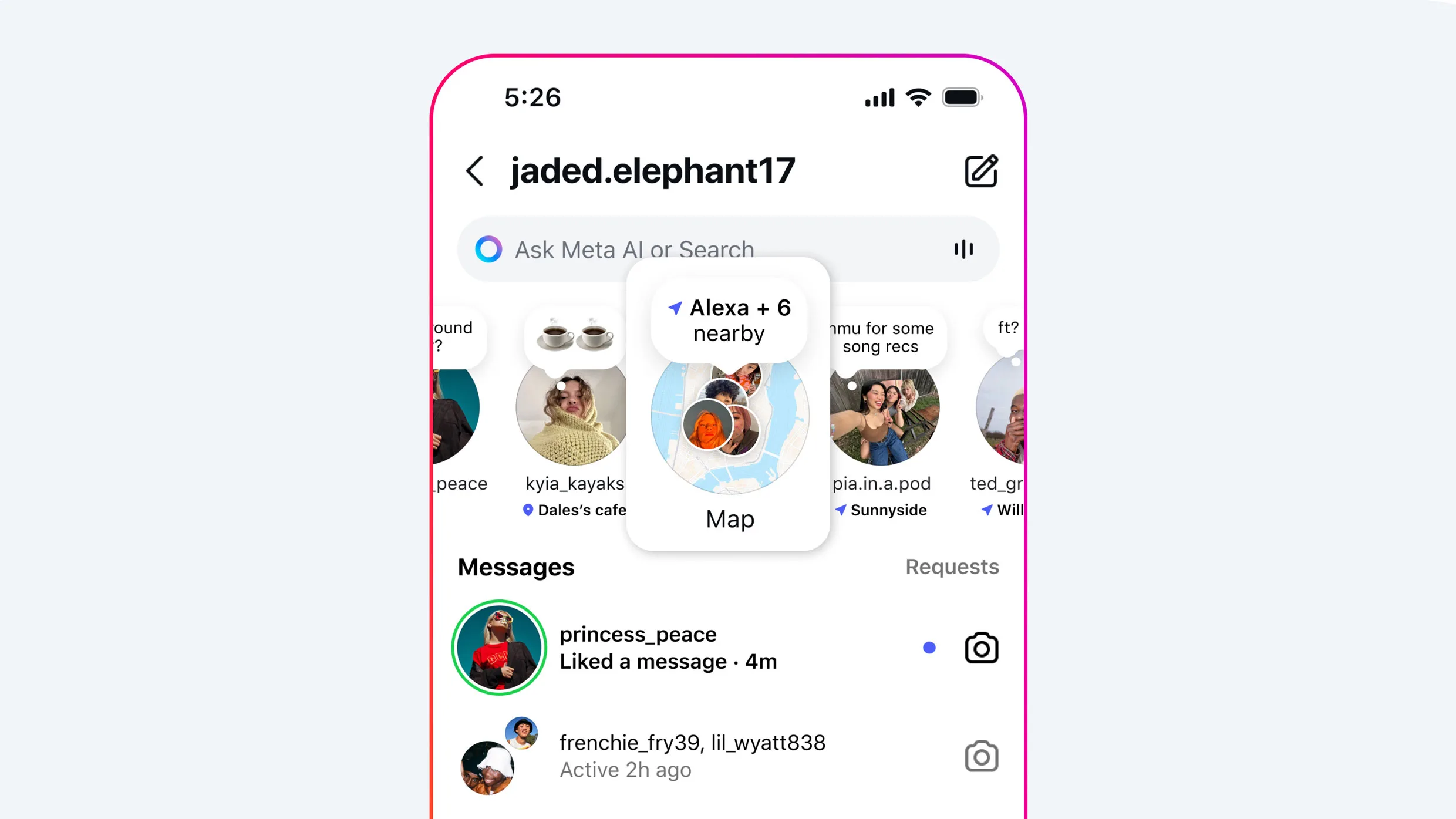
The new Map feature lets you visually see where your friends are, if they’ve chosen to share their location. It’s designed to make spontaneous meetups easier and offer a new way to connect based on proximity. Importantly, location sharing is completely opt-in and turned off by default. You are always in control of who can see where you are.
Accessing the Map
Getting to the Map is simple:
- Open the Instagram app.
- Tap the arrow icon in the top right corner of your home feed to open Messages.
- You’ll find the Map option at the top of your inbox.
The frist time you open Map, you’ll be prompted to choose who can see your location.Your options include:
Friends: Followers you also follow back.
Close Friends: The curated list you’ve created within Instagram.
Selected Users: Specific individuals you choose.
No One: Keep your location completely private.
Managing Your Location Sharing Settings
Want to change who can see your location later? Here’s how:
- Go to your profile.
- Tap the settings icon in the top-right corner.
- Select “Story, live and location.”
- Choose “Location sharing.”
From here, you can easily adjust your preferences.
Understanding the Map Icons
The Map uses clear visual cues to indicate location sharing status:
Blue Arrow: You’re actively sharing your location with your chosen audience.
Red Dot: You are not sharing your location.
Orange Triangle: Instagram doesn’t have permission to access your device’s location. You’ll need to enable location permissions in your phone’s settings.
Completely Disabling Location Services for Instagram
If you prefer to keep location services off entirely, here’s how to do it on your device:
iPhone:
- Open the Settings app.
- Tap “Privacy & Security.”
- Select “Location Services.”
- Scroll down to Instagram and select “Never.”
Android:
- open your phone’s Settings app.
- Scroll to “Apps.”
- Select Instagram.
- Tap “Permissions.”
- Choose “Location.”
- Select “Don’t allow” to block access completely,or choose “Allow only while using the app” or “Ask every time” for more control.you can also toggle off “Precise location” for less accuracy.
Even with location sharing disabled, you’ll still be able to see the locations of friends who are sharing theirs. Instagram updates your location whenever you open the app or return to it from the background if location sharing is enabled.
Location Sharing & Teen accounts
Parents, take note! If you have enabled parental supervision on your teen’s account, you have control over their location sharing:
You can control whether they have access to the feature.
You can see who they are sharing their location with. You’ll receive notifications if they turn location sharing on.
Why This Matters: Privacy & Control
Instagram’s rollout of this feature underscores the growing importance of understanding and managing your privacy settings. While location sharing can be a fun way to connect with friends, it’s crucial to be aware of who has access to your location data. By taking the time to configure your settings, you can enjoy the benefits of the Map feature while maintaining control over your privacy.
Resources:
* [Meta Newsroom: New Instagram Features](https://about.fb.com/news/2





