
iPhone 17‘s Dual capture: A Deep Dive into the New Recording Feature
The upcoming iPhone 17 is generating buzz, and one feature in particular – Dual Capture – is capturing attention. It promises a new way to record videos, blending perspectives seamlessly. Let’s explore everything you need to know about this innovative capability.
What is Dual Capture?
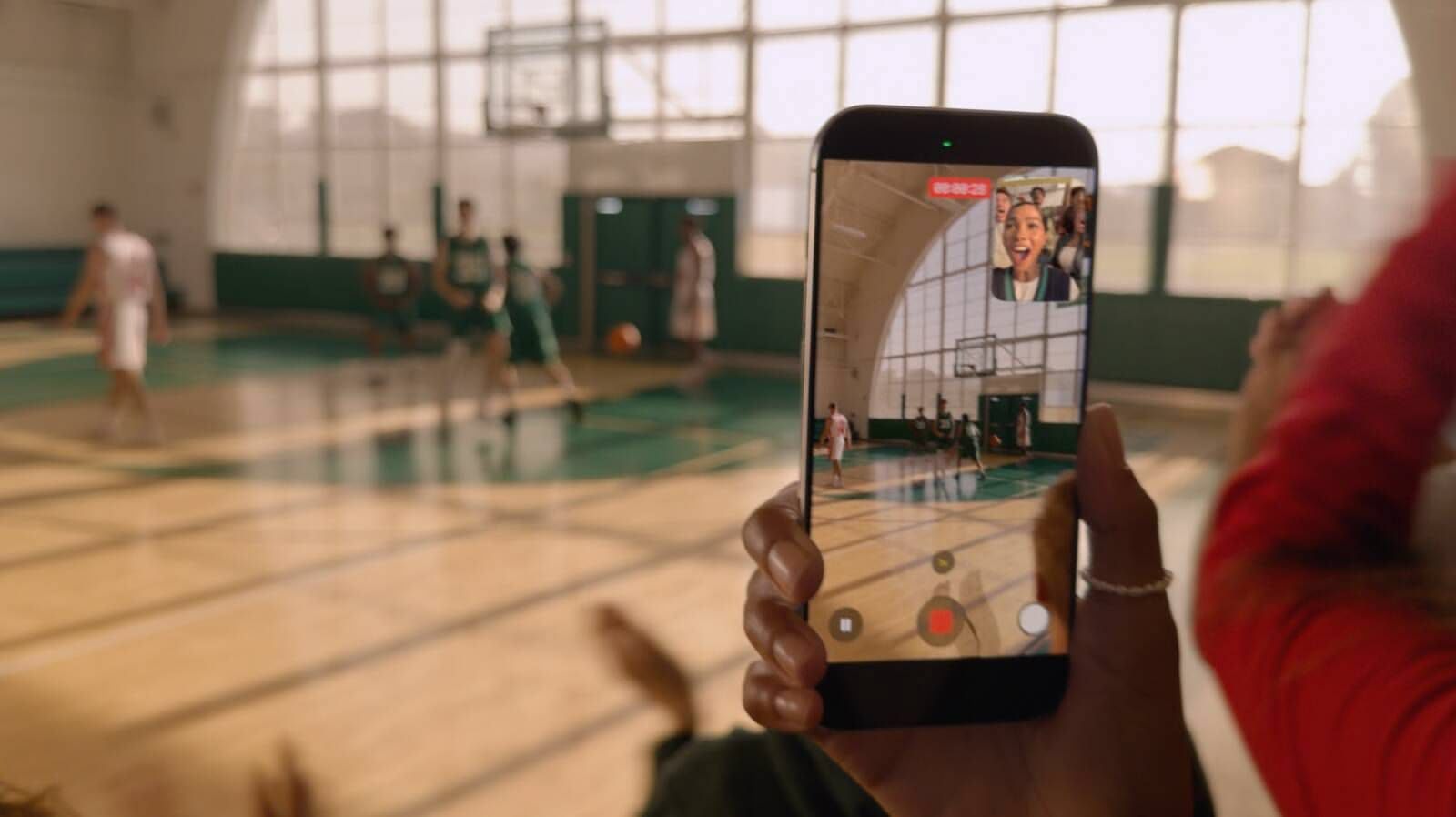
essentially, dual Capture allows you to record video concurrently using both your iPhone’s front and rear cameras. Imagine capturing your reaction while filming the scene in front of you – perfect for vlogging, tutorials, or simply preserving memories with a personal touch. This feature builds on the growing trend of immersive content creation, giving you more control over storytelling.
How Does it Work?
The process is straightforward. You initiate the recording, and the iPhone intelligently combines footage from both cameras into a single video file. the rear camera takes center stage, showcasing the primary subject, while the front camera displays your reaction or narration in a smaller window.
Recording Options and Quality
Dual Capture offers versatility in terms of resolution and frame rate.You can choose between 1080p and 4K resolution, with frame rates of 24 or 30 fps. I’ve found that 4K at 30fps generally provides the best balance of quality and editing potential for post-production work.
Understanding the limitations
While incredibly promising, Dual Capture isn’t without it’s constraints. Currently, you’re limited to Apple’s pre-defined layout.
* The rear camera dominates the frame.
* The front camera appears in a smaller,fixed-size window.
Unlike some competitors, you can’t switch camera feeds or opt for a split-screen view offering equal prominence to both. Furthermore, the entire recording saves as a single, unified video file - you won’t have separate clips for each camera.
Why This Matters to You
Here’s what makes Dual Capture a game-changer:
* Enhanced Storytelling: Capture authentic reactions and provide context to your videos.
* Simplified Vlogging: Record yourself and your surroundings simultaneously, streamlining the editing process.
* Unique Perspectives: Offer viewers a more immersive and engaging experience.
* Tutorials & Demonstrations: Show your face while demonstrating a product or skill.
What to Expect Moving Forward
As with any new feature, expect refinements and expansions. Here’s what I anticipate:
* Layout Customization: The ability to adjust the size and position of the front camera window.
* Split-Screen Options: offering a more balanced view of both camera feeds.
* Expanded Editing Tools: More granular control over the combined video file.
Dual Capture represents a meaningful step forward in mobile video recording. While it has initial limitations, its potential to transform how you create and share content is undeniable. It’s a feature that will undoubtedly evolve, becoming even more powerful and versatile in the years to come.

![Super Four Live Stream & TV Channels: How to Watch [Team A vs Team B]](https://i0.wp.com/d16f573ilcot6q.cloudfront.net/wp-content/uploads/2024/06/Imdia-ace-pacer-Jasprit-Bumrah-hugs-wife-Sanjana-Ganesan-after-interview-gives-son-Angad-his-T20-World-Cup-medal.jpg?resize=150%2C150&ssl=1 "Super Four Live Stream & TV Channels: How to Watch [Team A vs Team B]")



