
## Google Translate‘s New Language Learning Feature: A Deep Dive into Conversational AI & Personalized Education
The landscape of language learning is undergoing a quiet revolution, and at the forefront is a surprising new contender: Google Translate. Beyond its established role as a swift translation tool, Google is now actively positioning Translate as a personalized language learning companion. This month’s official rollout of a beta experience within the Translate app isn’t just an update; it’s a strategic shift towards leveraging artificial intelligence for accessible, conversational language acquisition.This article provides an in-depth exploration of this new feature, its technical underpinnings, potential impact, and how it stacks up against existing language learning platforms.
Did You Know? Google Translate processes over 7 billion translations *daily*, making it a uniquely positioned resource for understanding real-world language usage patterns.
## H2: understanding the Core Functionality: Personalized Learning Paths
Unlike traditional language learning apps that often follow rigid curricula, Google Translate’s new feature emphasizes user agency. The core concept revolves around creating customized “lesson plans” tailored to individual skill levels and learning objectives.This is a meaningful departure from the one-size-fits-all approach prevalent in many existing solutions.Users begin by selecting their current proficiency – ranging from beginner to advanced - and defining their learning goal (e.g., practicing conversation for travel, improving vocabulary for work). The app then dynamically generates interactive scenarios based on these inputs.
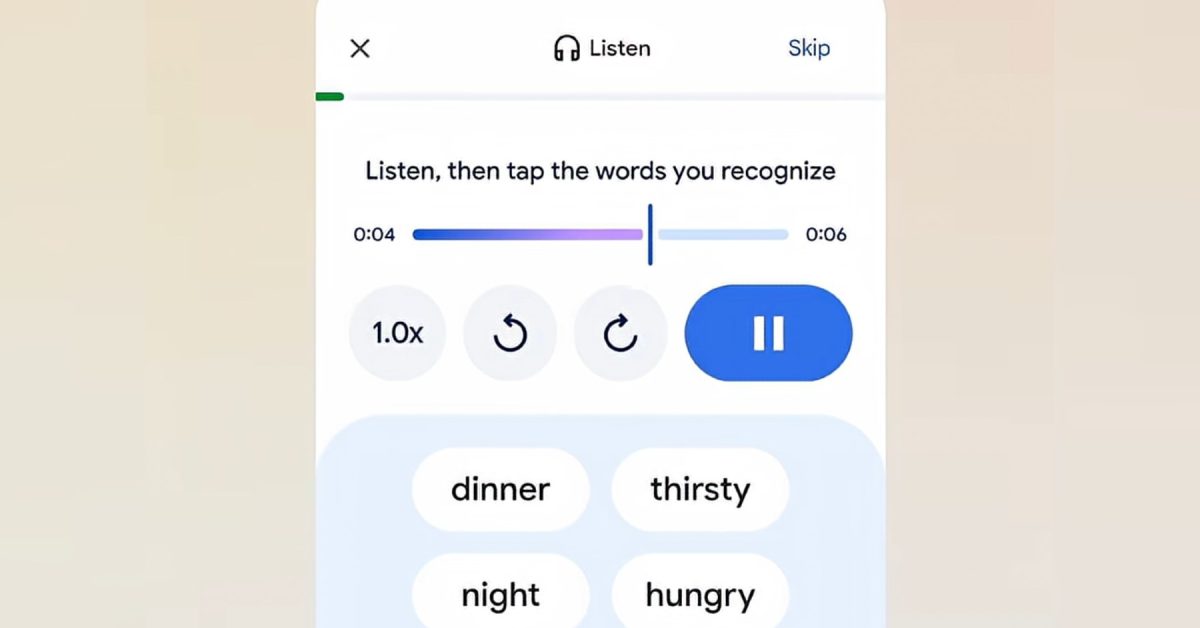
The experience is built around two primary modes: comprehension and speaking practice. In comprehension mode, users listen to simulated conversations and can tap on unfamiliar words to instantly access translations and definitions. This fosters contextual learning, a proven method for improving retention. The speaking practice mode allows users to actively participate in the conversation, receiving hints and feedback as needed. This utilizes Google’s advanced speech recognition technology, continually refined through years of data analysis, to provide accurate and helpful guidance. This isn’t simply about rote memorization; it’s about building confidence in real-world communication.
Pro Tip: Don’t be afraid to experiment with different skill levels and goals within the Translate app.Starting slightly below your perceived level can help solidify foundational concepts.
## H3: The Technology Behind the Scenes: AI, Speech Recognition, and Natural Language Processing
The effectiveness of this new feature hinges on several key technologies. At its heart lies Google’s sophisticated Natural Language Processing (NLP) engine. NLP allows the app to understand the nuances of language,generate realistic conversational scenarios,and provide accurate translations. Coupled with this is Google’s industry-leading Automatic Speech Recognition (ASR), which powers the speaking practice mode. ASR isn’t just about transcribing speech; it’s about understanding *meaning* and providing relevant feedback on pronunciation and grammar.Recent advancements in Deep Learning have substantially improved the accuracy of both NLP and ASR,making this feature more effective than ever before.
Furthermore,the app leverages Machine Translation (MT),not just for providing definitions but also for dynamically adjusting the difficulty of the scenarios. If a user consistently struggles with a particular grammatical structure, the app can subtly adjust future conversations to focus on that area. This adaptive learning approach is a hallmark of effective educational tools. The integration of these technologies demonstrates Google’s commitment to pushing the boundaries of AI-powered language learning.
## H2: Google Translate for Language Learning: A Comparative Analysis
How does Google Translate’s new feature compare to established language learning platforms like Duolingo, Babbel, and Rosetta Stone? here’s a breakdown:
| Feature | Google translate | Duolingo | Babbel | Rosetta Stone |
|---|---|---|---|---|
| Learning Approach | Personalized, conversational, scenario-based | Gamified, structured courses | Conversation-focused, practical dialogues | Immersion-based, visual learning |
| User Control | High – users define goals & skill level | Limited – follows a pre-defined path |
Previous Article  Home Skin Cancer Test: New Patch Offers Early DetectionWomen’s Irish Challenge 2024: Dates, Location & How to Watch  Related Posts
JBL Bar 500 MK2 Review: Is This the Best Soundbar for You?December 25, 2025
Galaxy Z TriFold Hinge Breaks – Live Stream FailureDecember 25, 2025
Pixel 8 Camera Upgrade: New Features & How to Use ThemDecember 25, 20251  2  3  4 ![Peripheral Artery Disease: Saving Limbs & Early Detection [Podcast]](https://i0.wp.com/kevinmd.com/wp-content/uploads/Design-1-scaled.jpg?resize=150%2C100&ssl=1 "Peripheral Artery Disease: Saving Limbs & Early Detection [Podcast]") 5 ![Men’s College Basketball Power Rankings: Top 25 Updated – Kentucky, [Date]](https://a3.espncdn.com/combiner/i?img=%2Fphoto%2F2025%2F1224%2Fr1593223_1296x729_16%2D9.jpg "Men’s College Basketball Power Rankings: Top 25 Updated – Kentucky, [Date]") |