
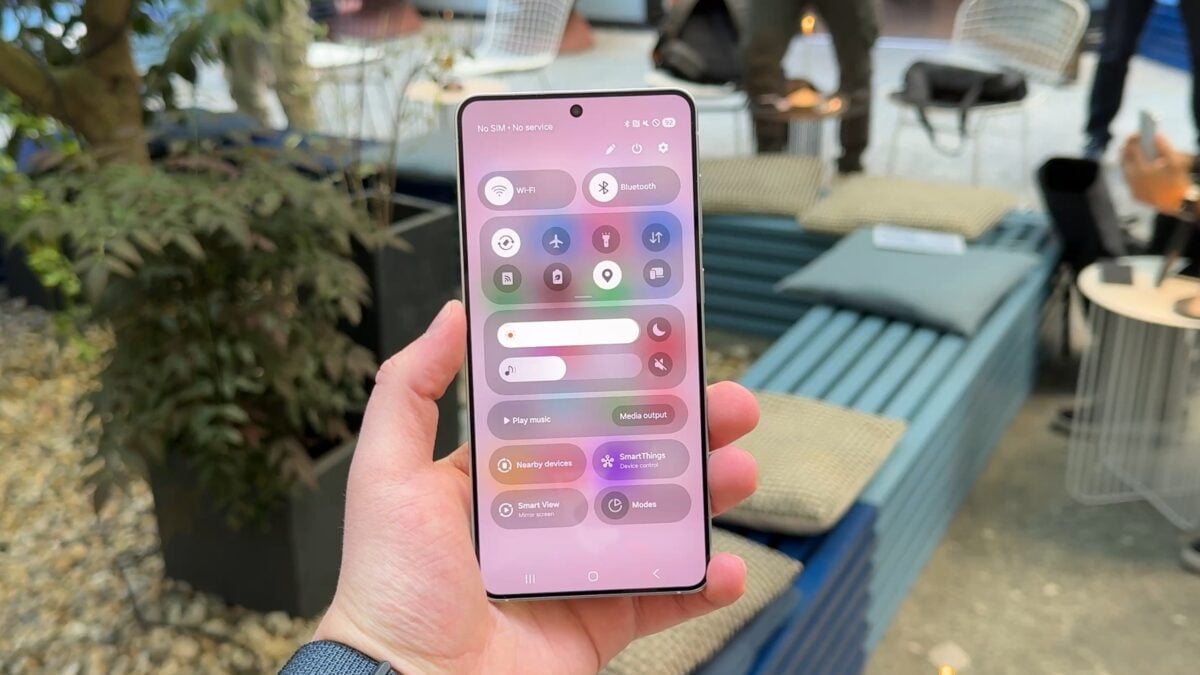
Take Control: One UI 8.5 promises Unprecedented Quick Panel Customization
Get ready for a more personalized smartphone experience. Samsung’s upcoming One UI 8.5 is poised to deliver a level of customization for your Quick Panel that we haven’t seen before.I’ve been following these developments closely, and the potential is truly exciting.
You’ll soon be able to adjust the size of your most-used toggles – think Bluetooth, Mobile Data, and Wi-Fi – making them larger and easier to tap. But the real game-changer is the freedom to completely rearrange the placement of each quick setting.
Don’t want a particular toggle cluttering your Quick Panel? You can now remove it altogether. This level of control puts you in charge of your phone’s interface. Though, it’s critically important to remember these are early builds. Samsung might refine these features before the final release.
This move aligns with trends set by Apple’s iOS 18 and Google’s Android 16, both of which are also emphasizing user personalization. It’s a clear indication that the industry is listening to what you want.
Here’s what makes this customization so impactful:
* Personalized Layout: Arrange toggles exactly how you use them.
* Declutter Your View: Remove unwanted shortcuts for a cleaner experience.
* Enhanced accessibility: larger toggles make operation easier for everyone.
Many users have expressed a desire to remove SmartThings and Smart View shortcuts from the Quick Panel.I understand that frustration. Hopefully,One UI 8.5 will grant that wish, offering even greater control over your daily interactions.
Ultimately, these changes represent a meaningful step towards a more intuitive and user-centric mobile experience. It’s about making your phone work for you, not the other way around.





