
Streamlining Your Home Lab: Why Dockge is a Refreshing Take on Docker Management
Managing Docker containers can quickly become complex. You likely find yourself juggling multiple tools and interfaces, searching for a solution that balances power with simplicity. Dockge emerges as a compelling option, offering a streamlined experience particularly well-suited for home labs and smaller self-hosted environments. Let’s explore why this tool might be the breath of fresh air your Docker workflow needs.
The Allure of speed and Intuitive Design
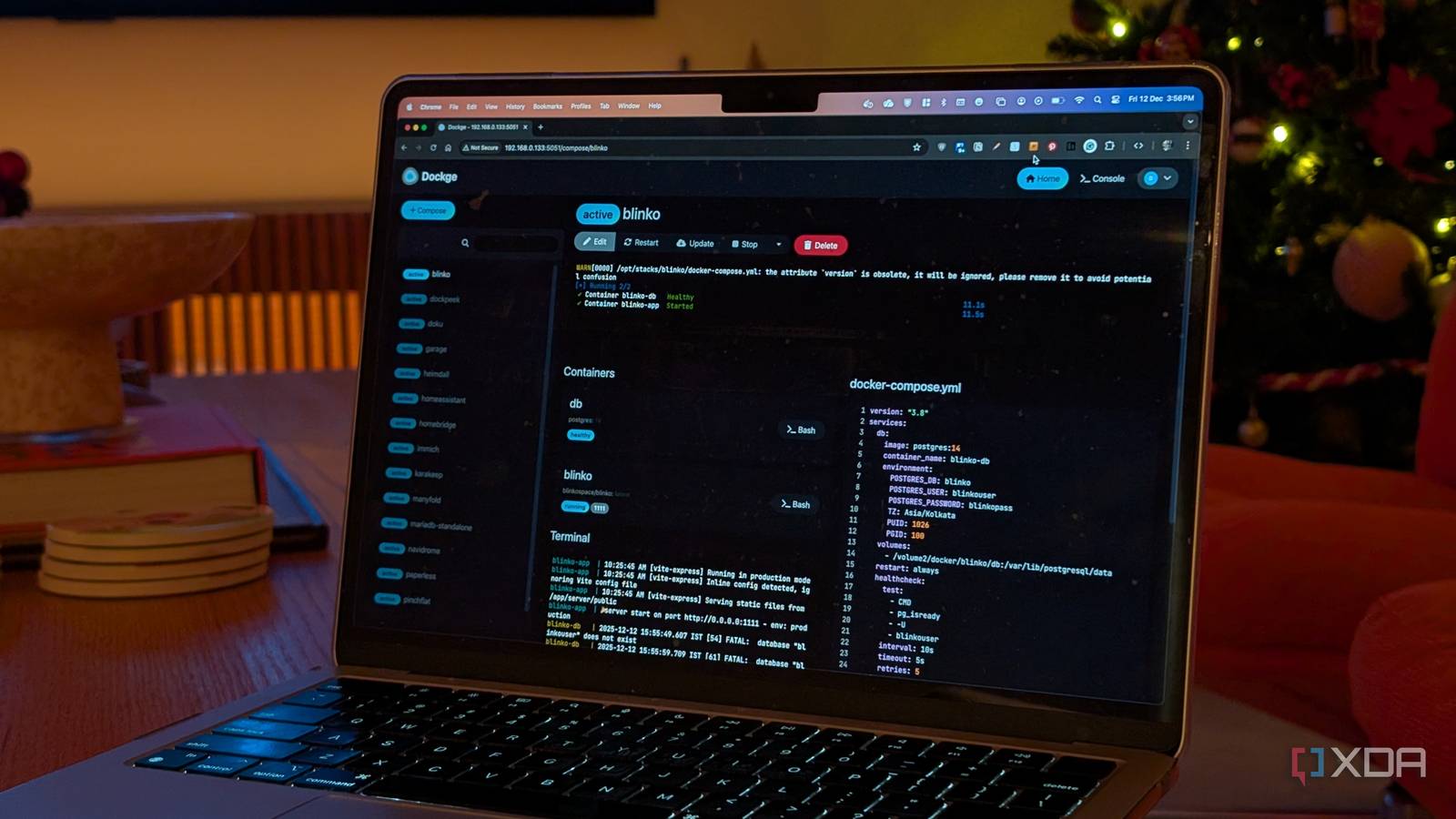
Of course, the ability to quickly deploy stacks is crucial, and Dockge excels here. Stacks appear almost instantly, but the real magic lies in the overall user experience. It provides an incredibly intuitive way to interact with your Docker containers, moving away from cluttered interfaces.
Consider how often you need to check logs when troubleshooting.dockge smartly displays logs directly on the same page as container details. This eliminates frustrating tab-switching and streamlines the diagnostic process. Action buttons for starting, restarting, or stopping services are also readily available in the same location, making quick adjustments effortless.
Dockge vs. Portainer: A Matter of focus
you might be wondering how Dockge stacks up against established tools like Portainer. It’s critically important to understand that Dockge doesn’t aim to be a thorough Docker control panel. Rather, it deliberately focuses on core functionality.
Here’s a quick comparison:
* Dockge: Prioritizes speed, simplicity, and ease of use for managing Compose files.
* Portainer: Offers a broader feature set, including deep inspection and complex access controls.
This focused approach has significant benefits. Upgrading Dockge is remarkably straightforward, with minimal risk of disrupting your existing containers. Your Compose files reside directly on your server,ensuring portability. Should you decide to switch tools in the future, migrating your stacks is a breeze.
Why dockge Resonates with My Workflow
For many, Portainer’s extensive features can feel overwhelming. If your primary need is to deploy, manage, and monitor stacks defined in Compose files, dockge offers a more elegant solution. You gain control without unneeded complexity.
I personally appreciate this balance.I need a reliable way to spin up, restart, or stop services, and the ability to quickly view logs when issues arise. Dockge delivers precisely that, without getting in the way of my workflow. This is the primary reason I’m seriously considering a full transition from Portainer.
Is Dockge Right for You?
Ultimately, the best Docker management tool depends on your specific needs. If you require robust container management with advanced features, Portainer remains a strong contender. However, if you value speed, simplicity, and a focused interface, Dockge is definitely worth exploring.
It’s a refreshing choice that prioritizes the user experience, making Docker management more accessible and enjoyable, especially for home lab enthusiasts and those running smaller self-hosted setups. Give it a try – you might be surprised at how much it simplifies your Docker life.





