
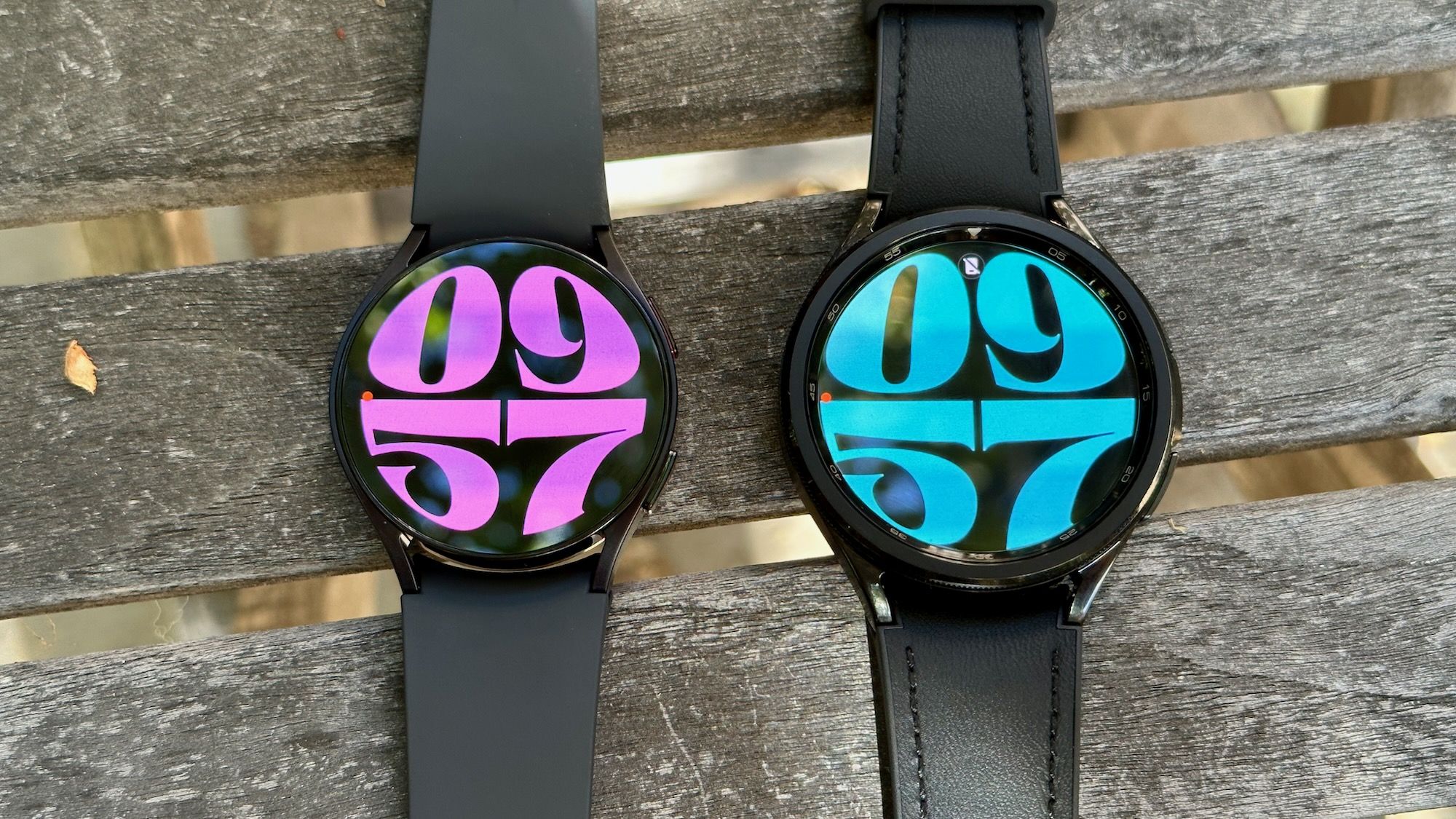
Breathe New Life into Your Galaxy Watch 6 with the Latest Update
The Samsung Galaxy Watch 6 is getting a significant software boost, and the improvements are immediately noticeable. This update delivers a smoother, more intuitive experience, addressing concerns of users who felt their watch was beginning to show its age.Let’s dive into what makes this refresh so impactful.
A Refreshed User Interface
First impressions matter,and Wear OS 6 brings a cleaner interface to your Galaxy Watch 6. Scrolling feels fluid, and animations are more polished, creating a more premium feel.
Here’s what’s changed:
* Vertical tile Stacking: Tiles now arrange themselves vertically, making it easier to scan and access information on the go.
* Simplified Menus: Menus have been streamlined for quicker,more direct access to the features you need.
* Persistent Now Bar: The bottom Now Bar remains visible, allowing you to effortlessly return to ongoing tasks without navigating through multiple screens.
Enhanced Gestures for One-Handed Use
Controlling your watch with one hand is now more practical than ever. the update substantially improves the responsiveness of double-pinch gestures. You’ll find it much easier to zoom, select, and navigate with a single hand.
Deeper Wellness Insights
This update isn’t just about aesthetics and usability; it also enhances your wellness tracking. You now have access to more detailed sleep metrics and energy scores. These features leverage technology similar to that found in the latest Galaxy Ring,providing a more comprehensive understanding of your health.
A Second Wind for a Reliable Wearable
Even though the Watch 6 is a couple of years old, this update makes it feel remarkably current. Its exactly what long-term owners want – a significant software refresh that revitalizes their investment. This update effectively bridges the gap between your Watch 6 and the newest Galaxy Watch 8.
simple Update Process
Updating your Galaxy Watch 6 is straightforward. Just follow these steps:
- Open the Galaxy Wearable app on your paired smartphone.
- Navigate to Watch settings.
- Check for updates.
- Ensure you’re connected to Wi-Fi and have sufficient battery life before initiating the download.
This update demonstrates Samsung’s commitment to supporting its existing user base. It’s a testament to the longevity of the Galaxy Watch 6 and a welcome improvement for anyone looking to maximize their wearable experience.




![Samsung TV & Appliance Deals: Save Big Now | [Year] Sales & Discounts](https://i0.wp.com/knowtechie.com/wp-content/uploads/2025/12/samsung-holiday-sale-1000x600.jpg?resize=330%2C220&ssl=1 "Samsung TV & Appliance Deals: Save Big Now | [Year] Sales & Discounts")


