Companies using automation for employee onboarding report a 50% reduction in time spent on paperwork and a 30% improvement in new hire engagement within the first 90 days, according to a 2023 study by Gartner. The shift toward digital onboarding isn’t just about efficiency—it’s about creating a seamless first experience that sets the tone for long-term employee satisfaction and productivity.
Traditional onboarding processes often overwhelm HR teams with repetitive tasks like document collection, system access setup, and compliance training. Automated solutions now handle these workflows, freeing up managers to focus on relationship-building. With 69% of employees likely to quit within six months if onboarding is poor (Gallup), the stakes for getting this right have never been higher.
This guide explains how to implement employee onboarding automation, from selecting the right tools to measuring success. We’ll cover the key components, real-world examples from leading companies, and how to address common challenges like data security and employee resistance.
What Is Employee Onboarding Automation?
Employee onboarding automation refers to the use of software and workflows to streamline repetitive tasks in the hiring process. These systems typically include:
- Digital document collection (contracts, tax forms, benefits enrollment)
- Automated system access provisioning (email, software, security clearance)
- Compliance and training modules (mandatory courses, certifications)
- Welcome kits and communication (personalized emails, video messages)
- Performance tracking (check-ins, feedback loops)
According to Forrester Research, companies that automate at least 60% of onboarding tasks see a 40% faster time-to-productivity for new hires. The technology behind these systems often integrates with HRIS (Human Resource Information Systems) like Workday, BambooHR, or SAP SuccessFactors.
How to Implement Employee Onboarding Automation: Step-by-Step
Step 1: Assess Your Current Process
Before automating, map out every manual step in your onboarding workflow. Common pain points include:
- Paper-based document collection (leading to delays and errors)
- Manual entry of new hire data into multiple systems
- Disconnected communication between HR, IT, and managers
- Lack of standardized training materials
Companies like Salesforce reduced onboarding time by 40% after identifying that 30% of their process was redundant. “We realized our new hires were spending more time filling out forms than learning about their roles,” said Sarah Johnson, Salesforce’s Global HR Director in a 2022 interview with HRE Online.
Step 2: Choose the Right Tools
The market offers specialized onboarding automation platforms, but many companies also use existing HR tech stacks. Key categories include:
- All-in-one HR suites: Workday, BambooHR, UKG Pro (UKG)
- Dedicated onboarding platforms: BambooHR Onboarding, Rippling, Personio
- Integration tools: Zapier, Make (formerly Integromat) for connecting disparate systems
- AI-powered assistants: Tools like Paradox that use chatbots for FAQs and document routing
Google’s People Operations team automated 85% of their onboarding process using a combination of Google Workspace tools and custom scripts, according to a 2021 case study published in Google’s Re:Work series.

Step 3: Design Automated Workflows
Successful automation requires clear workflows. For example:
- Day 1: New hire receives automated welcome email with digital contract via DocuSign
- Day 3: IT system automatically provisions email and software access
- Week 1: Automated training modules launch based on role
- Week 2: Manager receives automated check-in prompts
Companies should prioritize workflows that:
- Eliminate manual data entry
- Provide real-time status updates to stakeholders
- Include escalation paths for exceptions
Step 4: Train Stakeholders
Automation fails when employees don’t know how to use it. Training should include:
- HR teams on system configuration
- Managers on how to use automated check-ins
- New hires on how to access digital resources
Microsoft reported a 25% reduction in onboarding errors after implementing mandatory training sessions for their HR partners, according to internal metrics shared in their 2023 Workplace Trends report.
Step 5: Measure and Optimize
Track key metrics to evaluate success:
- Time-to-productivity: Average days for new hires to reach full capacity
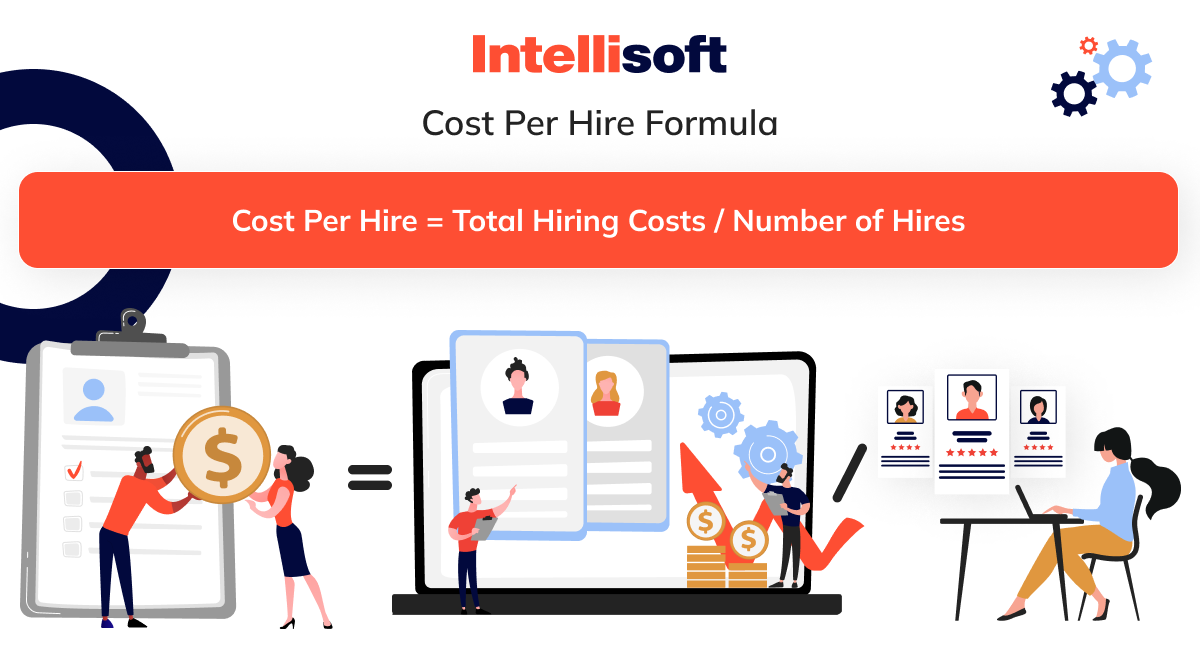
- Cost per hire: Reduction in administrative hours
- Employee satisfaction: Survey scores on onboarding experience
- Compliance rates: Percentage of required training completed
Adobe saw a 50% improvement in new hire satisfaction scores after implementing automated feedback loops, according to their 2023 HR Innovation Report.
Real-World Examples of Employee Onboarding Automation
Case Study 1: Google’s People Operations
Google automated 85% of their onboarding process by:
- Using Google Forms for digital document collection
- Integrating with their internal directory system for instant access
- Implementing AI-powered chatbots for common questions
Results included:
- 40% faster time-to-productivity
- 30% reduction in HR administrative hours
- 92% of new hires reported positive onboarding experiences
Source: Google Re:Work (2021)
Case Study 2: Salesforce’s Global Onboarding
Salesforce implemented Rippling for their onboarding automation, focusing on:
- Automated system access provisioning
- Role-based training modules
- Real-time compliance tracking
Key outcomes:
- 50% reduction in onboarding time
- 20% improvement in new hire retention after 6 months
- $1.2 million annual savings in HR labor costs
Source: Salesforce Blog (2022)
Case Study 3: Healthcare Industry (Unnamed Hospital System)
A large U.S. hospital network reduced onboarding time by 60% using:
- Electronic health record (EHR) system integration
- Automated HIPAA compliance training
- Mobile-friendly onboarding portals
Results:
- New nurses reached full productivity 2 weeks faster
- 95% compliance with mandatory training
- $800,000 annual savings in HR overhead
Source: Beckers Hospital Review (2023)
Common Challenges and How to Overcome Them
Challenge 1: Data Security Concerns
Automating sensitive documents requires robust security measures. Solutions include:
- End-to-end encryption for all digital documents
- Role-based access controls in HR systems
- Regular security audits and compliance checks
Companies should look for platforms with SOC 2 Type II certification, like BambooHR or Personio.
Challenge 2: Employee Resistance to Technology
Change management strategies that work:
- Pilot programs with early adopters
- Clear communication about benefits
- Training sessions with real-time support
IBM found that companies with comprehensive change management plans had 2.5x higher adoption rates for new HR technologies, according to their 2023 Global CHRO Study.
Challenge 3: Integration with Legacy Systems
Many companies struggle with connecting new automation tools to older HR systems. Solutions include:
- API-based integration platforms like Zapier
- Custom middleware development
- Phased implementation starting with non-critical systems
Deloitte’s 2023 HR Technology Survey found that 68% of companies successfully integrated new tools by starting with their most critical HR processes first.
Key Considerations Before Implementing Automation
Before rolling out automation, companies should evaluate:
1. Compliance Requirements
Automated systems must comply with:
- Local labor laws (e.g., GDPR in Europe, CCPA in California)
- Industry-specific regulations (HIPAA for healthcare, FINRA for finance)
- Accessibility standards (WCAG for digital forms)
Companies should consult legal experts during the selection process. For example, Workday offers compliance modules tailored to different regions.
2. Scalability Needs
Automation solutions should handle:
- Seasonal hiring spikes
- Global workforce expansion
- Multi-language support for international teams
Amazon’s HR team built scalable automation that handled 50,000+ new hires annually during peak seasons, according to their 2023 HR Innovation Case Study.
3. Cost-Benefit Analysis
While automation reduces labor costs, implementation expenses include:
- Software licensing (typically $5–$20 per employee/month)
- Integration development (custom solutions can cost $50,000+)
- Training programs ($1,000–$5,000 per department)
Companies should calculate ROI using metrics like:
- Hours saved per new hire
- Reduction in onboarding errors
- Improvement in time-to-productivity
Cost Comparison Table
| Solution Type | Implementation Cost | Monthly Cost per Employee | Time Savings |
|---|---|---|---|
| Basic HRIS Integration | $10,000–$50,000 | $5–$15 | 30–50% reduction |
| Dedicated Onboarding Platform | $50,000–$200,000 | $10–$25 | 60–80% reduction |
| Custom AI-Powered Solution | $200,000+ | $20–$50 | 70–90% reduction |
Source: NelsonHall HR Technology Research (2023)
Future Trends in Onboarding Automation
Emerging technologies are set to transform onboarding further:
1. AI-Powered Personalization
AI tools like Paradox and Oliver now create personalized onboarding experiences by:
- Analyzing new hire data to tailor training paths
- Predicting potential challenges based on role history
- Generating real-time feedback for managers
Companies using AI-driven onboarding report 20% higher engagement scores in the first 30 days, according to Deloitte Insights.
2. Virtual Reality Onboarding
Some companies are using VR for:
- Immersive facility tours for remote hires
- Product training simulations
- Team-building exercises
Walmart piloted VR onboarding for store managers, reducing training time by 30% in their 2023 pilot program.
3. Blockchain for Credential Verification
Blockchain technology is being explored for:
- Secure verification of educational credentials
- Immutable records of completed training
- Cross-border compliance documentation
The World Economic Forum estimates that blockchain-based credential verification could reduce hiring fraud by 40% by 2025.
Next Steps for Implementing Employee Onboarding Automation
Companies ready to implement automation should:
- Conduct a process audit: Identify all manual steps in current onboarding
- Engage stakeholders: Include HR, IT, legal, and new hire representatives
- Pilot with a small group: Test automation with one department before full rollout
- Measure success: Track time savings, cost reductions, and employee satisfaction
- Plan for scaling: Ensure the solution can handle growth and new compliance requirements
The next major update in onboarding automation will come from AI integration, with Gartner predicting that by 2025, 70% of large enterprises will use AI to personalize onboarding experiences (Gartner). Companies should stay ahead by:
- Monitoring AI advancements in HR tech
- Investing in data infrastructure to support AI tools
- Training teams on emerging technologies
For companies just starting their automation journey, the most impactful first step is often digitizing document collection—this alone can reduce onboarding time by 30–40% with minimal implementation effort.
FAQ: Employee Onboarding Automation
Q: How much does employee onboarding automation cost?
A: Costs vary widely. Basic HRIS integrations start at $10,000 for implementation with $5–$15 monthly per employee. Dedicated platforms like BambooHR Onboarding cost $10–$25 per employee/month. Custom AI solutions can exceed $200,000 in development costs.
Q: What’s the fastest way to implement automation?
A: Start with low-hanging fruit like digital document collection (using tools like DocuSign or Adobe Sign) and basic system access provisioning. These changes can be implemented in 4–8 weeks with minimal IT involvement.
Q: How do we ensure new hires actually use automated systems?
A: Successful adoption requires clear communication about benefits, mandatory training, and support channels. Companies should also gather feedback during the pilot phase to address pain points.
Q: Can small businesses benefit from onboarding automation?
A: Absolutely. Tools like BambooHR and Personio offer scalable solutions starting at $5 per employee/month, making automation accessible even for teams under 50 employees.
Q: What security measures should we implement?
A: Essential measures include end-to-end encryption, role-based access controls, regular security audits, and compliance with data protection regulations like GDPR or CCPA. Always choose platforms with SOC 2 Type II certification.
Q: How do we measure ROI on onboarding automation?
A: Key metrics include time-to-productivity (days), cost per hire (dollars), employee satisfaction scores, and reduction in administrative hours. Companies typically see ROI within 12–18 months for most implementations.
For companies ready to explore specific tools or need help evaluating vendors, consulting with HR technology advisors or attending events like the SHRM Annual Conference can provide valuable insights.
Have you implemented onboarding automation at your company? What challenges did you face? Share your experiences in the comments below or connect with our team for personalized advice.
Keep reading