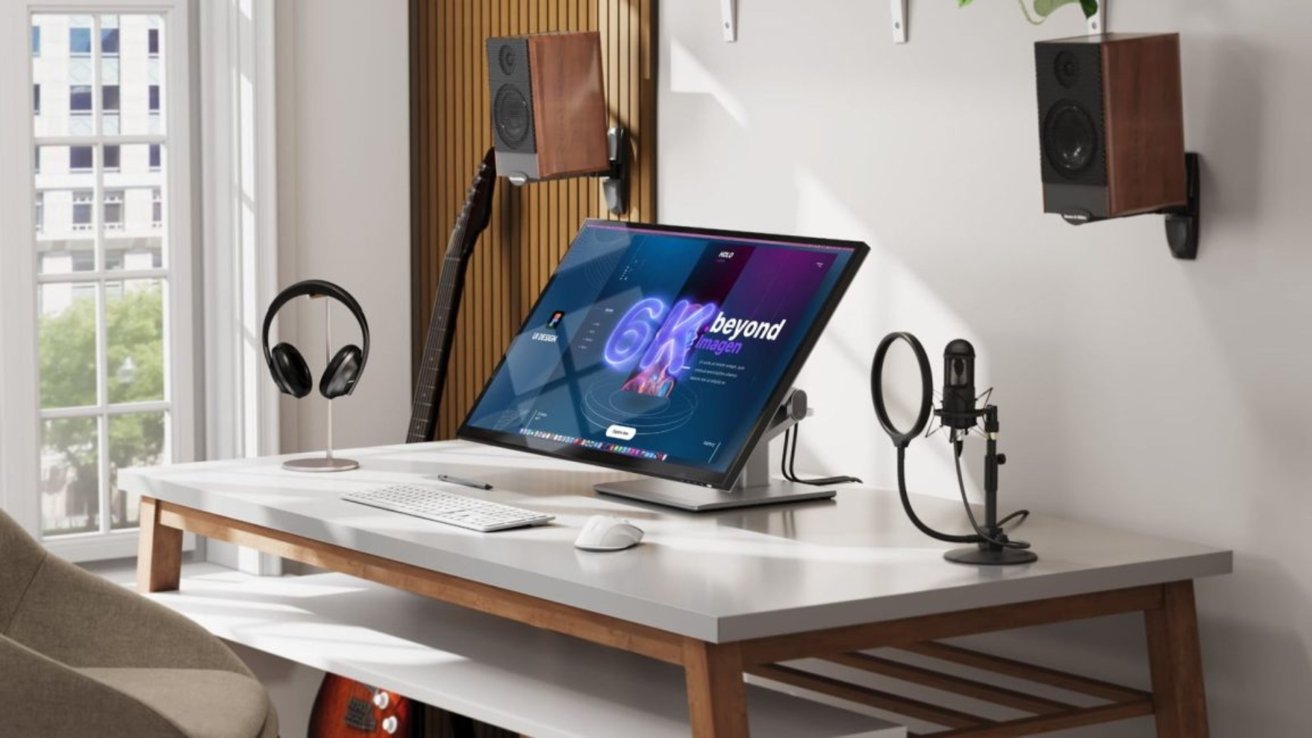
The Rise of 6K Touchscreen Displays: A Deep Dive into Alogic’s Clarity 6K Touch
the demand for high-resolution displays is surging, driven by content creators, graphic designers, adn professionals seeking unparalleled visual fidelity. Alogic’s recent unveiling of the Clarity 6K Touch with Fold Stand marks a critically important leap forward, introducing the first 32-inch 6K display with native Mac touchscreen compatibility.This isn’t just another monitor; it’s a potential game-changer for workflows demanding precision, detail, and intuitive interaction. This article will explore the technology behind this innovative display, its potential applications, and how it stacks up against existing high-end monitors, particularly Apple’s Studio Display. We’ll delve into the technical specifications, real-world benefits, and future implications of 6K touchscreen technology.
Did You Know? The human eye can typically discern around 10 million colors. A 6K display, with its massive pixel count, delivers a color palette so rich and nuanced it pushes the boundaries of visual perception.
Understanding 6K resolution and its Benefits
Before diving into the specifics of the Alogic Clarity 6K touch, it’s crucial to understand what 6K resolution actually means. 6K, specifically 6016 x 3384 pixels, represents a significant increase in pixel density compared to the commonly used 4K (3840 x 2160) and even Apple’s 5K (5120 x 2880) displays.
This translates to several key advantages:
Increased Detail: More pixels mean sharper images, finer textures, and greater clarity, especially noticeable when working with high-resolution photos, videos, or complex graphics.
Enhanced Productivity: The increased screen real estate allows for more windows and applications to be open simultaneously,reducing the need for constant switching and boosting workflow efficiency.
Improved Visual Comfort: Higher pixel density reduces eye strain, as the individual pixels become less discernible, resulting in a smoother and more natural viewing experience.
Future-Proofing: Investing in a 6K display positions you ahead of the curve, ensuring compatibility with emerging content formats and applications.
Pro Tip: When considering a 6K display, ensure your Mac has the processing power and appropriate ports (typically Thunderbolt/USB-C) to handle the bandwidth requirements. Older Macs may struggle to drive a display of this resolution smoothly.
Alogic Clarity 6K Touch: A Detailed Examination
The Alogic Clarity 6K Touch isn’t just about resolution. It’s a thoughtfully designed package aimed at professionals. Here’s a breakdown of its key features:
Display Size: 32 inches – a generous size that provides ample screen space without being overwhelming.
Resolution: 6016 x 3384 (6K) – exceeding the resolution of Apple’s Studio Display.
Touchscreen Technology: Native Mac compatibility, offering a seamless and responsive touch experience. This is a significant differentiator, as many high-resolution displays require workarounds for full Mac touchscreen functionality.
Color Accuracy: 99% Adobe RGB and DCI-P3 coverage – crucial for color-sensitive professionals like photographers, videographers, and graphic designers. This ensures accurate color reproduction and faithful representation of your work.
Brightness: 400 nits - a respectable brightness level suitable for most indoor environments.
Refresh Rate: 60Hz – standard for professional displays, prioritizing color accuracy and stability over ultra-high refresh rates geared towards gaming.
Design: Squared-off bezels and a glossy finish, intentionally echoing the aesthetic of Apple’s Studio Display. The “Fold Stand” offers adjustable ergonomics.
Connectivity: Details on specific ports (Thunderbolt, USB-C, HDMI) are crucial and should be verified on Alogic’s official website.
Alogic vs. Apple Studio Display: A Head-to-Head Comparison
The Alogic Clarity 6K Touch is positioned as a direct competitor to Apple’s Studio display. Here’s a comparative overview: