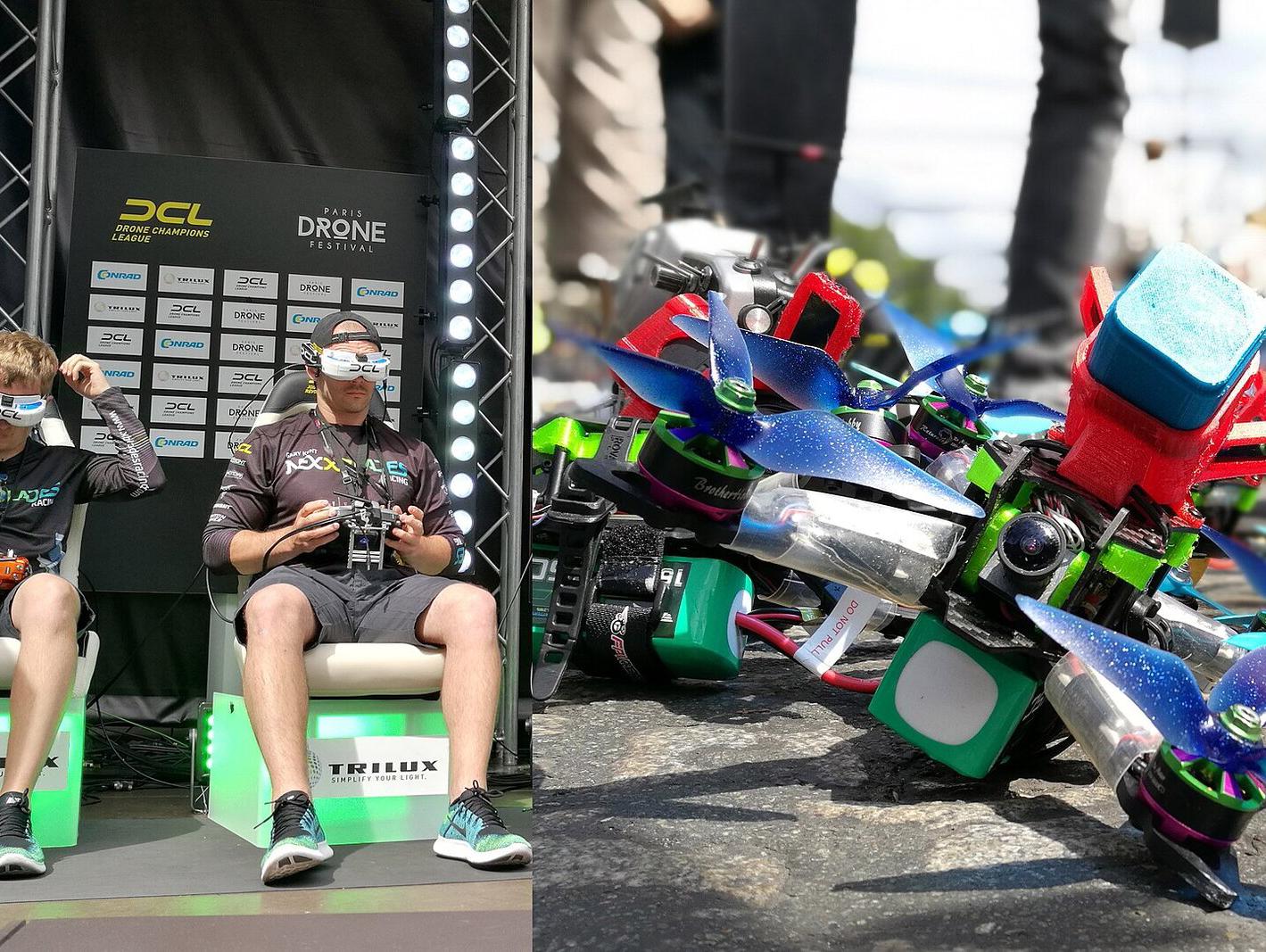
Learning to fly a First-Person View (FPV) drone requires precision, spatial awareness, and a significant amount of practice that can prove costly if attempted solely with physical hardware. As of 2026, the industry standard for risk-free pilot training involves the use of specialized software simulators that replicate the physics, latency, and flight dynamics of real-world racing and cinematic drones. By connecting a professional radio controller to a computer, enthusiasts can log hundreds of hours of flight time without the risk of destroying expensive equipment, according to industry guidelines for drone safety and training published by the Federal Aviation Administration (FAA).
The transition from a beginner to a proficient FPV pilot is often measured by muscle memory, which is best developed in a virtual environment. Modern simulators like VelociDrone, Liftoff, and Uncrashed offer highly accurate flight models that account for factors such as wind resistance, gravity, and the specific weight distribution of various drone frames. For those looking to enter the hobby, the primary investment is not the drone itself, but a high-quality radio transmitter—commonly referred to as a “radio”—that can be linked to a PC or Mac via USB, serving as the interface for both the simulator and future physical aircraft.
Why Simulators Are the Industry Standard for Beginners
The primary advantage of using a simulator is the elimination of the “repair cycle.” In physical FPV flight, a single crash can result in broken propellers, damaged motors, or a destroyed flight controller, which requires time and money to replace. According to technical documentation provided by major flight controller manufacturers like BETAFPV, the learning curve for “acro” mode—the manual flight mode used in FPV—is steep because it lacks the self-leveling stabilization found in consumer camera drones. Simulators allow pilots to reset their position instantly after a crash, enabling them to attempt complex maneuvers, such as power loops or split-S turns, dozens of times in a single minute.
Beyond hardware preservation, simulators provide a controlled environment to master “line of sight” (LOS) and goggles-based flight. Many professional racers utilize simulators to test new track layouts or fine-tune their “PID” (Proportional-Integral-Derivative) settings, which govern how the drone reacts to pilot input. By manipulating these virtual settings, users gain an intuitive understanding of how hardware adjustments affect flight performance, knowledge that is directly transferable to real-world maintenance and tuning.
Essential Hardware for a Productive Simulation Setup
To achieve a realistic experience, a keyboard or game console controller is generally considered insufficient. Most experienced pilots recommend using a dedicated FPV radio transmitter that features “gimbals” with Hall effect sensors. These sensors provide higher precision and durability compared to traditional potentiometers. When selecting a radio, compatibility with common protocols like ExpressLRS (ELRS) is a key factor, as this allows the same transmitter to be used with a wide variety of off-the-shelf drones once the pilot graduates to physical flight, as noted by the ExpressLRS project documentation.
The software side of the equation is equally vital. Users should prioritize platforms that offer a wide library of user-generated maps and drone models. Some simulators emphasize racing, featuring tight gates and high-speed turns, while others focus on “freestyle” environments, which include abandoned buildings, forests, and urban landscapes. Selecting a simulator that supports the specific flight controller firmware, such as Betaflight, ensures that the virtual flight characteristics remain consistent with the pilot’s eventual physical setup.
Best Practices for Consistent Training Progress
Progress in FPV flight is rarely linear. Most instructors suggest a structured approach, starting with basic hovering and orientation in an open field map before moving to obstacle navigation. It is recommended to spend at least 15 to 30 minutes in the simulator before each real-world flight session to “warm up” the fingers and recalibrate hand-eye coordination. This approach is supported by general aviation training principles, which emphasize repetitive, low-stakes practice to build subconscious reactions to flight turbulence and orientation shifts.
For those interested in competitive racing, tracking one’s “lap times” within the simulator is a common way to measure improvement. Many platforms offer global leaderboards where pilots can compare their performance against top-tier racers. However, for the average hobbyist, the goal should remain focused on comfort and safety. Once a pilot can complete a complex course without crashing, they are generally considered ready to move to a small, durable “whoop” style drone for indoor or backyard flight, which serves as a safer bridge between the virtual and physical worlds.
Future Updates and Community Resources
The landscape of drone simulation continues to evolve alongside advancements in flight controller software. As manufacturers release new hardware, simulator developers frequently update their physics engines to mirror these changes. Pilots are encouraged to follow official developer channels on platforms like Discord or dedicated forums to stay informed about new maps and compatibility patches. For official updates on drone regulations and safety standards that apply once you transition to physical flight, the Civil Aviation Safety Authority (CASA) and other national aviation bodies provide updated guidance on drone registration and airspace restrictions.
As you begin your journey, remember that the goal of simulation is to build the confidence necessary to enjoy the hobby safely. Whether you are aiming for high-speed racing or cinematic videography, the hours spent in a simulator are the most effective way to protect your investment and ensure a longer, more rewarding experience with FPV technology. Please feel free to share your progress or ask questions in the comments section below regarding specific hardware setups or simulator recommendations.
Keep reading