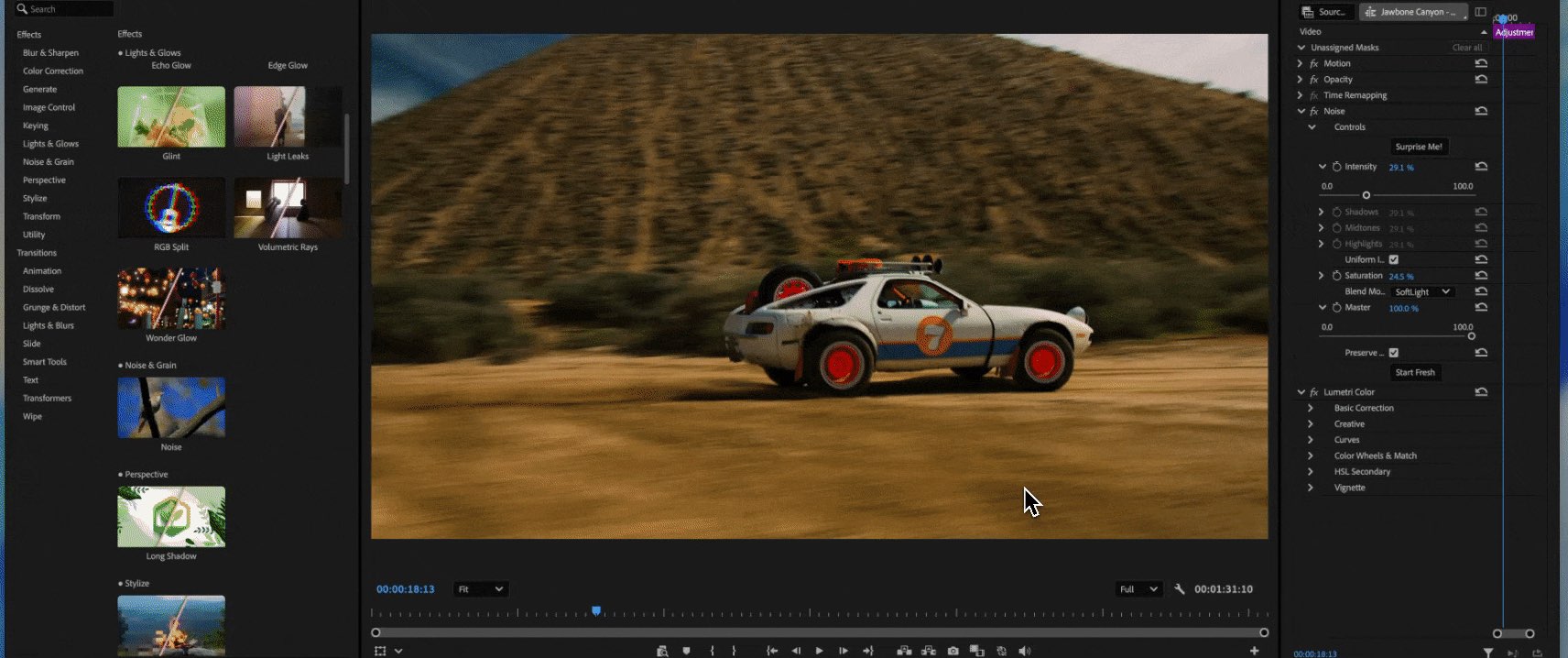
Adobe is integrating generative AI capabilities, powered by its Firefly model, into Premiere Pro and After Effects to automate high-effort post-production tasks such as frame extension, rotoscoping, and text-based editing. These updates aim to reduce the time editors spend on repetitive manual labor, shifting the technical workload from the user to machine learning models.
The rollout of these features marks a significant shift in the Creative Cloud ecosystem, moving from traditional toolsets toward AI-assisted workflows. By embedding generative models directly into the timeline, Adobe intends to solve common production bottlenecks, such as footage that is slightly too short for a transition or the need to isolate a subject from a complex background.
How Adobe is integrating generative AI into Premiere Pro
Premiere Pro has received several updates designed to streamline the most time-consuming aspects of video editing. One of the most prominent additions is “Generative Extend,” a feature that allows editors to add frames to the beginning or end of a clip. According to Adobe’s official product documentation, this tool uses generative AI to synthesize new video frames that match the visual content, lighting, and motion of the original footage.

This feature addresses a frequent issue in professional editing: “short clips.” When a director captures a performance that ends abruptly, an editor traditionally lacks the ability to extend that motion. Generative Extend creates those missing seconds, providing a smoother transition without requiring a re-shoot. This capability is specifically aimed at social media creators and documentary filmmakers who often work with limited or imperfectly timed raw assets.
Beyond extending footage, Premiere Pro has implemented “Text-Based Editing.” This workflow uses Adobe Sensei, the company’s AI engine, to transcribe video footage into text automatically. Editors can then edit the video by simply deleting or moving words within the transcript. When a sentence is cut from the text, the corresponding video frames are removed from the timeline. This method mimics the way journalists and documentarians edit interviews, significantly speeding up the assembly of rough cuts.
Audio quality has also seen a boost through the “Enhance Speech” tool. This feature uses AI to remove background noise and improve the clarity of dialogue, often making audio recorded in suboptimal environments sound as though it were captured in a professional studio. This reduces the need for complex manual equalization or external noise-reduction plugins during the mixing stage.
New AI-driven automation in After Effects
In After Effects, the focus of the AI updates is on “rotoscoping” and object manipulation. Rotoscoping—the process of manually tracing an object frame-by-frame to isolate it from its background—is widely considered one of the most tedious tasks in motion graphics. The introduction of “Roto Brush 3.0” utilizes advanced machine learning to automate this process.

Roto Brush 3.0 improves upon previous versions by offering better edge detection and more accurate tracking of complex textures, such as hair or translucent fabrics. Users can select a subject with a single stroke, and the AI model identifies the boundaries of that subject across the entire clip. This reduces the manual labor required for masking, allowing motion designers to focus on the animation and compositing layers rather than the technicalities of frame-by-frame isolation.
Additionally, After Effects continues to refine its “Content-Aware Fill for Video.” Much like the tool found in Photoshop, this feature allows users to remove unwanted objects—such as a stray microphone or a distracting background element—from a moving shot. The AI analyzes the surrounding frames to “fill in” the space where the object once was, ensuring that the replacement texture remains consistent with the camera’s movement and the scene’s lighting.
Comparing traditional versus AI-assisted video workflows
The transition to AI-integrated tools changes the fundamental structure of a post-production session. The following table compares the traditional manual approach to the new AI-assisted methods currently available in the Creative Cloud suite.
| Task | Traditional Manual Workflow | AI-Assisted Workflow |
|---|---|---|
| Clip Extension | Requires re-shooting or slow-motion stretching. | Generative Extend synthesizes new frames. |
| Subject Isolation | Frame-by-frame manual masking/rotoscoping. | Roto Brush 3.0 automated tracking. |
| Interview Editing | Manual listening and timeline cutting. | Text-based editing via transcript. |
| Object Removal | Manual cloning and frame-by-frame painting. | Content-Aware Fill for Video. |
| Audio Cleanup | Manual EQ, compression, and noise gates. | AI-powered “Enhance Speech” one-click fix. |
The impact of generative AI on professional video production
The integration of Firefly into video software raises questions regarding the evolving role of the editor. While some fear that AI might replace human creativity, industry experts suggest it serves as a layer of “technical assistance.” By automating the “grunt work”—the repetitive, low-level tasks that consume hours of a workday—editors can spend more time on narrative structure, pacing, and visual storytelling.
However, the use of generative AI also introduces new considerations for copyright and authenticity. Adobe has addressed these concerns by training Firefly on Adobe Stock images, openly licensed content, and public domain content. This approach is intended to provide a “commercially safe” generative experience for enterprise users, distinguishing Adobe from other AI models that have been trained on scraped web data without explicit permission.
For professional studios, the primary benefit is scalability. The ability to quickly clean up audio, extend clips, and mask subjects allows smaller teams to produce high-quality content that previously required large post-production departments. This democratization of high-end tools is expected to accelerate the volume of video content produced for digital platforms.
Availability and deployment of new features
Most of these AI features are being rolled out via the Adobe Creative Cloud subscription model. Some features, such as Generative Extend, may initially appear in “Beta” versions of Premiere Pro, allowing Adobe to gather user feedback and refine the machine learning models before a full-scale release. Users can access these updates through the Creative Cloud Desktop application by opting into the Beta programs for specific software.
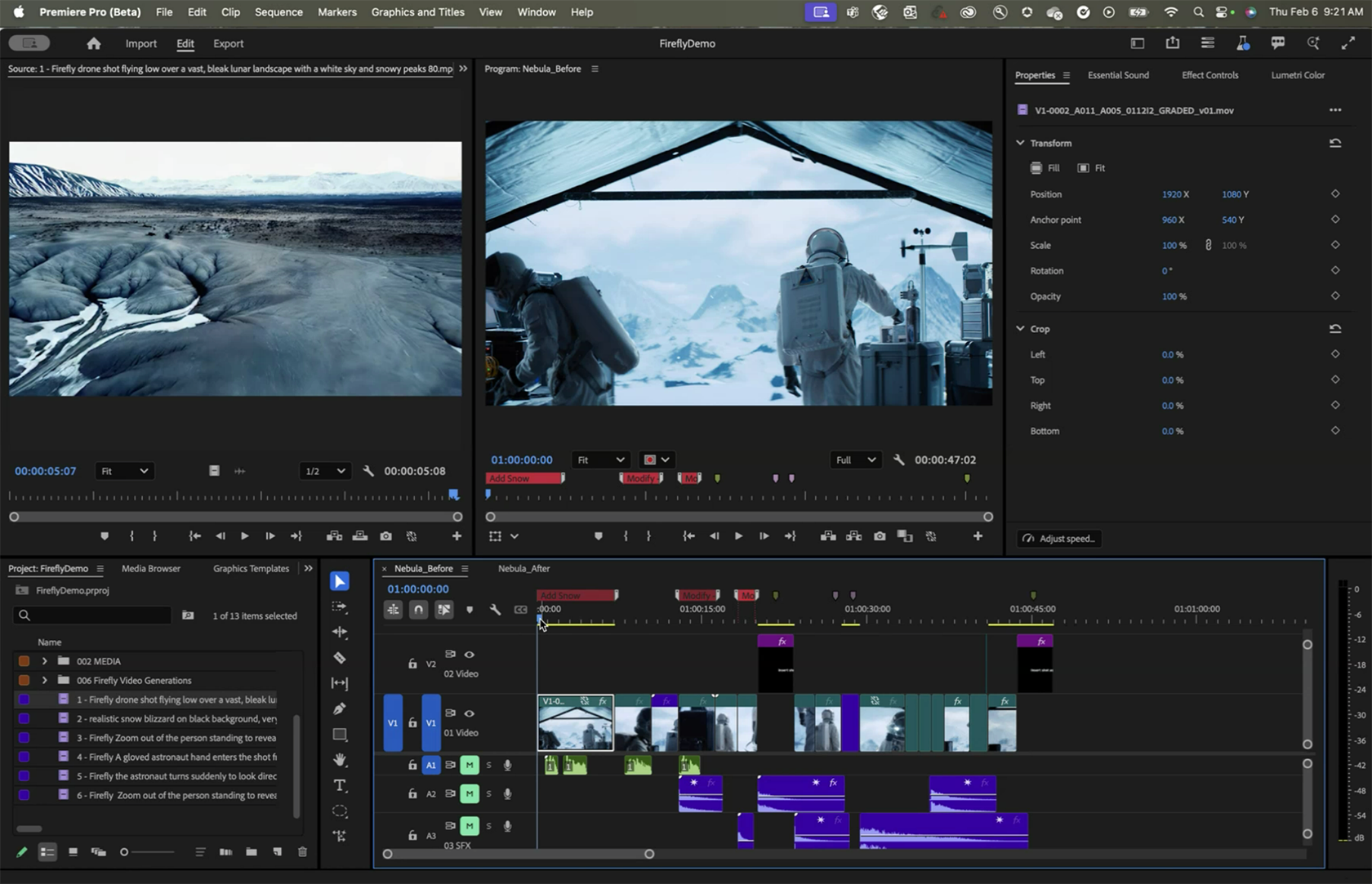
Hardware requirements are a critical factor for these updates. Because generative AI relies heavily on local processing and cloud-based computation, users with dedicated GPUs (Graphics Processing Units) will experience significantly faster processing times for Roto Brush and Generative Extend tasks. Adobe continues to optimize these tools for both Apple Silicon and Windows-based systems to ensure broad compatibility.
The next scheduled checkpoint for these technologies will be the next major version release of the Creative Cloud suite, where Adobe is expected to provide further updates on the integration of text-to-video capabilities within the Firefly ecosystem. We will continue to monitor official Adobe developer logs and press releases for specific release dates for the non-beta versions of these tools.
Do you think AI tools like Roto Brush 3.0 will fundamentally change your editing workflow, or are they just minor conveniences? Let us know in the comments below and share this article with your creative community.