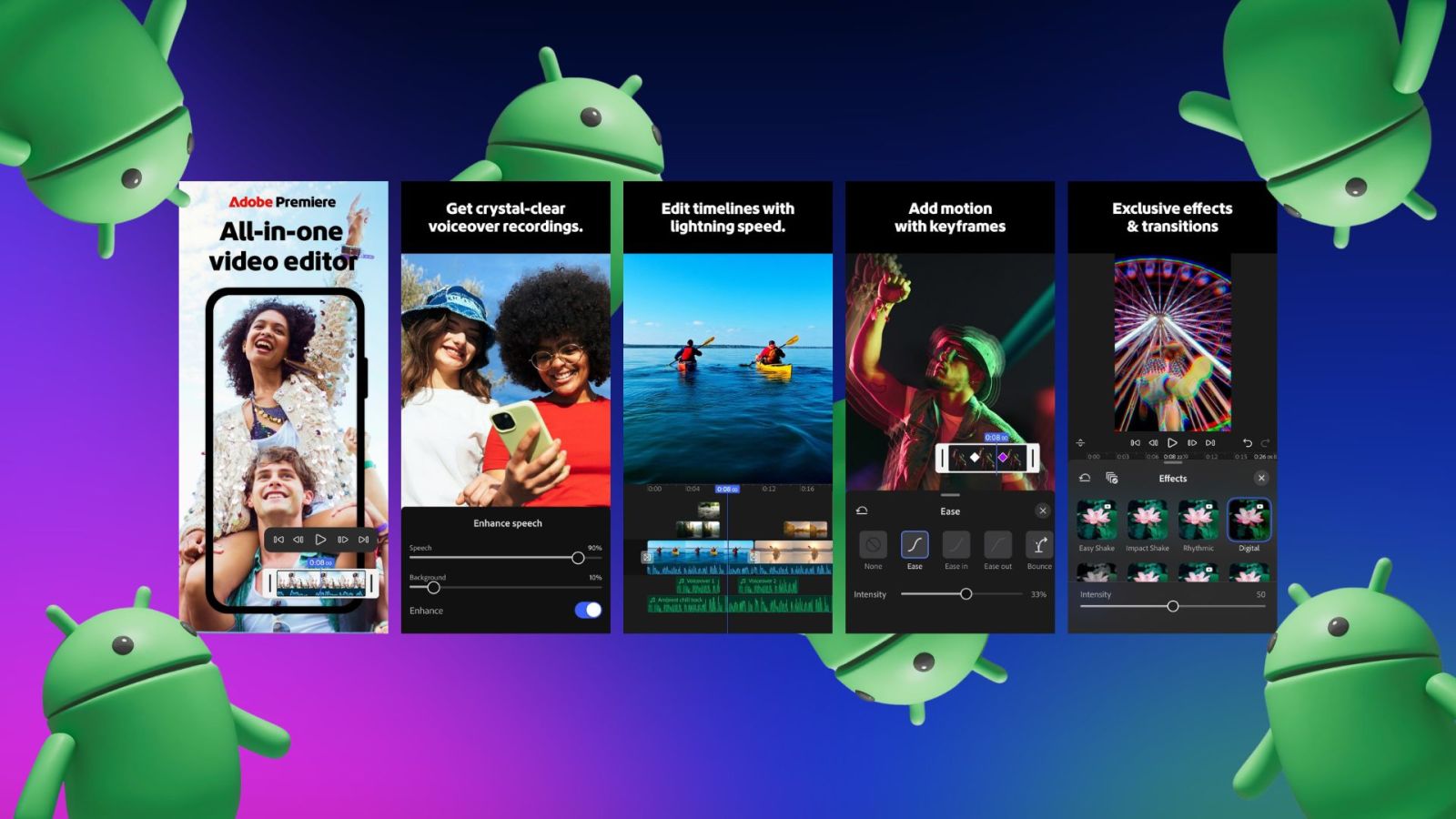
For years, mobile video editing has been a game of compromises. Creators typically had to choose between the streamlined, simplified experience of “lite” apps or the cumbersome process of transferring massive files to a desktop workstation to access professional-grade tools. That boundary is officially blurring as Adobe brings the power of Premiere to Android, targeting a new era of high-performance mobile production.
The launch of Adobe Premiere on Android represents more than just a port of existing software; This proves a strategic pivot toward the “mobile-first” professional. By leveraging the latest advancements in mobile silicon, Adobe is attempting to bridge the gap between the convenience of a handheld device and the precision of a timeline-based editor. This move comes at a critical time as short-form vertical video continues to dominate global consumption patterns.
At the heart of this rollout is a deep integration with current flagship hardware. Rather than a wide, diluted release, Adobe is initially focusing on devices capable of handling the intense computational demands of professional video rendering. This hardware-centric approach ensures that the software can maintain the stability and speed expected by professional editors, avoiding the crashes and lag that often plague complex mobile editing projects.
Optimized for the Snapdragon 8 Elite
The technical backbone of this release is the Snapdragon 8 Elite platform. Professional video editing is notoriously resource-heavy, requiring immense CPU and GPU overhead for real-time playback and exporting. Adobe has optimized the Android version of Premiere to utilize the neural processing units (NPUs) and high-clock speeds of the 8 Elite chip, allowing for smoother scrubbing through 4K footage and faster render times.

By targeting this specific hardware tier, Adobe can implement more sophisticated features that were previously reserved for desktops. This includes more advanced color grading tools, multi-track layering, and AI-driven audio cleanup. For the first time, the “mobile” experience is less about stripping away features and more about optimizing professional tools for a smaller screen and touch-based interface.
This optimization is particularly evident in the app’s handling of high-bitrate files. Where previous mobile editors often required “proxy” files—lower-resolution versions used during editing to prevent lag—the integration with the latest flagship chips allows for a more direct interaction with raw high-resolution media, significantly speeding up the production workflow for journalists and content creators in the field.
The Samsung Partnership and YouTube Shorts Integration
A standout feature of this launch is a specialized collaboration with Samsung. While the app will eventually reach more devices, early adopters on Samsung’s latest flagship hardware will find a more tailored experience. This partnership focuses on maximizing the utility of large-screen mobile devices and styluses, turning the smartphone into a legitimate portable editing suite.

Perhaps the most practical addition for modern creators is the introduction of exclusive templates for YouTube Shorts. Recognizing that the speed of delivery is often as important as the quality of the edit, Adobe has integrated pre-configured layouts and pacing guides specifically for the YouTube Shorts format. These templates allow editors to snap professional-grade transitions and text overlays into place, reducing the time from capture to upload.
These templates are not merely visual filters; they are structural guides that help creators maintain high engagement rates by adhering to the visual rhythms that perform best on the platform. By combining Premiere’s professional toolset with these targeted shortcuts, Adobe is positioning itself as the primary tool for the “prosumer” who needs to produce high-volume, high-quality vertical content without returning to a PC.
Why This Shift Matters for the Creator Economy
The arrival of Premiere on Android signals a broader shift in the software industry: the end of the “mobile lite” era. For a long time, mobile apps were designed for casual users, while “Pro” software remained tethered to macOS or Windows. As mobile processors now rival mid-range laptop CPUs, the justification for limiting software functionality has vanished.
This transition affects several key stakeholders in the digital ecosystem:
- Independent Journalists: The ability to edit a broadcast-quality package on a train or in a remote location without a laptop changes the speed of reporting.
- Social Media Managers: The gap between a “rough cut” on a phone and a “final polish” on a desktop is disappearing, allowing for faster iterations of trending content.
- Hardware Manufacturers: For companies like Samsung and Qualcomm, hosting a “gold standard” app like Premiere serves as a powerful benchmark to prove the viability of their hardware for professional work.
this move strengthens the Adobe Creative Cloud ecosystem. By allowing users to start a project on a mobile device and seamlessly transition to a desktop version of Premiere Pro via cloud synchronization, Adobe is creating a frictionless workflow. This “cross-device” continuity is the ultimate goal for any productivity suite, ensuring that the tool adapts to the user’s environment rather than the other way around.
Practical Implementation: Getting Started
For those looking to integrate Adobe Premiere into their Android workflow, the rollout is being handled in phases. Users should first ensure their device meets the hardware requirements—specifically looking for the latest flagship chips—and that their Creative Cloud subscription is active.

Because the app relies heavily on GPU acceleration, users are encouraged to keep their system software updated to the latest version to ensure the drivers are fully compatible with Adobe’s new rendering engine. Those utilizing Samsung devices can check the Galaxy Store for specific optimizations and bundled offers that may accompany the launch.
As the software evolves, One can expect Adobe to integrate more of its “Firefly” AI tools into the Android experience. The potential for generative fill and AI-powered object removal within a mobile timeline is the logical next step, further reducing the technical barriers to high-end video production.
The next confirmed milestone for the rollout is the expansion of compatibility to additional Snapdragon 8 Elite-powered devices later this summer. We will continue to monitor the update logs for the introduction of further AI-assisted editing features.
Do you think professional video editing is finally ready to leave the desktop behind, or will the mouse and keyboard always be king? Share your thoughts in the comments below.
Keep reading