
The rapid integration of artificial intelligence into the developer’s workflow has promised unprecedented productivity, but It’s also introducing novel security vectors. A new vulnerability discovered by security researchers at Adversa, dubbed “TrustFall,” highlights a critical gap in how AI-powered command-line interfaces (CLIs) handle external configurations, potentially allowing malicious actors to execute unauthorized code on a developer’s machine.
The AI coding CLI TrustFall risk centers on the Model Context Protocol (MCP), an open standard designed to enable AI models to seamlessly connect with external data sources and tools. While MCP enhances the utility of AI coding assistants by giving them access to local files, databases, and APIs, the “TrustFall” issue reveals that this convenience can be weaponized if the trust mechanisms governing these connections are too permissive.
According to the findings released by Adversa, the vulnerability manifests when a developer interacts with a malicious repository. In many modern AI-integrated tools, users are prompted to “trust” a folder before the AI can operate within it. However, the researchers found that accepting this trust prompt can inadvertently trigger the execution of project-defined MCP servers, providing a pathway for remote code execution (RCE) with limited visibility to the user.
Understanding the Model Context Protocol and the Trust Gap
To understand why TrustFall is a significant threat, one must first understand the Model Context Protocol (MCP). Developed to standardize how AI agents interact with tools, MCP allows a “server” (a small program) to provide the AI with specific capabilities—such as reading a Jira ticket or querying a SQL database—without the AI needing a custom integration for every single tool.
The security failure occurs because several AI coding tools allow the MCP server configuration to be defined within the project directory itself. When a developer clones a repository and accepts the folder trust prompt, the CLI may automatically attempt to initialize the MCP servers listed in the project’s configuration. If a malicious actor has embedded a harmful command within that configuration, the tool executes it under the user’s privileges.
This creates a “trust gap”: the user believes they are trusting the AI to read and analyze the code in the folder, but they are actually granting permission for the tool to execute arbitrary binaries or scripts defined by the repository owner.
Affected Tools: Claude Code, Gemini CLI, and Cursor
The Adversa research indicates that the TrustFall risk affects several high-profile AI development tools. Because these tools prioritize a “zero-friction” experience for developers, the automated execution of MCP servers often happens in the background, leaving the user unaware that an external process has been launched.
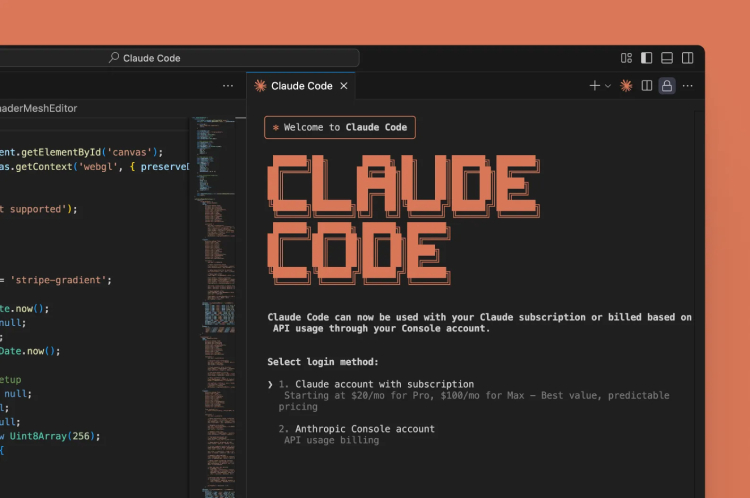
Among the affected tools are Claude Code, the terminal-based agent from Anthropic; the Gemini CLI from Google; and Cursor, the AI-native code editor. In these environments, the transition from “trusting a folder” to “executing a server” is often a single, opaque step. For a developer who frequently clones open-source projects or shares repositories with third parties, this represents a significant supply-chain vulnerability.
The danger is amplified by the nature of terminal-based tools. Unlike a GUI-based application that might trigger a system-level warning when launching a new process, a CLI tool often inherits the shell’s permissions, allowing a malicious MCP server to steal environment variables, access SSH keys, or install persistent backdoors on the host system.
The Broader Impact on Software Supply Chain Security
TrustFall is not an isolated bug but rather a symptom of a larger trend in software engineering: the tension between automation and security. As AI agents move from simply suggesting code to actively executing tools and managing environments, the attack surface for developers expands.
Traditional software supply chain attacks often rely on compromising a dependency (like a malicious npm package). TrustFall, however, leverages the configuration of the AI tool itself. This means a developer could be compromised simply by opening a project and granting the AI permission to “help” them, even if they never actually run npm install or execute a build script.
This vulnerability underscores the need for “Zero Trust” architectures within AI tooling. Security experts argue that no executable code—including MCP servers—should be launched automatically based on a project-level configuration file without explicit, granular consent from the user for each specific server being started.
How Developers Can Protect Their Environments
Until tool providers implement more rigorous validation and explicit consent workflows, developers should adopt a defensive posture when using AI-powered CLIs. The primary goal is to prevent the automatic execution of untrusted configurations.
Developers are encouraged to take the following precautions:
- Audit MCP Configurations: Before trusting a folder in an AI CLI, manually inspect the project for MCP configuration files (such as
mcp-config.jsonor similar) to see what servers are being requested. - Use Isolated Environments: Run AI coding tools within containers (e.g., Docker) or virtual machines. This ensures that if a malicious MCP server is executed, its access to the host system’s sensitive files and keys is restricted.
- Principle of Least Privilege: Avoid running AI CLIs with administrative or root privileges. Use a dedicated user account with limited permissions to minimize the potential impact of an RCE attack.
- Monitor Process Activity: Use system monitoring tools to watch for unexpected child processes being spawned by your AI CLI tools.
Key Takeaways for AI Tool Users
- The Risk: “TrustFall” allows malicious repositories to execute code via the Model Context Protocol (MCP) after a user trusts a folder.
- The Mechanism: AI CLIs automatically start project-defined MCP servers without enough explicit user warning.
- Affected Tools: Notable impacts include Claude Code, Gemini CLI, and Cursor.
- The Fix: Use isolated environments and manually audit project configurations before granting trust.
As AI agents become more autonomous, the industry must move toward a model where “trust” is not a binary switch for an entire folder, but a series of verified permissions for every action the AI takes. The discovery of TrustFall serves as a timely reminder that in the race to build the most helpful AI, security cannot be an afterthought.
Users should keep a close eye on official security advisories from Anthropic, Google, and the Cursor team for upcoming patches and updates to their trust models. We will continue to monitor these developments as the vendors roll out mitigations.
Do you use AI coding assistants in your daily workflow? Have you adjusted your security settings in response to these findings? Share your thoughts and experiences in the comments below.
Keep reading