For nearly a decade, owners of Google Pixel smartphones have shared a common, persistent frustration: the immovable Google search bar. While the Pixel Launcher is widely praised for its clean aesthetic and fluid animations, the search bar at the bottom of the home screen has remained a compulsory fixture, regardless of whether a user wanted it there or not.
That is finally about to change. New reports and leaked build data indicate that Android 17 Pixel search bar removal will become a reality, giving users the ability to toggle the feature off for the first time in the device’s history. This move signals a significant shift in Google’s approach to home screen customization, moving away from a “forced” brand presence toward a more user-centric interface.
The discovery comes from a leaked build of Android 17 QPR1, where a new setting has appeared within the Pixel Launcher’s configuration menu. For a community that has long requested this level of control, the update is more than just a visual tweak; We see a victory for personalization on a platform that has historically been more restrictive than its competitors.
The End of the Compulsory Search Bar
The leaked interface reveals a straightforward path for users to reclaim their screen real estate. The new toggle is located within Pixel Launcher settings > Search bar settings > Show search bar. When disabled, the search bar disappears entirely, allowing the docked application icons to shift closer to the bottom of the display, creating a more streamlined look.
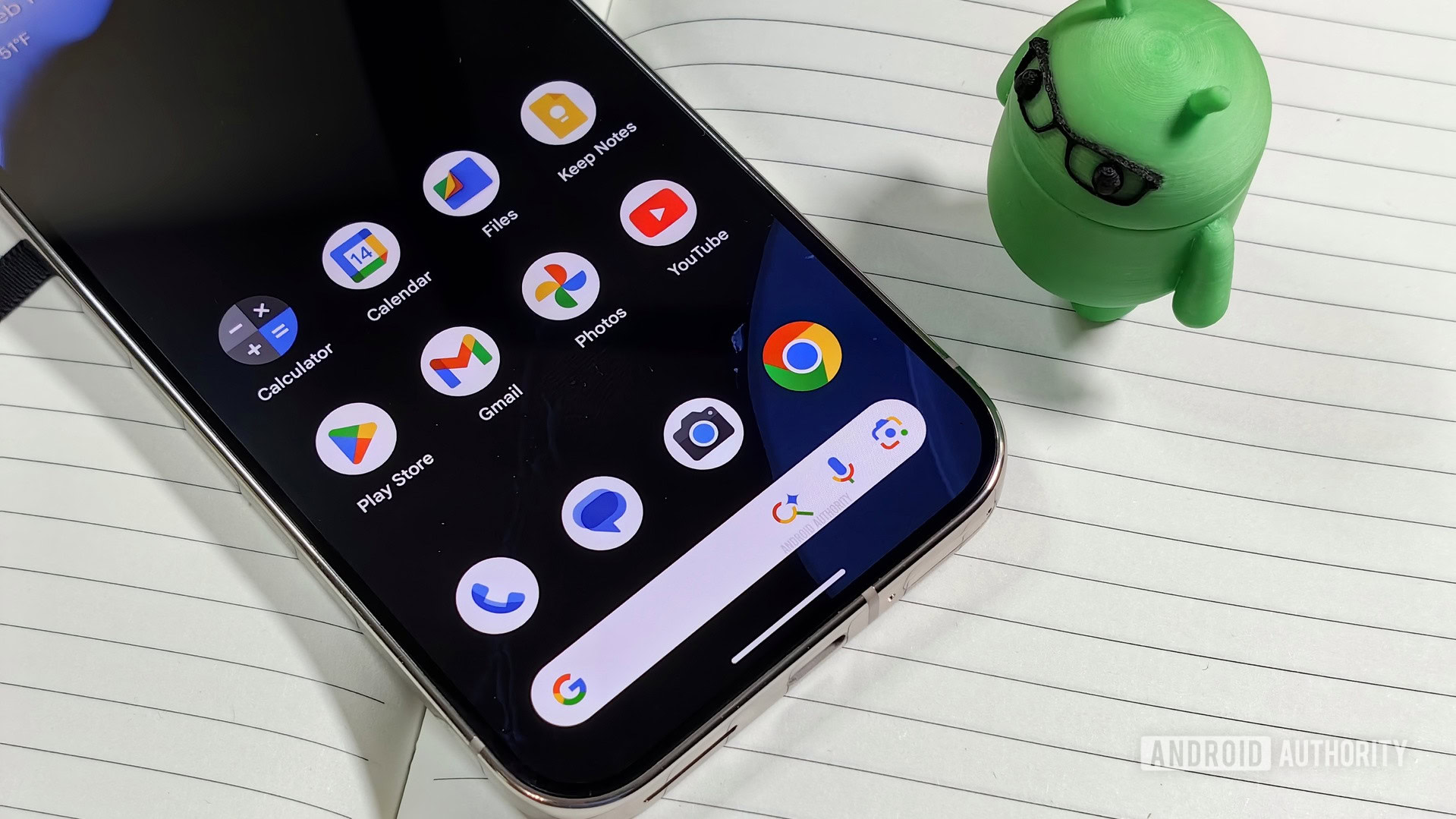
This change addresses a long-standing gripe among power users and enthusiasts. While other Android manufacturers have allowed deep customization of the home screen for years, Google maintained a rigid structure for its own hardware. The search bar was not merely a tool but a permanent anchor for the Google brand, ensuring that the company’s primary product—Search—was always one tap away.
The removal of this element aligns the Pixel experience with broader industry trends. Much like the customization standards seen on iOS or other Android skins, Google is acknowledging that a “one size fits all” approach to the home screen no longer satisfies the modern consumer.
A Pattern of Increased Customization
The ability to remove the search bar is not an isolated incident but rather the second step in a broader trend of loosening constraints on the Pixel UI. This follows the introduction of an option in Android 16 to remove the “At a Glance” widget, another previously permanent fixture of the Pixel home screen.
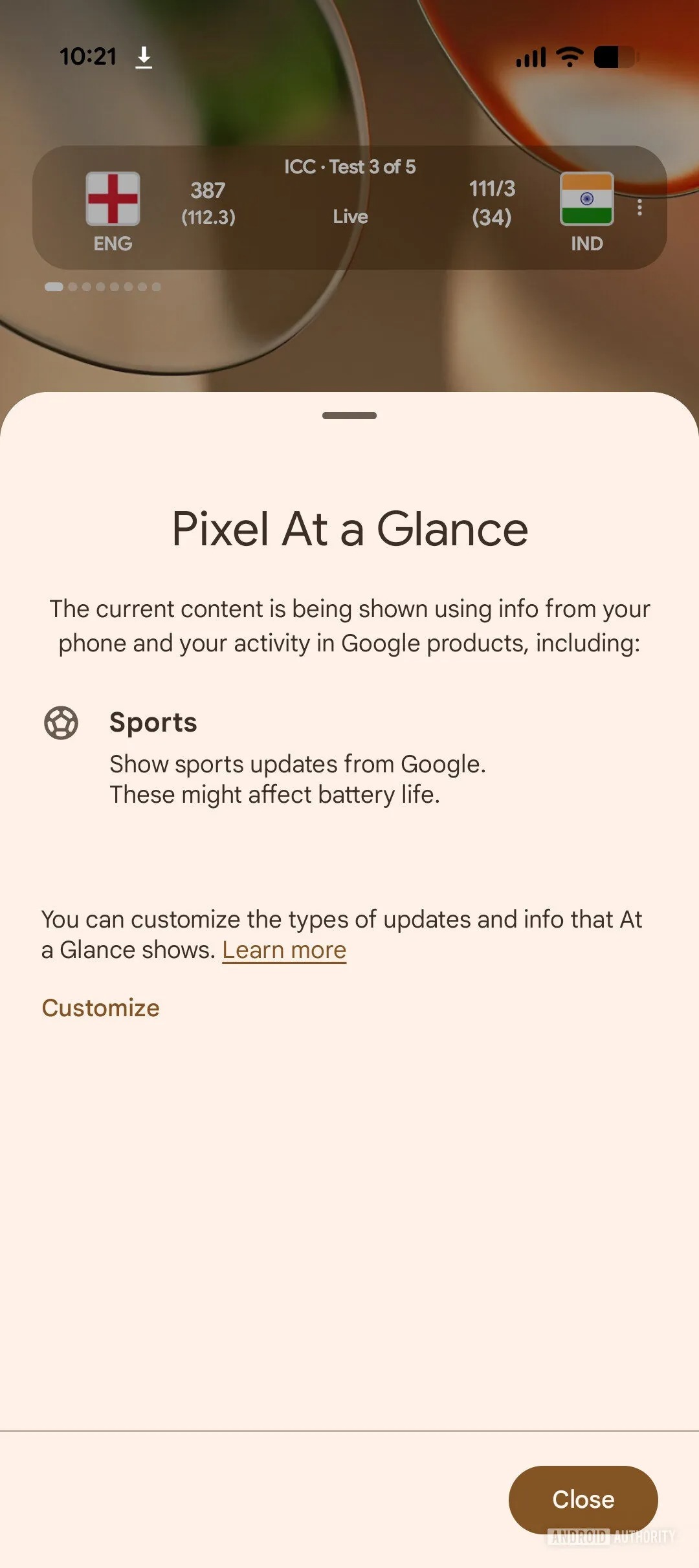
For years, both the “At a Glance” widget and the search bar were baked into the launcher with no option for removal. By first addressing the top of the screen (At a Glance) and now the bottom (the search bar), Google is systematically dismantling the “compulsory” nature of its home screen layout. This evolution suggests that Google is becoming more confident in its ecosystem, trusting that users will still use its services even if they aren’t forced to see them every time they unlock their phones.
Why Now? The Gemini Influence
Industry analysts suggest that the timing of this change is closely tied to the rise of generative AI. With the integration of Google Gemini, the way users interact with their devices is fundamentally shifting. Instead of relying on a static search bar, many users now launch Gemini via a long-press of the power button or a corner swipe.
As AI-driven queries replace traditional keyword searches, the permanent search bar becomes redundant. When an AI assistant can handle complex requests and search the web through a voice or gesture-based trigger, the need for a dedicated text box occupying the prime real estate of the home screen diminishes. Gemini has made the search bar an architectural relic.
What This Means for Pixel Users
For the average user, the impact is primarily aesthetic, but for the “digital minimalist,” it is a significant upgrade. Removing the search bar allows for a cleaner visual field and reduces the cognitive load of a cluttered interface. It allows users to place their own preferred search tools or widgets in that space, effectively giving them full ownership of their primary interaction point.
From a technical perspective, this change shows that Google is refining the Pixel Launcher to be more flexible. The shift of docked apps closer to the bottom of the screen indicates that the layout is now dynamic rather than static, meaning the UI can adapt based on user preferences without breaking the overall design language.
Key Takeaways: Android 17 Home Screen Changes
- New Toggle: Users can now disable the persistent search bar via Pixel Launcher settings.
- UI Shift: Disabling the bar moves docked apps closer to the bottom of the screen for a cleaner look.
- Customization Trend: This follows Android 16’s update that allowed the removal of the “At a Glance” widget.
- AI Integration: The shift is likely driven by the adoption of Google Gemini, which reduces reliance on a permanent search bar.
- Timeline: The feature was spotted in an Android 17 QPR1 build, with wider availability expected as the OS rolls out.
Looking Ahead: The Android 17 Roadmap
While the search bar toggle is a welcome addition, it is only one piece of the Android 17 puzzle. The leaked stable release of Android 17 QPR1 suggests that Google is focusing heavily on “user agency”—the idea that the user, not the manufacturer, should decide how the device looks and behaves.
We can expect further refinements to the Pixel Launcher and potentially more options for modifying system-level widgets. As Google continues to blend its AI capabilities with the core OS, the interface will likely become even more fluid and adaptive.
For those eager to try these features, the stable release is anticipated to begin rolling out in June 2026, although timelines for QPR (Quarter Platform Release) updates can vary by region and device model. Users should keep their system updates enabled and monitor the official Android developer blogs for a formal announcement regarding the Android 17 rollout schedule.
Do you prefer the classic Pixel look, or are you excited to finally clear some space on your home screen? Let us know in the comments below and share this article with your fellow Pixel enthusiasts.
Keep reading