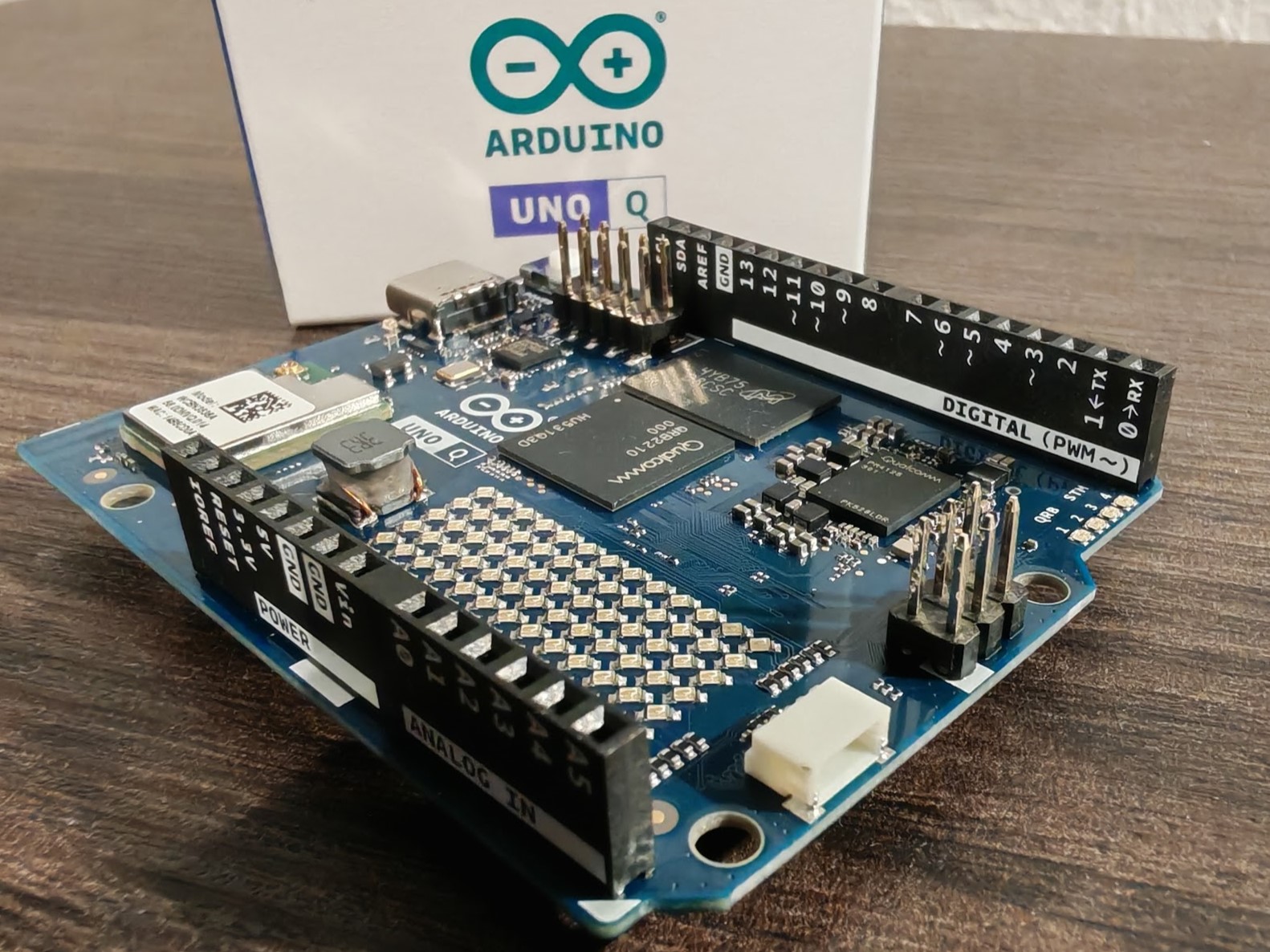
the Arduino UNO Q: Bridging Microcontroller Simplicity with Edge AI Power
Are you looking for a microcontroller board that can handle basic automation and explore the possibilities of on-device artificial intelligence? The Arduino UNO Q represents a compelling step forward, blending the accessibility of the Arduino ecosystem with the processing power of a Qualcomm Snapdragon processor. But what does this mean for you, and what real-world problems can it solve? this comprehensive guide dives deep into the Arduino UNO Q, exploring its capabilities, practical applications, and how it stacks up against the competition.
Beyond the Basics: What Makes the UNO Q Different?
For years, the Arduino UNO has been the go-too board for hobbyists, educators, and makers. The UNO Q isn’t a replacement, but rather an expansion of that legacy. It retains the familiar Arduino form factor and IDE compatibility,but adds significant horsepower with the inclusion of a Qualcomm Snapdragon processor and dedicated neural Processing Unit (NPU). This opens the door to running machine learning models directly on the device – a capability traditionally reserved for more complex and expensive platforms like the Raspberry Pi.
This isn’t just about adding bells and whistles. On-device AI, often called “Edge AI,” offers crucial advantages. Think about scenarios where reliable operation is paramount, even without a constant internet connection. Or situations where data privacy is critical, and sending sensitive information to the cloud is undesirable. The UNO Q allows you to address these challenges directly.
Real-World Applications: From Quality Control to Smart Agriculture
Let’s move beyond theoretical benefits and look at practical examples. Imagine a small manufacturing company automating quality control. Currently, a human visually inspects each product as it moves from packaging to logistics. The Arduino UNO Q, equipped with a USB camera, can automate this process.
Here’s how it effectively works:
- Image Capture: The UNO Q captures images of products on a conveyor belt.
- Defect Detection: Using a pre-trained or custom-trained Edge AI model, the board analyzes the images for packaging errors (missing labels, incorrect seals, etc.).
- Data Logging & Alerts: if an error is detected, the event is logged in a database for statistical analysis, and an employee is immediately notified.
- Automated Response (Optional): the UNO Q can even trigger an actuator to automatically remove defective products from the line.
This example highlights the UNO Q’s potential for industrial automation, but the applications extend far beyond.Consider these possibilities:
* smart Agriculture: Monitoring soil moisture levels with sensors and automatically controlling irrigation pumps. The UNO Q’s MCU is perfectly suited for this task, offering a cost-effective solution for precision farming.
* home Security: Implementing facial recognition for door access control, operating entirely offline for enhanced privacy.
* Environmental Monitoring: deploying sensor networks to track air quality, water levels, or wildlife activity in remote locations.
* Predictive Maintenance: Analyzing sensor data from machinery to predict potential failures and schedule maintenance proactively.
Edge Impulse & Arduino App Lab: Democratizing AI Growth
One of the biggest hurdles to adopting Edge AI is the complexity of model creation and deployment. The Arduino UNO Q tackles this challenge head-on with its support for edge Impulse (https://www.edgeimpulse.com/blog/announcing-support-for-the-arduino-uno-q/).
Edge Impulse is a cloud-based platform that simplifies the entire machine learning workflow, from data collection and labeling to model training and deployment. You can train models on images, audio, or sensor data with minimal coding experience. the UNO Q seamlessly integrates with Edge Impulse,allowing you to deploy your custom models directly to the board.
Furthermore,the Arduino App Lab (https://docs.arduino.cc/software/app-lab/tutorials/bricks/) provides a block-based programming environment, making it even easier to get started. these visual tools are ideal for beginners and allow for rapid prototyping of interactive projects.You can easily display results from image recognition or other AI tasks through a smartphone’s web interface.
UNO Q vs. Raspberry Pi: Choosing the Right Tool
The Raspberry Pi remains a powerful and versatile single-board computer. Though, the Arduino UNO Q offers distinct advantages in specific scenarios.
| Feature | Arduino UNO Q | Raspberry Pi (e.g., Pi 4) |
|---|---|---|
| processing Power | Qualcomm Snapdragon (with NPU) | Broadcom ARM Cortex-A72 |
|
Keep reading