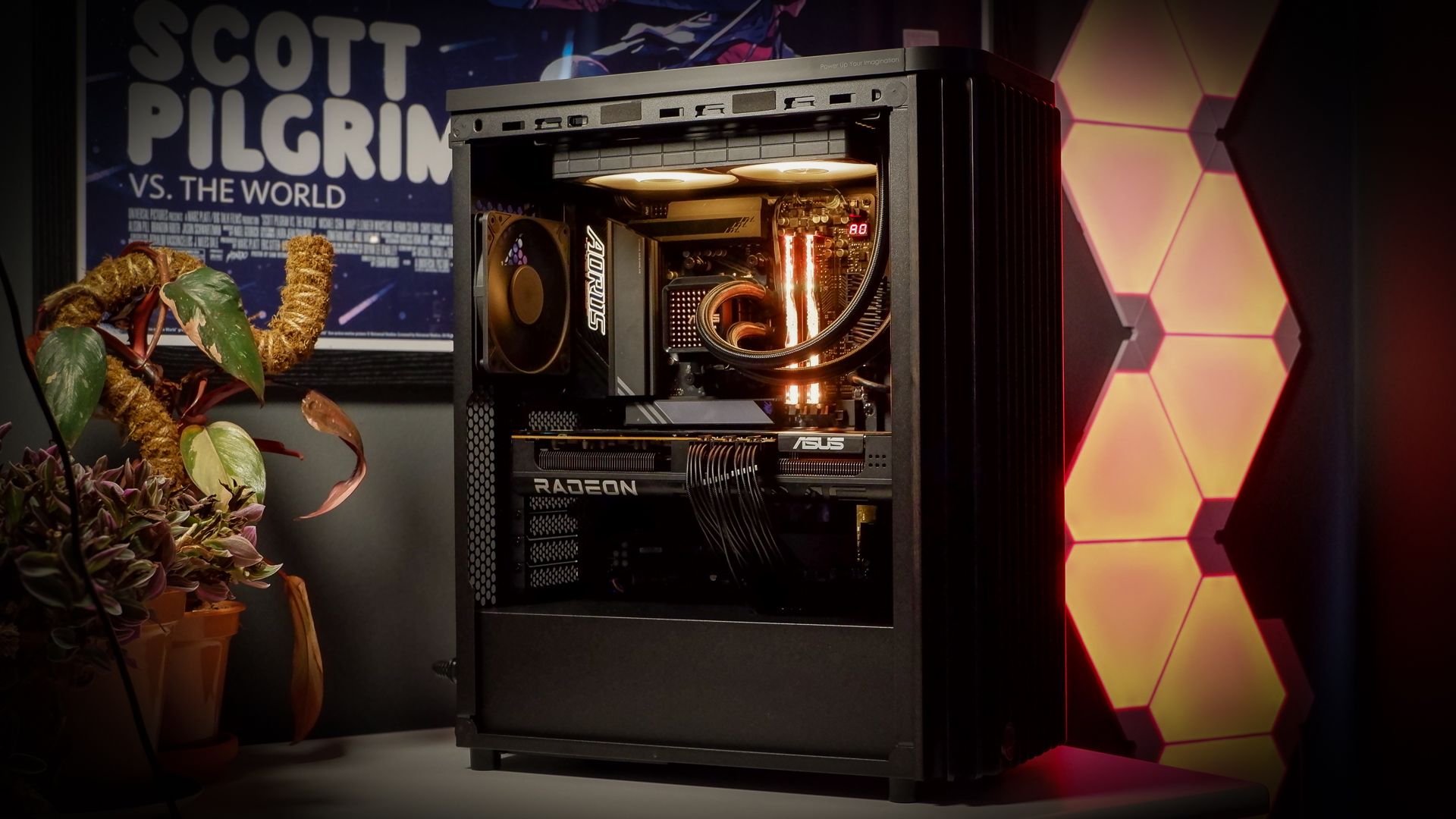
building a Powerful Gaming PC: A Deep Dive into Our Latest Creation
Are you looking to build a high-performance gaming PC that can handle the latest titles with ease? Building your own PC allows for complete customization and frequently enough delivers better value than pre-built options. We recently assembled a fantastic system, and I’m excited to share the details with you. This build focuses on delivering a smooth, immersive gaming experience without breaking the bank.
Core Components: The Heart of the Machine
Let’s start with the essential components that drive this gaming rig. We carefully selected each part to ensure optimal performance and compatibility.
* CPU: AMD Ryzen 7 7700X. This processor offers excellent multi-core performance, ideal for both gaming and demanding applications.
* Motherboard: ASUS Prime B650-Plus. A solid choice providing all the necessary features and connectivity for a modern gaming setup.
* Memory: Corsair Vengeance 32GB (2x16GB) DDR5 5600MHz. Faster RAM speeds substantially improve gaming performance, and 32GB provides ample headroom for multitasking.
* Storage: 2TB NVMe SSD (Samsung 980 Pro). A fast NVMe SSD is crucial for rapid boot times, rapid game loading, and a responsive system.
* Graphics Card: NVIDIA geforce RTX 4070.This card delivers exceptional performance at 1440p resolution and can even handle some 4K gaming.
* Case: Corsair 4000D Airflow.Excellent airflow is vital for keeping components cool, and this case provides just that.
* Power Supply: Corsair RM750x (750W). A reliable power supply with enough wattage to handle all components with headroom for future upgrades.
* CPU Cooler: ASUS Prime LC 240. Keeping your CPU cool is paramount for sustained performance. Liquid cooling offers superior thermal management.
Cooling Solutions: Staying Cool Under Pressure
Effective cooling is essential for maintaining peak performance and preventing thermal throttling. Here’s what we implemented:
* Liquid CPU Cooler: The ASUS Prime LC 240 provides efficient cooling, even during intense gaming sessions. I’ve found that liquid cooling consistently delivers lower temperatures compared to air cooling.
* Case Fans: The Corsair 4000D Airflow comes with pre-installed fans, and we added an additional fan to optimize airflow.
Pricing Breakdown: where Your Money Goes
Understanding the cost of each component is crucial for budgeting. Here’s a breakdown of the approximate prices:
* CPU: $329
* Motherboard: $160
* Memory: $110
* Storage: $130
* Graphics Card: $550
* Case: $90
* power Supply: $120
* CPU Cooler: $89 (US) / £95 (UK)
performance Testing: Putting it to the Test
We rigorously tested this PC to ensure it delivers on its promise of high-performance gaming. We ran a suite of benchmarks and played the latest games to assess its capabilities.
Here’s a look at the performance in some popular titles (benchmark data embedded below):
[Embedded Benchmark Chart 1 – Frame Rates in Various Games]
[Embedded Benchmark Chart 2 – CPU and GPU Temperatures Under Load]
As you can see, this build consistently delivers high frame rates and maintains stable temperatures. It’s capable of handling demanding games at high settings with ease.
Final Thoughts: A Well-Rounded Gaming machine
This PC build represents a sweet spot between performance, price, and features. It’s a
Keep reading