
Android users can automatically block unwanted calls by enabling the “Caller ID and Spam Protection” feature within the Google Phone app settings. This built-in tool uses Google’s massive database to identify suspicious numbers and provides options to either warn the user of a potential scam or automatically filter out suspected spam calls before the device rings.
The proliferation of robocalls and “vishing” (voice phishing) attempts has turned mobile devices into targets for frequent telemarketing and fraudulent activity. While many users attempt to manage these interruptions by manually blocking numbers after they ring, Android’s integrated security features allow for a proactive approach. By adjusting specific settings, users can shift from reactive management to automated prevention.
This capability is not universal across all Android hardware, as the implementation depends on whether the device uses the standard Google Phone app or a manufacturer-specific application. However, for the majority of modern Android devices, the core functionality resides within the system’s telephony settings.
How to enable spam protection on Android devices
For devices running the standard Google Phone app—common on Pixel devices and many other Android models—the process involves accessing the application’s internal settings rather than the main Android system settings menu. Users should follow these steps to activate the filtering mechanisms.
First, open the Phone app on the device. Tap the three-dot menu icon, typically located in the upper-right corner of the screen, to access the options menu. From there, select Settings. Within the settings menu, locate and tap on Caller ID & Spam. This section contains the primary controls for managing incoming call identification.
Once inside the Caller ID & Spam menu, users will find two distinct toggles that serve different purposes:
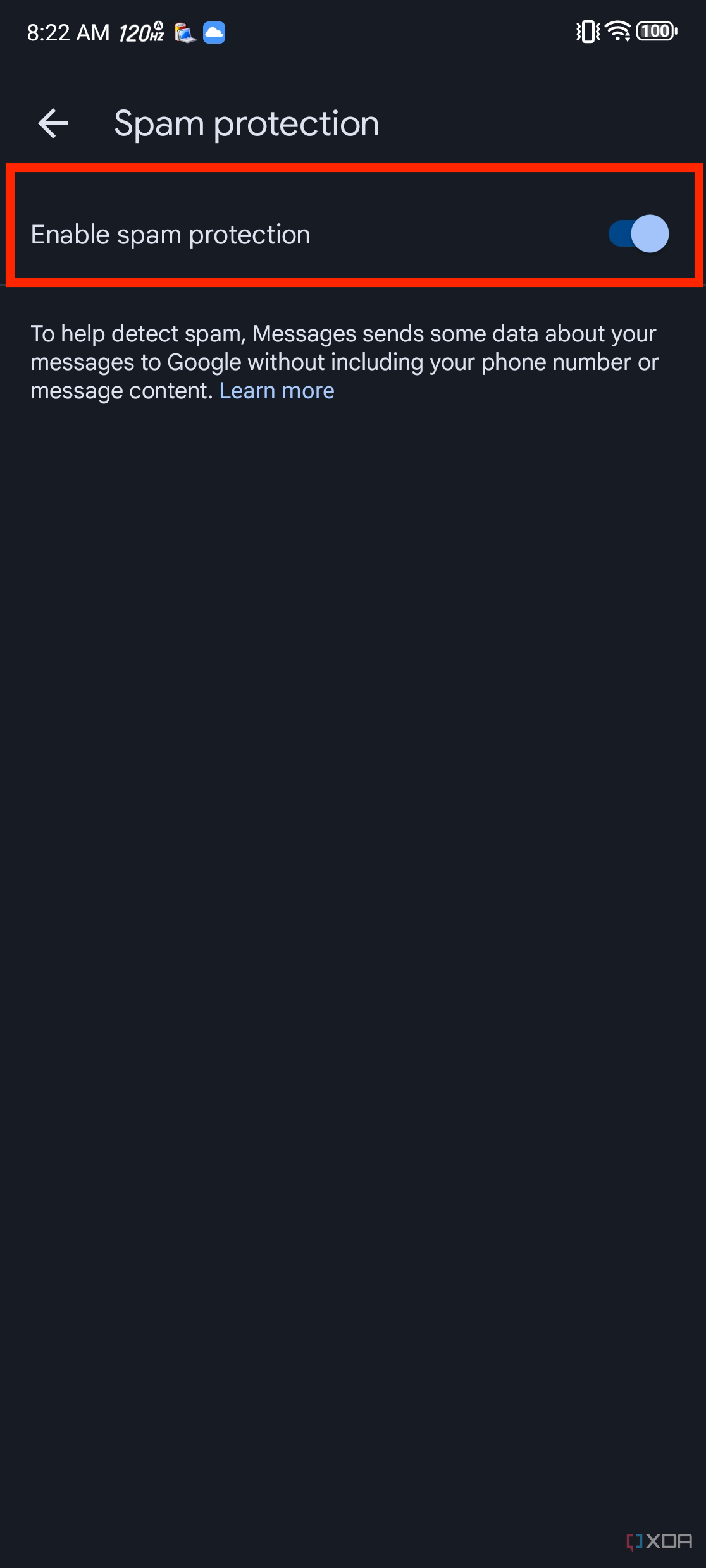
- See caller and spam ID: When this is enabled, the phone will attempt to identify the name of the caller even if they are not in the user’s contacts. More importantly, it will display a warning label such as “Suspected spam” or “Telemarketer” on the incoming call screen.
- Filter spam calls: This is the more aggressive setting. When activated, the device will automatically attempt to prevent suspected spam calls from ringing on the user’s phone. Instead of an audible ring, these calls are often sent directly to voicemail or silenced entirely, depending on the specific Android version and manufacturer skin.
Activating both features provides a two-layered defense: the first layer informs the user of the call’s nature, while the second layer prevents the interruption altogether.
Samsung Smart Call and manufacturer-specific variations
Samsung users often interact with a different interface due to the company’s proprietary “One UI” software. Samsung utilizes a service known as Smart Call, which is powered by the third-party security firm Hiya. This provides a similar level of protection but follows a different configuration path.
To enable this on a Samsung Galaxy device, users should open the Phone app, tap the three dots for Settings, and look for Caller ID and spam protection. Once selected, the user can toggle the feature on. Samsung’s version specifically focuses on identifying fraudulent numbers and providing real-time information about the caller’s identity, which can help users distinguish between legitimate businesses and scammers.
Other manufacturers, such as Xiaomi or OnePlus, may integrate different security protocols or rely entirely on the Google Phone app. Users who do not see “Caller ID & Spam” in their Phone app settings should check their device’s main Settings menu under Google or Safety & Emergency to see if the service is managed at a system level.
How Android’s spam database identifies fraudulent calls
The effectiveness of these features relies on the scale of the underlying database. Google and companies like Hiya maintain vast repositories of phone numbers that have been flagged by millions of users worldwide. When a call arrives, the device compares the incoming number against these known lists of telemarketers, scammers, and automated bots.

This system uses machine learning to identify patterns characteristic of spam. For example, if a single number makes hundreds of short-duration calls to different users within a very short timeframe, the system identifies this behavior as non-human and flags the number as a potential robocall. This real-time analysis allows the protection to evolve as scammers change their tactics and use new number ranges to bypass traditional blocks.
It is important to note that these databases are not perfect. “False positives”—where a legitimate business is incorrectly flagged as spam—can occur. Because of this, the “See caller and spam ID” feature is often recommended as a primary step, allowing the user to make the final decision on whether to answer the call.
The security implications of vishing and robocalls
The motivation behind the surge in spam calls is frequently financial. “Vishing,” or voice phishing, involves scammers posing as trusted entities such as banks, government agencies, or technical support services to extract sensitive information. Common tactics include:
- Impersonation: Claiming to be from a well-known institution to gain trust.
- Urgency: Creating a sense of panic, such as claiming there is fraudulent activity on a bank account, to force the user into making quick, unthinking decisions.
- Spoofing: Using technology to make the caller ID appear as a local number or a legitimate organization, making the call seem more credible.
By using the automatic filtering features on Android, users reduce their “attack surface.” Every spam call answered is an opportunity for a scammer to attempt social engineering. Automating the rejection of these calls provides a critical layer of defense for individuals who may not be able to immediately recognize the signs of a sophisticated phishing attempt.
Comparing built-in protection versus third-party apps
While the built-in Android and Samsung tools are highly effective for the average user, some may choose to use third-party caller ID and spam blocking applications. The following table compares the primary characteristics of these two approaches:
| Feature | Built-in (Google/Samsung) | Third-Party Apps (e.g., Truecaller) |
|---|---|---|
| Ease of Use | High; integrated into system settings. | Moderate; requires separate installation. |
| Privacy | High; data stays within the OS/Google ecosystem. | Variable; often requires access to contact lists. |
| Database Depth | Extensive; uses global user reporting. | Potentially higher; uses crowdsourced data. |
| System Impact | Minimal; optimized for the device. | Moderate; runs as a background process. |
Users should weigh the benefits of a potentially more detailed third-party database against the privacy implications of granting an external application access to their call logs and contact lists. For most users, the native tools provided by Google or Samsung offer a sufficient balance of security and privacy.
Additional steps to enhance mobile security
Beyond enabling spam filters, users can take several additional steps to minimize unwanted interruptions and protect their personal data:
- Manual Blocking: If a specific number continues to call despite the filters, users can manually block it. In the Phone app, tap the number in the “Recents” tab and select “Block/Report Spam.”
- Do Not Disturb Mode: For periods when users require total silence, the “Do Not Disturb” mode can be configured to allow only calls from “Starred” or “Favorite” contacts.
- Carrier Services: Many mobile network operators offer their own spam-blocking services, often at an additional cost or as part of a premium plan. Users should check with their service provider to see if these tools are available.
- Avoid Sharing Numbers: Reducing the amount of personal information available online can decrease the likelihood of a number being added to telemarketing lists.
Frequently asked questions about Android spam blocking
Can I block all unknown numbers on my Android phone?
While you cannot easily block every single number that is not in your contacts through a single toggle, you can use “Do Not Disturb” settings to ensure that only your saved contacts can ring your phone. This effectively silences all unknown callers.
Does spam protection work on all Android versions?
The “Caller ID and Spam” feature is most robust on devices running recent versions of Android that include the Google Phone app. Older devices or those with heavily modified operating systems may not have access to the most advanced filtering features.
Is the spam filtering feature free?
Yes, the standard spam identification and filtering features provided by Google and Samsung are included as part of the device’s software and do not require a separate subscription.
Users are encouraged to check for regular system and app updates, as Google frequently updates the Phone app to improve its detection algorithms and security protocols. For the most current information on mobile security threats, users should monitor official advisories from cybersecurity agencies and their mobile service providers.
Have you found these settings helpful in reducing unwanted calls? Share your experience in the comments below and share this guide with someone who needs to secure their device.
Keep reading