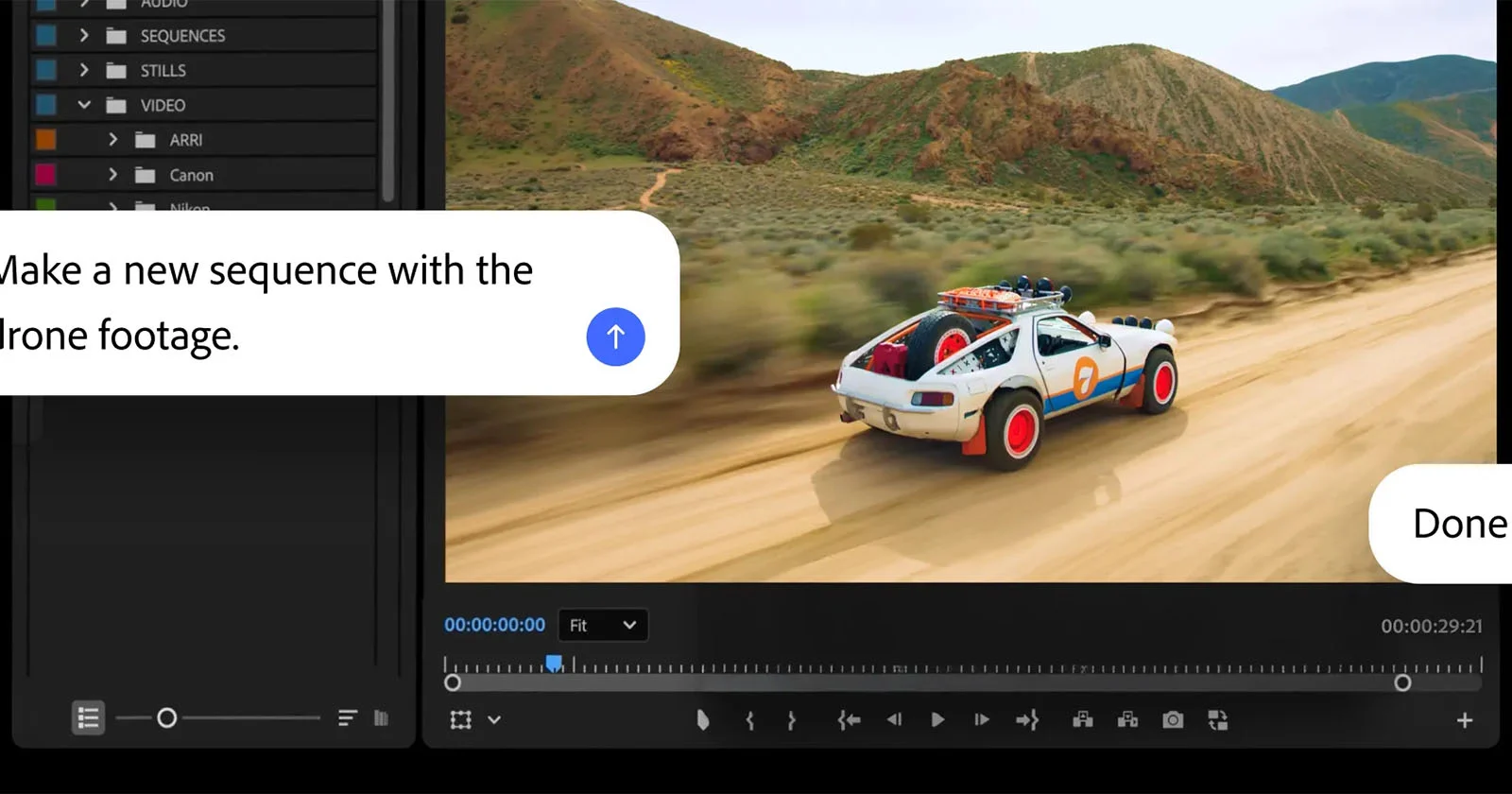
Adobe is expanding its artificial intelligence capabilities across the Creative Cloud ecosystem, aiming to automate repetitive manual tasks for photographers and video editors. By integrating generative AI assistants directly into flagship applications like Photoshop and Premiere Pro, the company intends to reduce the time professionals spend on technical adjustments, allowing more focus on creative decision-making, according to recent corporate updates from the software developer.
The move represents a strategic shift in how Adobe manages its software suite, moving away from purely manual editing tools toward a hybrid model where AI acts as a collaborative partner. This evolution in the Creative Cloud workflow is part of a broader industry trend toward AI-augmented production, as reported by Adobe’s official product documentation. The integration focuses on streamlining labor-intensive processes, such as subject selection, background removal, and color grading, which have historically accounted for significant portions of a creator’s production time.
How Adobe’s AI Assistant Integrates into Creative Workflows
The AI assistant functions as a contextual guide within the user interface, providing recommendations and performing complex image manipulations through natural language prompts or automated analysis. In Photoshop, for example, the technology leverages the Firefly generative AI engine to handle tasks like object removal and background expansion. According to Adobe’s latest corporate disclosures, these features are designed to function as an extension of the user’s intent rather than a replacement for manual control.

For video professionals using Premiere Pro, the AI assistant aids in managing complex timelines. It can automate common post-production hurdles such as audio cleanup, color matching between disparate clips, and metadata tagging. By offloading these technical burdens to the software, Adobe claims that editors can maintain a “creative flow state” for longer periods. This approach is consistent with the company’s stated goal of lowering the barrier to entry for complex visual editing while simultaneously accelerating the output for seasoned professionals.
Industry Impact and Professional Efficiency
The introduction of these tools has sparked a broader conversation regarding the future of creative labor. While some industry analysts view the automation of repetitive tasks as a necessary evolution to keep pace with the rising demand for digital content, others emphasize the importance of retaining human oversight. According to a report by Reuters, Adobe has focused heavily on the ethical training of its AI models, using its own stock image library to ensure that the generated content remains commercially safe for professional use.
This focus on “commercially safe” AI is a key differentiator for Adobe compared to other generative models currently available on the market. By grounding its AI in a controlled dataset, Adobe seeks to mitigate concerns regarding copyright infringement and intellectual property theft, which remain significant risks for creators utilizing third-party AI platforms. For the professional photographer, this means that the AI assistant is not just a productivity tool, but a legally vetted asset that can be used in client-facing work without the same level of liability risk associated with open-web models.
What Lies Ahead for Creative Cloud Users
Adobe has indicated that the rollout of these AI-assisted features will continue throughout the current calendar year, with ongoing updates planned to refine the accuracy and responsiveness of the tools. Users can expect to see deeper integration across the entire Creative Cloud library, including Lightroom and After Effects, as the company continues to harmonize its AI infrastructure.
For those currently utilizing the Creative Cloud, the most effective way to monitor these changes is through the Adobe Creative Cloud desktop application, which provides update logs and documentation for new features as they are deployed. As these tools become more sophisticated, the focus will likely shift from “what the AI can do” to “how the artist can curate the results.” The next major update cycle is expected to be discussed during upcoming industry events, where Adobe typically unveils its roadmap for the next fiscal quarter. Readers are encouraged to share their experiences with these new AI features in the comments section below, as we continue to track how these technologies reshape the professional creative landscape.