
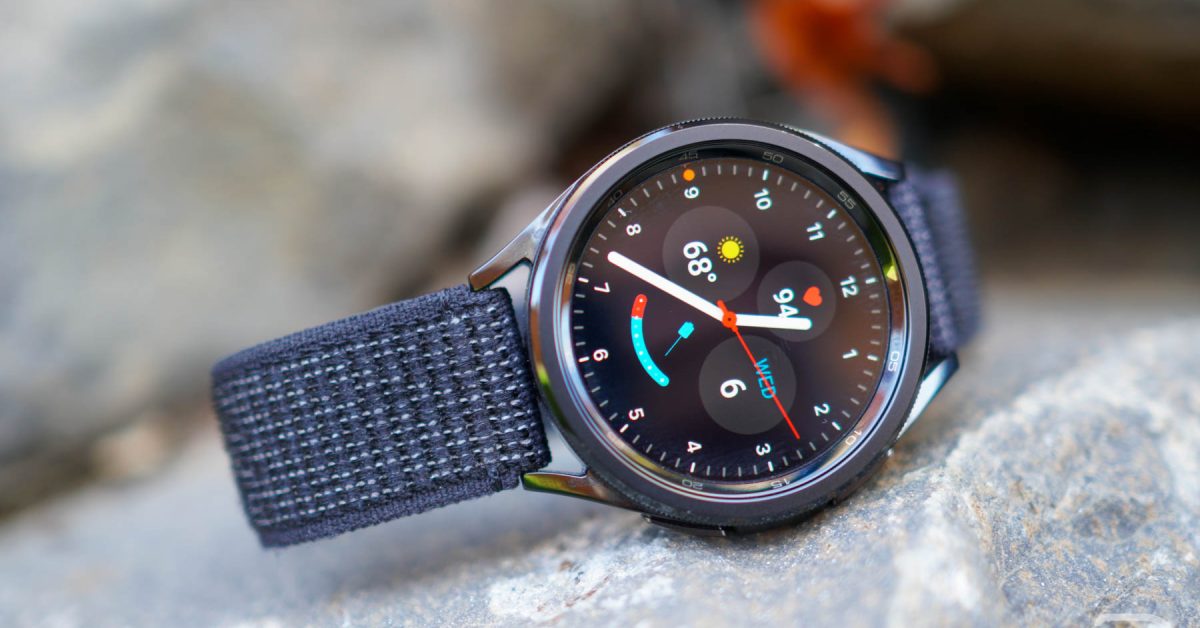
Samsung Galaxy Watch 6 & 6 Classic Receive Major Wear OS 6 (One UI 8) Update: A Deep Dive
Are you a Samsung Galaxy Watch 6 or Watch 6 Classic owner eager for the latest features and improvements? Samsung has begun rolling out the highly anticipated Wear OS 6 update, branded as One UI 8, to these popular smartwatches. This isn’t just a minor patch; it’s a considerable upgrade designed to enhance your smartwatch experience. This article provides a comprehensive overview of the update, detailing what’s new, how to get it, and what it means for Galaxy Watch 6 users like you.
What’s New in Wear OS 6 (One UI 8)?
The one UI 8 update brings a wave of enhancements focused on personalization, wellness, and usability. Let’s break down the key features:
* Customizable Tiles: you can personalize your watch face beyond pre-set options. create your own tiles to display the information you want at a glance.
* Low Light Mode: Enjoy improved visibility in dimly lit environments with the new low light mode specifically designed for compatible watch faces.
* Enhanced Wellness Features: Take control of your mental wellbeing with new mood tracking and guided breathing exercises. These tools are designed to help you manage stress and improve mindfulness.
* Improved System Performance: Expect smoother animations, faster app loading times, and overall improved responsiveness.
Did You No? Samsung is consistently ranked among the top smartwatch brands globally, with the Galaxy Watch series frequently enough praised for its feature set and integration with the Samsung ecosystem.
Software Version Numbers: Identifying the Update
To confirm you’ve received the update, check your watch’s software version.Here’s a breakdown by model:
* Galaxy Watch 6 (40mm): R935USQU1CYK2
* Galaxy Watch 6 (44mm): R945USQU1CYK2
* Galaxy Watch 6 classic (43mm): R955USQU1CYK2
* Galaxy Watch 6 Classic (47mm): R965USQU1CYK2
These versions are currently rolling out across all sizes and regions. Keep in mind that rollout schedules can vary depending on your carrier and location.
| Feature | Galaxy Watch 6 | Galaxy Watch 6 Classic |
|---|---|---|
| Customizable Tiles | ✅ | ✅ |
| Low Light mode | ✅ | ✅ |
| Mood Tracking | ✅ | ✅ |
| Breathing Exercises | ✅ | ✅ |
| Performance Improvements | ✅ | ✅ |
how to Update Your Galaxy Watch 6 or 6 Classic
Updating your smartwatch is a straightforward process.Here’s a step-by-step guide:
- Ensure Sufficient Battery: Make sure your watch has at least 50% battery life before starting the update.
- Connect to Wi-Fi: A stable Wi-Fi connection is crucial for a smooth download.
- Open Settings: On your watch, navigate to Settings > software update.
- Download and Install: Tap “Download and install.” The watch will automatically check for updates and begin the process if available.
- Restart: Once the update is complete, your watch will restart.

Meta commence à exclure les moins de 16 ans de ses plateformes avant leur interdiction le 10 décembre
Children’s Vaccination Rates: Trends by Race & Ethnicity


Related Posts

Apple Mac 2026: Which Model is Best for You?
December 27, 2025
Top 20 Video Games of 2025 | Ars Technica’s Picks
December 27, 2025


