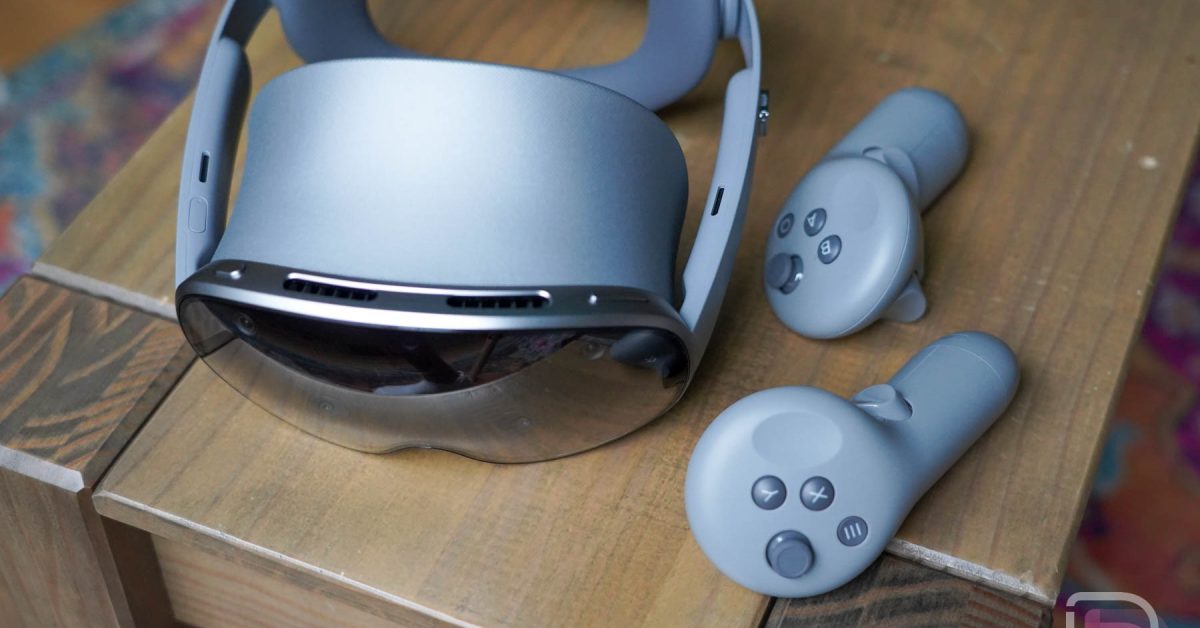
Samsung Galaxy XR Review: A Stunning Display, But Is It Enough?
The Samsung Galaxy XR is hear, promising a premium VR/XR experiance.As someone who’s spent years immersed in virtual and mixed reality, I’ve put this headset through its paces. This review dives deep into its strengths, weaknesses, and ultimately, whether it justifies its hefty price tag.
(Image: 25/11/Galaxy-XR-Review-5.jpg 1800w” sizes=”(max-width: 980px) 100vw, 980px”/>)
Initial Impressions & Setup
Unboxing the Galaxy XR, the build quality immediately stands out. It feels substantial and well-crafted. Setup is straightforward, especially if you’re already in the Samsung ecosystem. However, the real star is the display. It’s genuinely breathtaking – sharper and more vibrant than almost anything else currently available.
Gaming Performance: A Mixed Bag
My gaming experience was a bit of a rollercoaster. Launching Arizona Sunshine on day one only to find it broken due to backend issues was frustrating, to say the least. Spending $70 on unplayable games isn’t a great first impression.
Fortunately, Samsung’s Game Link service proved to be a lifesaver. Connecting wirelessly to my SteamVR-powered gaming PC was seamless. I enjoyed a stable connection from my office to the kitchen, offering a truly immersive experience.
Native Android XR games, like Walkabout Mini Golf, shine. The controllers offer good precision and haptic feedback, and the display elevates the visuals. However, the field of view (FOV) feels somewhat limited, hindering complete immersion.
PC Connectivity: A Disappointing Limitation
Samsung includes a PC Link software, but its functionality is severely restricted. It only works with Galaxy Book computers. This feels incredibly limiting and, frankly, a bit frustrating. While Virtual Desktop is an option,locking a core feature to a single product line is a questionable decision.
Software & Content Ecosystem
The Android XR software experience is familiar if you’ve used a Meta Quest 3. Window management, placement, and multitasking are remarkably similar. Though, Android XR currently lags behind Meta’s ecosystem in terms of dedicated games and apps. SteamVR integration helps,but broader PC connectivity remains a challenge without a Galaxy Book.
The system works well, but it feels like something is missing. Perhaps it’s the content library, or maybe it’s the lack of a truly compelling reason to switch from established platforms.
Why I Returned the Galaxy XR
Ultimately, the question became: is it worth the investment? For me, the answer was no. The combination of the high price,the limitations,and the overall usability in daily life didn’t justify keeping it.
My Meta Quest 3 offers a more convenient and accessible experience. it’s easier to pick up and use, and less likely to end up gathering dust in a closet.
The galaxy XR’s incredible display and the potential of Android XR are enticing. But they’re a hard sell at this price point. If you prioritize display quality above all else and have the budget,Samsung has a compelling offering.
Here’s a rapid breakdown of the pros and cons:
Pros:
* Exceptional Display: The best-in-class visual fidelity.
* Seamless SteamVR Integration: Wireless PC VR gaming is a breeze.
* comfortable Design: Well-built and relatively comfortable to wear.
* Familiar Software: Easy transition for Meta Quest users.
Cons:
* High Price: Significantly more expensive than competitors.
* Limited PC Connectivity: Restricted to Galaxy Book computers.
* Smaller Content Library: Android XR lacks the depth of Meta’s ecosystem.
* FOV Could Be Wider: Field of view feels somewhat restrictive.
Is the Galaxy XR Right for You?
if you’re a VR enthusiast seeking the absolute best display and are willing to pay a premium, the Galaxy XR is worth considering.However, for most users, the Meta Quest 3 offers a more balanced and practical experience.
you can purchase the Samsung Galaxy XR directly from Samsung’s website: [https://howl.link/xlk2y5fjtm1hj](https://howl.link/xl
Related reading