Google is fundamentally changing how users interact with its AI by transforming Gemini from a standard chatbot into a persistent knowledge engine. The company is rolling out a new feature called “notebooks,” which integrates the organizational capabilities of NotebookLM directly into the Gemini chat interface.
This integration allows users to move beyond isolated conversations and instead create dedicated, AI-powered project hubs. By grouping related chats, source materials, and custom instructions into a single workspace, Google is providing a way for users to maintain a “briefing folder” for the AI, ensuring it has the necessary context for complex, ongoing tasks without needing to be reminded of details in every new thread.
The rollout is currently available on the web for subscribers of Google AI Plus, Pro, and Ultra. Even as the feature is not yet available for users under 18 or those with Education and Workspace accounts, Google has stated it plans to bring notebooks to free users in the coming weeks and will eventually launch the tools on the mobile version of Gemini according to PCMag.
Building a Personal Knowledge Base Within Gemini
At its core, the notebooks feature serves as a personal knowledge base. Instead of treating an AI interaction as a stateless event—where the bot “forgets” the context once a session ends—users can now build persistent environments. This shift is designed to help entrepreneurs, creators, and business leaders manage knowledge at scale by centering their research around specific topics.
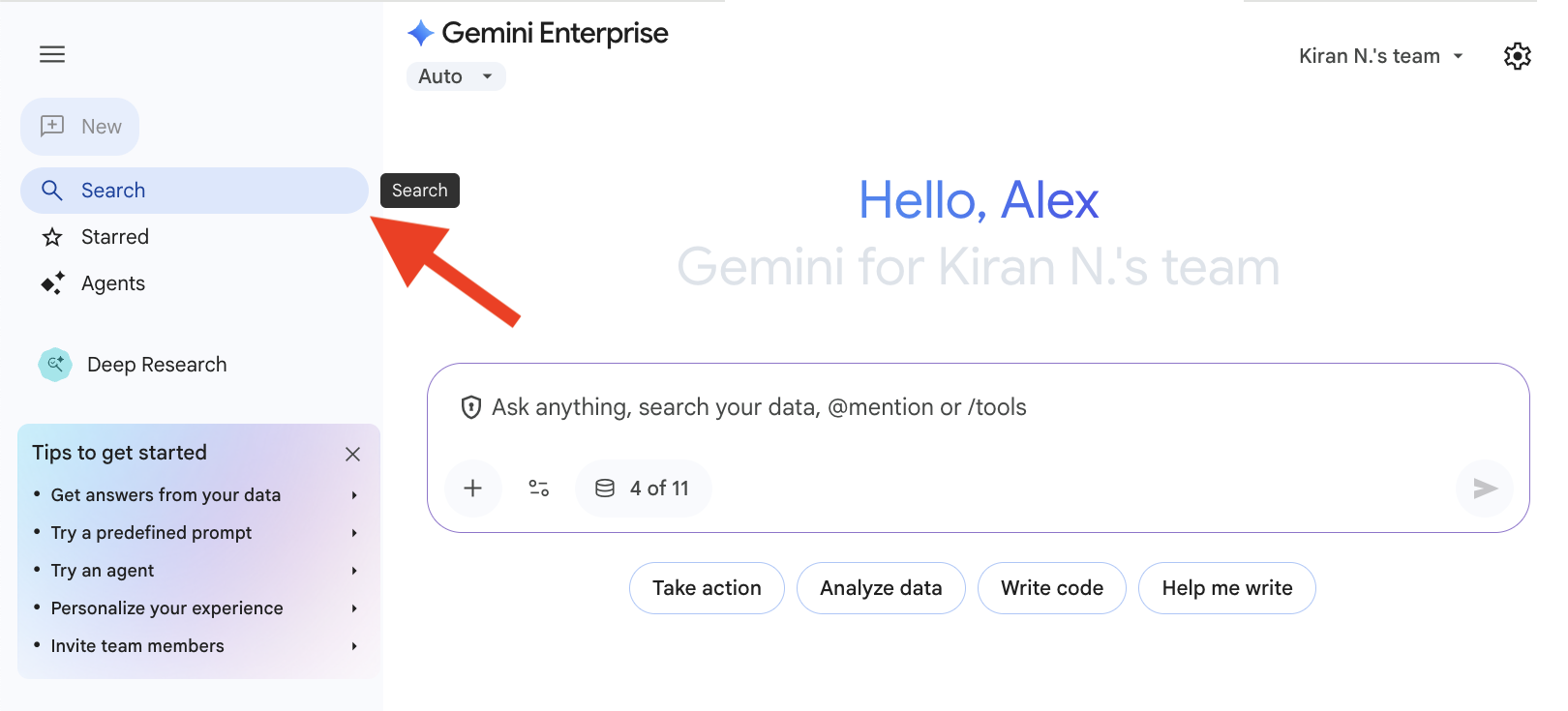
To start a project, users will find the option to add a new notebook in Gemini’s side panel. After naming the notebook, they can use the “Add sources” button to populate the knowledge base. The system is flexible in how it ingests information, allowing users to:
- Upload relevant files from a local computer.
- Import documents directly from Google Drive.
- Link to external websites to be used as references.
- Import specific blocks of text.
- Pull previous conversations with Gemini into the notebook to preserve historical context.
This structure ensures that every time a user interacts with Gemini within that specific notebook, the AI draws from the provided source materials, significantly reducing the need for repetitive prompting and minimizing the risk of the AI losing track of project-specific requirements.
The Synergy Between Gemini and NotebookLM
The integration is more than a simple organizational update; it is a bidirectional synchronization between the Gemini app and the dedicated NotebookLM research tool. Any source added to a notebook within the Gemini interface automatically appears in NotebookLM, and vice versa as detailed on LinkedIn.
This continuity allows users to leverage the unique strengths of both platforms. While Gemini provides the conversational interface for brainstorming and drafting, NotebookLM offers specialized output capabilities. Users can start a project in Gemini and then switch to NotebookLM to generate high-level summaries, infographics, or “Video Overviews” based on the same set of sources.
This approach positions Google’s offering as a more comprehensive research suite compared to similar features in other AI ecosystems, such as ChatGPT’s Projects. While both allow for the grouping of files and conversations, the parallel operation of a dedicated research tool like NotebookLM provides a layer of analytical depth and diverse output formats that go beyond a standard chat thread.
Key Takeaways for Users
- Persistent Memory: Notebooks turn Gemini into a knowledge engine by storing sources and instructions in a dedicated project space.
- Cross-Platform Sync: Sources added in Gemini are instantly accessible in NotebookLM and vice versa.
- Diverse Sourcing: Supports Google Drive, local files, website links, and previous chat histories.
- Advanced Outputs: Users can utilize NotebookLM’s specific features, such as infographics and video overviews, for their Gemini-based projects.
- Availability: Currently for AI Plus, Pro, and Ultra web users, with free and mobile versions expected soon.
What This Means for the Future of AI Workflows
The move toward “persistent AI workspaces” signals a shift in how AI is expected to fit into professional workflows. By moving away from the “search engine with personality” model, Google is acknowledging that high-level function requires a stable foundation of data that the AI can reference consistently.

For researchers and students, this means the ability to create a “study hub” for a specific exam or project, where all relevant textbooks, lecture notes, and web articles are centralized. For business leaders, it allows for the creation of a “company briefing” notebook that ensures the AI is always aligned with the latest internal documentation and strategic goals.
As Google expands this feature to free users and mobile devices, the barrier to entry for sophisticated AI-assisted research will drop, potentially changing how individuals organize information in the digital age.
Google has confirmed that the notebook feature will be expanded to free users in the “coming weeks,” with mobile integration following shortly thereafter. We will continue to monitor the rollout for updates on Workspace and Education account availability.
Do you suppose persistent AI workspaces will replace traditional folder-based organization? Share your thoughts in the comments below.