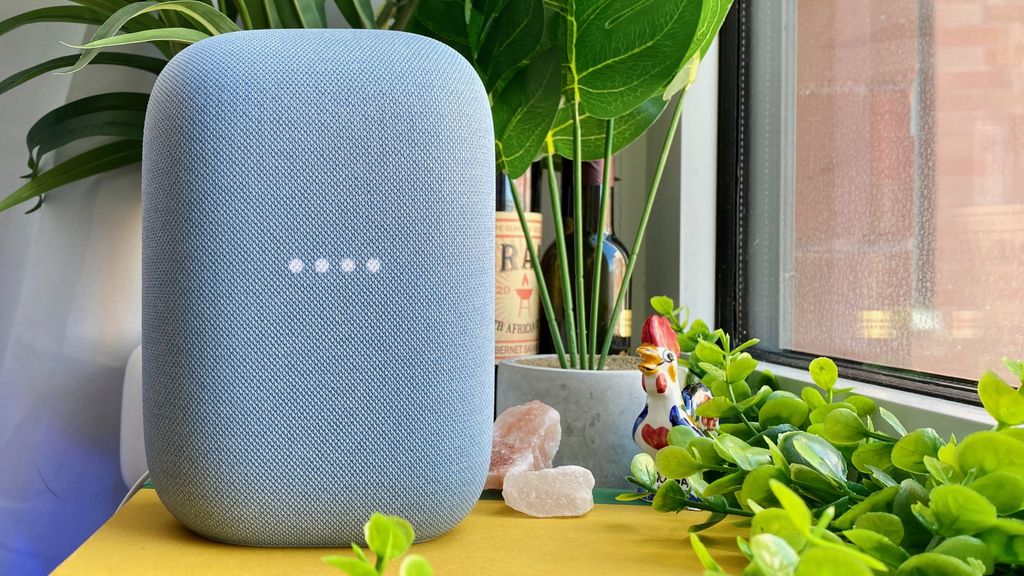
Google has expanded the audio capabilities of its smart speaker lineup, introducing a wireless connectivity feature designed to improve television sound quality. This update allows users to integrate compatible Google Nest speakers with select smart TVs, providing a more immersive audio experience without the need for traditional wired setups. According to official Google Nest Help documentation, this functionality leverages the Google Home app to bridge the gap between streaming audio and television output.
For users looking to enhance their living room setup, this development represents a shift toward more flexible, modular home theater configurations. By utilizing existing hardware, Google aims to reduce the clutter associated with physical cables while offering a software-driven solution for better sound stage and clarity. The feature is primarily designed for users who already own Nest devices and are seeking a cost-effective alternative to dedicated soundbars or complex surround sound systems.
How the Wireless TV Audio Integration Works
The integration relies on the Google Cast protocol, which enables seamless communication between a smart TV—typically running Android TV or Google TV—and a linked speaker group. When configured, the TV directs its audio signal to the Nest speaker, effectively turning the smart device into an extension of the television’s internal audio system. This process is managed through the Google Home application, where users can create a “Speaker Group” that includes their television and the desired Nest speaker.

It is important to note that performance can vary depending on the network environment. Since the audio is transmitted wirelessly over a local Wi-Fi network, latency—the delay between the video on screen and the sound from the speaker—remains a technical factor. Google has implemented synchronization tools within the Google Home app that allow users to manually adjust the delay settings to ensure the audio remains perfectly aligned with the visual content.
Compatibility and System Requirements
Not all devices support this wireless audio feature out of the box. To successfully enable this, users must ensure their television is equipped with an integrated casting receiver, such as those found on most modern Android TV or Google TV models. According to the Android TV official portal, the feature is most reliable when both the television and the Nest speaker are connected to the same 5GHz Wi-Fi network, which provides the necessary bandwidth for high-fidelity audio transmission.

The following hardware tiers are generally compatible:
- Google Nest Audio
- Google Nest Mini (2nd Gen)
- Google Home Max
- Select third-party speakers with built-in Chromecast support
Users should verify that their firmware is up to date on both the television and the speaker. Google frequently pushes background updates that improve the stability of these wireless connections, and failing to update can lead to intermittent drops in audio or synchronization errors.
Setting Up Your Enhanced Audio Configuration
To begin the setup, open the Google Home app and ensure all devices are linked to the same account and home structure. Navigate to the device settings for your television and look for the “Audio” or “Default Music Speaker” options. From there, you can select the specific Nest speaker or speaker group you wish to use as the primary output.
Once the selection is made, the television will treat the speaker group as a standard audio output device. This configuration is particularly useful for media consumption via streaming apps like YouTube, Netflix, or Disney+, which are fully optimized for the Cast protocol. While this setup is not a substitute for a high-end dedicated 5.1 or 7.1 surround sound system, it offers a functional improvement over the thin, often downward-firing speakers included in many flat-panel televisions.
What to Expect Next
As Google continues to refine its software ecosystem, users can anticipate further stability improvements and potentially lower latency thresholds in future app updates. There has been no official announcement regarding a move toward proprietary low-latency wireless protocols for television audio, suggesting that the company will continue to rely on existing Wi-Fi standards for the foreseeable future.

For those interested in the latest developments, Google periodically updates its official Nest blog with news on software features and hardware compatibility. If you have successfully configured your system, feel free to share your experience or any troubleshooting tips you discovered in the comments section below.
Worth a look
- GTA Online New Update: Kortz Center Heist, Rewards Nerfs, and GTA 6 Map Leaks
- Why True Human-Level AI Is Impossible: The Flaw in Turing’s Legacy
- August 2026 To Feature Total Solar and Partial Lunar Eclipses (archyworldys.com)
- Patti LaBelle Draws Criticism for National Anthem Performance at 2026 MLB All-Star Game (time.news)