
Google Phone App Adds New Spoofing Protection: What It Means for Call Security
Google is expanding its fight against phone spoofing with new protections in its Phone app, designed to help users identify legitimate callers and block fraudulent attempts more effectively. The update builds on existing caller ID and spam filtering features, offering users more control over how their calls are handled and who can see their number. While the specific implementation details remain under development, the changes reflect Google’s ongoing efforts to address a growing problem in digital communication security.
Phone spoofing—where scammers manipulate caller ID information to appear as trusted contacts or businesses—has become a widespread issue, costing consumers billions annually in fraud. The new protections aim to give Android users better tools to recognize and respond to suspicious calls, particularly those originating from outside their contact lists. For businesses, the update also provides clearer options to manage how their information is displayed to callers.
As of May 2026, Google has not released a formal timeline for the rollout, but early indications suggest the feature will be available to users on Android 6.0 and higher. The changes align with broader industry trends toward stricter caller verification protocols, including recent regulatory pushes in the U.S. And EU to combat telecom fraud. Below, we break down what the update entails, how it works, and what it means for both consumers and businesses.
Key Takeaways: What the New Spoofing Protections Include
- Enhanced Caller ID: Users can now see more detailed information about incoming calls, including business names and potential red flags for spoofed numbers.
- Granular Spam Controls: The app introduces options to filter or block calls from unknown numbers automatically, with adjustments for different protection levels.
- Business Name Updates: Companies can verify and update their caller ID information to prevent impersonation, reducing fraudulent calls targeting their customers.
- Android 6.0+ Compatibility: The feature will be available to users on devices running Android 6.0 or later, with potential future expansions to older versions.
- No Default Data Sharing: Google clarifies that phone numbers from a user’s contact list will not be sent to its servers for analysis, addressing privacy concerns.
How Google’s New Spoofing Protections Function
Google’s Phone app has long included basic caller ID and spam protection, but the upcoming update introduces more sophisticated measures. Here’s how they work:
1. Dynamic Caller Verification: When a user receives a call from an unknown number, the app will cross-reference the caller’s information against Google’s databases to determine if the number is associated with a legitimate business. For example, if a call appears to come from “Bank of America” but the number doesn’t match the bank’s verified listings, the app will flag it as suspicious. This system relies on data shared by businesses and telecom providers, though Google emphasizes that individual user data remains private.
2. Adjustable Spam Filters: Users can now choose between three levels of spam protection:
- Basic Protection (Pixel 6 and higher): Automatically filters known spam calls and provides warnings for potential scams.
- Standard Filtering (Pixel 5 and lower): Silently declines calls marked as spam, though they remain visible in call history.
- Custom Blocks: Users can manually block specific numbers or ranges, with options to receive notifications for blocked calls.
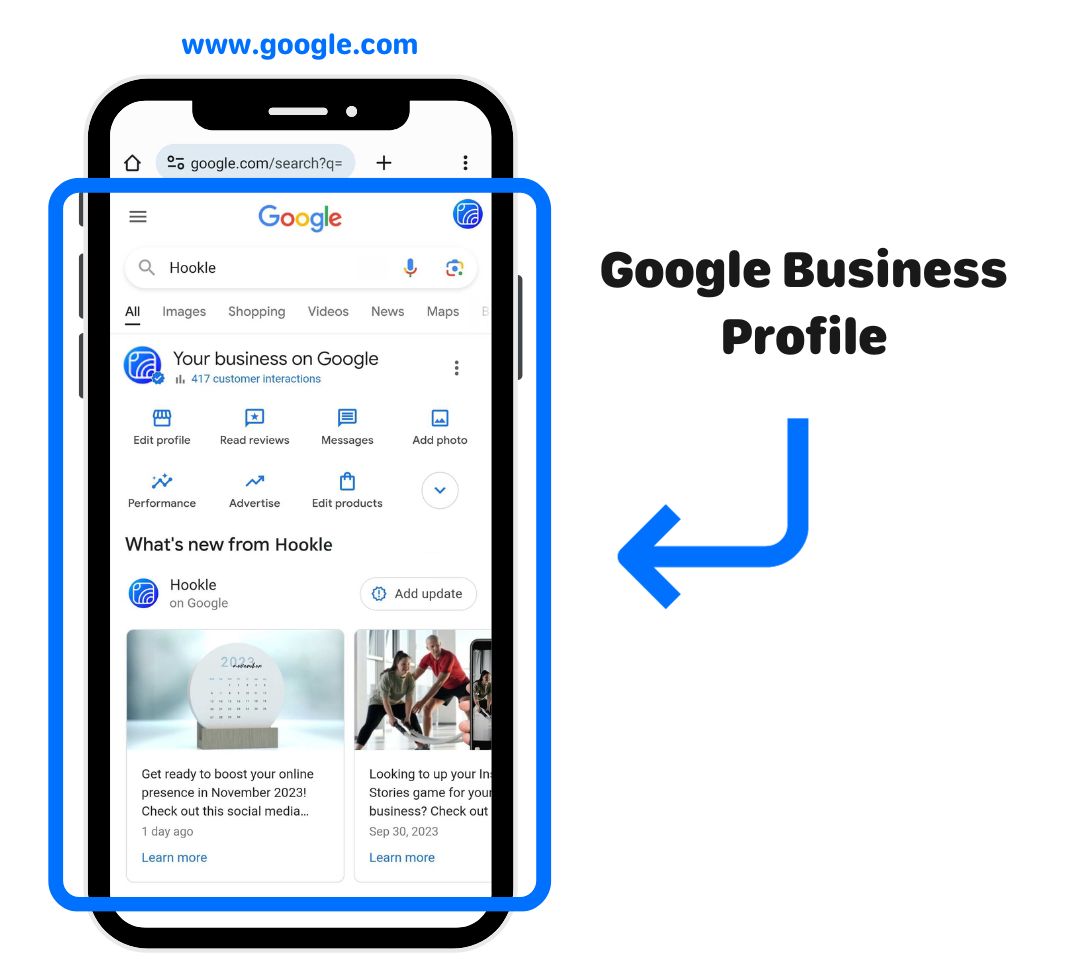
3. Business Caller ID Management: Companies can update their caller ID information through Google’s Business Profile system to ensure their legitimate calls are recognized. This reduces the likelihood of spoofing, where fraudsters mimic a business’s name or number to deceive customers. For instance, a verified “Amazon Support” call will display correctly, while an unverified “Amazon Support” call from a different number will be flagged.
Google has also clarified that these protections do not require users to share their contact list data with the company. “Phone numbers from your Contact list are not sent to Google for analysis,” the company states in its help documentation. This addresses concerns raised in previous updates where users questioned the privacy implications of call data sharing.
Who Benefits from These Updates—and Who Should Pay Attention?
The new spoofing protections primarily benefit two groups: consumers and businesses. Here’s how:
For Consumers:
Individual users stand to gain the most from this update, particularly those who frequently receive unsolicited calls. Spoofing scams often target seniors, small business owners, and anyone who may be less familiar with how caller ID works. The new protections offer:
- Reduced Fraud Risks: By automatically flagging or blocking suspicious calls, users are less likely to fall victim to phishing schemes or financial scams.
- Peace of Mind: The ability to adjust spam filters means users can tailor their call experience—whether they prefer to receive warnings or have calls silently declined.
- Transparency: Clearer caller information helps users make informed decisions about answering calls, especially from unknown numbers.
For Businesses:
Companies, particularly those in customer service or finance, will benefit from the updated system in two key ways:
- Reduced Impersonation: By verifying their caller ID information, businesses can prevent fraudsters from using their name to scam customers. For example, a verified “Apple Support” call will be trusted, while an unverified call from a spoofed number will be flagged.
- Improved Customer Trust: Customers are more likely to answer calls from verified businesses, reducing missed legitimate inquiries and improving service delivery.
However, businesses must take proactive steps to update their caller ID information. Google provides guidance on how to do this through its Business Profile support page, though the process may vary depending on the company’s size and telecom provider.
How to Enable Google’s New Spoofing Protections
While the exact rollout date remains unclear, users can prepare by ensuring their Phone app is up to date. Here’s how to enable the new features once available:
- Update Your Phone App: Ensure your device is running the latest version of the Google Phone app. For Pixel users, this can be done via the Play Store. Non-Pixel Android users should check their manufacturer’s app store for updates.
- Access Caller ID Settings: Open the Phone app, tap the three-dot menu (More options), then go to Settings > Caller ID and spam.
- Enable Protections: Toggle on See caller ID & spam. For spam filtering, choose between Basic Protection (Pixel 6+) or Standard Filtering (Pixel 5 and lower).
- Customize Blocks: Under Spam calls, select Filter spam calls to automatically block known scam numbers. You can also manually add numbers to a block list.
For businesses, the process involves verifying or updating caller ID information through Google’s Business Profile. Instructions can be found on Google’s official support site. Companies should act promptly to ensure their legitimate calls are not affected by spoofing attempts.
What’s Next for Google’s Spoofing Protections
Google has not announced a specific launch date for these features, but based on past updates, they are likely to roll out gradually over the coming months. Users should monitor the Google Phone app for notifications or updates via the Play Store. Google may expand these protections to older Android versions in future releases.

Regulatory developments could also influence how these protections evolve. In the U.S., the Federal Communications Commission (FCC) has been cracking down on spoofing, imposing fines on telecom companies that fail to prevent fraudulent calls. The EU’s Electronic Communications Code similarly mandates stricter caller authentication measures. Google’s updates align with these global trends, suggesting that more robust protections may be on the horizon.
For now, users are encouraged to:
- Stay informed about app updates via Google’s official channels.
- Report suspicious calls to their telecom provider or the FCC’s Do Not Call registry.
- Verify caller ID information if they represent a business.
Frequently Asked Questions About Google’s Spoofing Protections
Q: Will this feature work on iPhones?
A: No. These protections are currently available only for Android devices running the Google Phone app. IPhone users may need to rely on carrier-specific spam filters or third-party apps.
Q: Can I still receive calls from unknown numbers?
A: Yes, but the app will provide warnings or filter them based on your spam settings. You can adjust these options in the app’s settings.
Q: How does Google prevent my contact list from being shared?
A: Google states that phone numbers from your contact list are not sent to its servers for analysis. Only numbers from unknown callers are processed for spam detection.
Q: What should I do if I receive a spoofed call?
A: Do not answer or engage with the caller. Instead, report the number to your telecom provider or the FCC. You can also block the number manually in the Phone app.
Q: Will businesses need to pay to verify their caller ID?
A: No. Google’s Business Profile system allows companies to verify and update their caller ID information at no cost, though the process may require coordination with their telecom provider.
As phone spoofing continues to evolve, Google’s new protections offer a significant step forward in call security. While the rollout is still underway, users and businesses alike should take advantage of these tools to safeguard against fraud. For the latest updates, keep an eye on Google’s official announcements and ensure your Phone app is current.
Have you experienced spoofing calls? Share your stories or questions in the comments below—or let us know if you’ve noticed improvements after enabling these features. And if you found this guide helpful, don’t forget to share it with others who could benefit from better call security.
Related reading