In the modern digital landscape, the role of the traditional news editor is being increasingly challenged by a silent, invisible force: the algorithm. For the global reader, the daily influx of information is no longer a curated selection of the day’s most vital events hand-picked by journalists, but rather a stream of content dictated by engagement metrics, predictive modeling and machine learning. While this personalization offers convenience, it often creates a “filter bubble”—a phenomenon where users are only exposed to viewpoints that reinforce their existing biases.
For those seeking to regain control over their information diet, understanding how to navigate these digital gatekeepers is a vital skill in 21st-century news literacy. Whether you are attempting to prioritize high-quality investigative journalism from outlets like El Mostrador or ensuring that international coverage from Euronews reaches your front page, the ability to manually intervene in your news feed is essential. Learning how to add preferred news sources in Google is not merely a technical tip; it is a method of reclaiming agency in an era of algorithmic dominance.
As we observe the shifting dynamics between tech giants and news publishers, the power of the individual user to “tame” the algorithm has become a central theme in digital media studies. By intentionally selecting the sources you trust, you can move from being a passive consumer of whatever the algorithm deems “engaging” to an active curator of your own global perspective.
Understanding the Google News Ecosystem
To effectively manage your news feed, one must first understand that Google does not deliver news through a single, monolithic channel. Instead, it utilizes several distinct interfaces, each with its own logic for content delivery. The primary pillars of Google’s news delivery are Google News (the dedicated aggregator), Google Discover (the interest-based feed on mobile devices), and standard Google Search results.
Google News functions as a sophisticated aggregator. It crawls the web, identifies high-authority publishers, and organizes content by topic, location, and relevance. The algorithm relies heavily on “signals”—your search history, the articles you click on, the time you spend reading a specific piece, and even your geographic location. While these signals are designed to improve user experience, they can inadvertently prioritize sensationalism over substance if left unchecked. By manually designating “preferred sources,” you provide the algorithm with a direct, high-priority signal that overrides much of its speculative modeling.
Google Discover, is more ephemeral. It is the feed you encounter when you swipe right on many Android devices or use the Google app on iOS. Discover is heavily driven by “interest graphs.” It doesn’t just look at what you read, but what you are likely to be interested in based on your holistic Google activity. Because Discover is more unpredictable than the structured Google News app, mastering the art of source selection is even more critical here to prevent the feed from becoming a loop of clickbait.
Step-by-Step: How to Add Preferred News Sources in Google
The process for customizing your feed varies slightly depending on whether you are using a mobile device or a desktop computer. Below is the most efficient way to ensure your chosen publications take center stage.
Using the Google News App (Mobile)
The Google News app is the most robust tool for news curation. If you want to ensure that specific outlets appear more frequently, follow these steps:
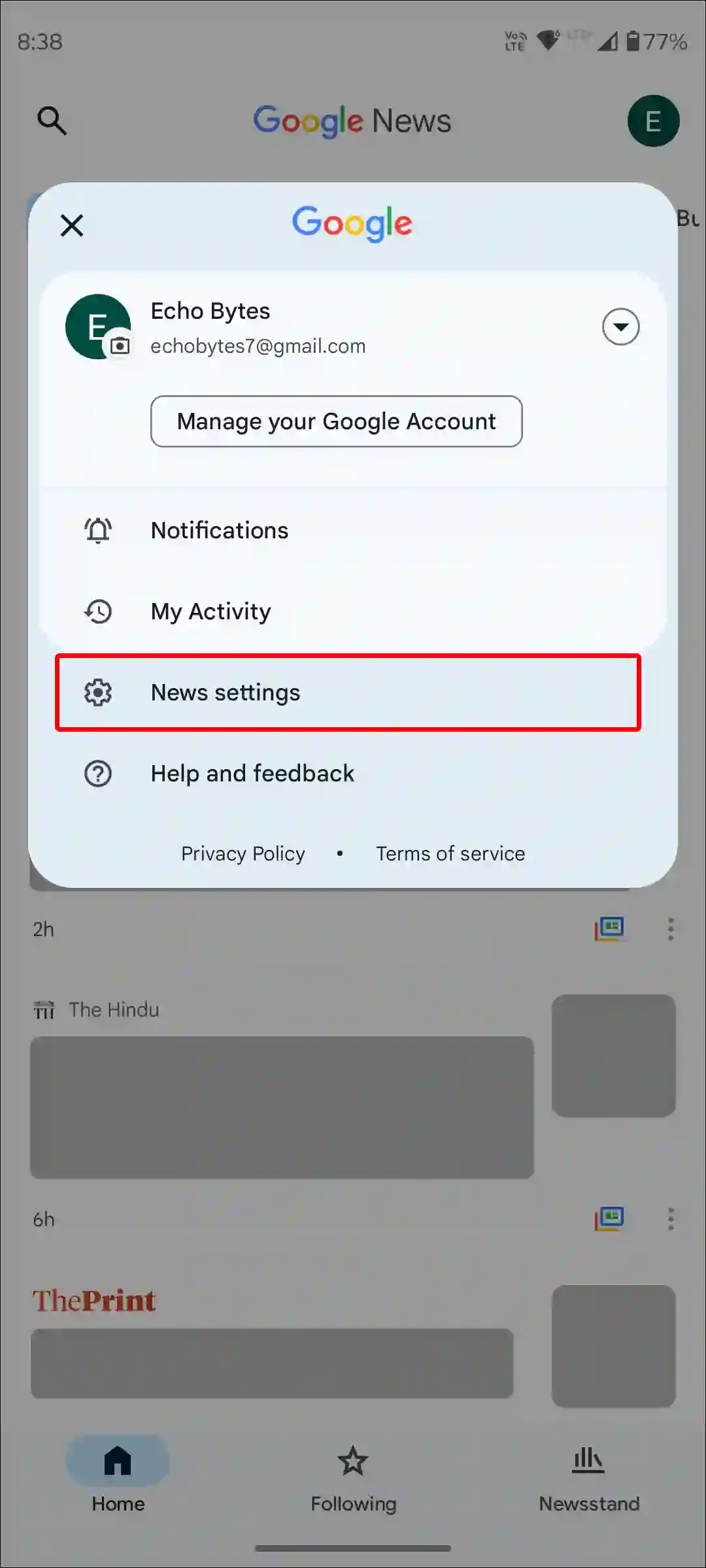
- Open the Google News App: Ensure you are signed into your Google Account to allow the settings to sync across your devices.
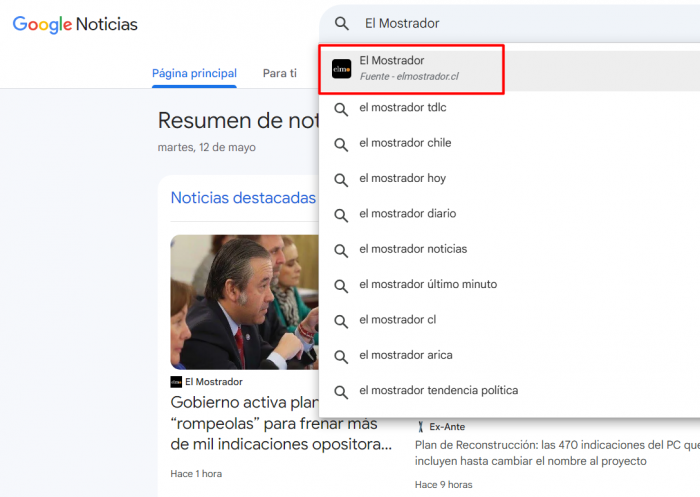
- Search for Your Source: Tap the search icon and type the name of the publication you wish to follow (e.g., “El Mostrador” or “The Associated Press”).
- Follow the Publication: Once the publisher’s profile appears in the search results, look for the “Follow” button or a star icon. Tapping this adds the publication to your “Following” library.
- Access Your Library: You can find all your curated sources at any time by tapping the “Following” tab at the bottom of the screen. This section acts as your personalized newsroom, showing only the content from the outlets you have explicitly vetted.
Using Google News on Desktop (Web)
For users who prefer a larger screen for deep reading, the desktop experience offers a streamlined way to manage preferences:
- Navigate to news.google.com: Log in to your account to ensure your preferences are saved.
- Utilize the Search Bar: Enter the name of the news organization you want to prioritize.
- Click “Follow”: Similar to the mobile app, a “Follow” button will appear next to the publisher’s name.
- Manage via the “Following” Section: On the left-hand sidebar, you will see a section dedicated to your followed topics and sources. This allows you to quickly audit your news diet and remove sources that no longer meet your standards.
Tuning Google Discover
Because Google Discover does not have a traditional “Follow” button for every single publisher in the same way Google News does, you must use “behavioral signals” to train it. If you see an article from a preferred source in your Discover feed, interact with it. Click the article, read it to completion, and if the app provides the option, tap the “More” icon (three dots) and select “Like” or “Interested in [Publisher Name].” Conversely, if you see low-quality content, use the “Not interested in this story” or “Don’t show stories from [Publisher]” options to prune your feed.
Taming the Algorithm: Why Manual Curation Matters
The phrase “doming el algoritmo” (taming the algorithm) is frequently used by digital media experts to describe the act of intentional consumption. In my experience covering the intersection of technology and political communication, the danger of the unmanaged algorithm is not just the presence of “fake news,” but the absence of “necessary news.”
Algorithms are mathematically optimized for retention. They want to keep you on the platform for as long as possible. Unfortunately, news that is nuanced, complex, or challenging to one’s worldview is often less “retainable” than news that triggers an immediate emotional response, such as anger or fear. This creates an economic incentive for platforms to surface polarizing content.
By manually adding preferred sources, you are performing a vital act of digital hygiene. You are essentially telling the machine: “I value this specific brand of journalism over the engagement-driven content you are currently suggesting.” This is particularly crucial for users who want to stay informed on international affairs, local politics, or specialized sectors like technology and science, where general-interest algorithms often fail to provide depth.
The Impact on Journalism and Digital Literacy
This shift toward user-led curation has profound implications for the journalism industry itself. As readers move away from broad aggregators and toward specific, trusted brands, the “direct-to-consumer” model of news becomes more critical. When you follow a source in Google, you are contributing to that publisher’s digital footprint, which can influence their visibility in search rankings and their ability to reach a dedicated audience.
this practice is a cornerstone of modern news literacy. A news-literate individual understands that their digital environment is not a neutral reflection of reality, but a constructed experience. Taking the time to manage your Google News settings is a practical application of critical thinking—it is the recognition that you must actively work to maintain a balanced and accurate worldview.
As we move further into an era defined by Artificial Intelligence and generative content, the ability to distinguish between algorithmically generated “noise” and human-led, fact-checked journalism will become the most important skill a reader can possess. Curating your sources is the first line of defense.
Frequently Asked Questions
Q: If I follow a source, will I see every article they publish?
A: Not necessarily. Google News will prioritize articles from your followed sources, but it may still filter them based on your overall interests and the relevance of the specific topic to your current activity.
Q: Can I remove a source I previously followed?
A: Yes. You can go to your “Following” tab in either the Google News app or on the web and select “Unfollow” or remove the source from your list at any time.
Q: Does following a source affect my Google Search results?
A: Yes, there is a degree of overlap. Your preferences in Google News and your general search behavior inform your overall Google profile, which can influence the types of news snippets and results you see in standard search queries.
Q: How can I ensure I am not stuck in a “filter bubble”?
A: The best way is to intentionally follow a diverse range of sources. If you follow several outlets with different editorial perspectives and geographic focuses, you can use your manual curation to counteract the narrowing effect of the algorithm.
The landscape of digital information continues to evolve rapidly, with Google frequently updating its algorithms and interface designs. We will continue to monitor these developments and provide updates on how to best navigate these changes. For the latest insights on digital media and global news trends, please stay tuned to our upcoming reports.
Do you find that your news feed accurately reflects your interests, or do you feel trapped by the algorithm? Share your thoughts and tips in the comments below, and please share this guide with anyone looking to take control of their digital news experience.
Related reading