
Wealthsimple cardholders looking to manage their account security can access or modify their personal identification number (PIN) directly through the platform’s mobile application or web portal. For users of the Visa Infinite Privilege* card or the company’s corporate prepaid offerings, the security of payment credentials remains a primary administrative function provided by the issuer, ensuring that account holders maintain control over their transaction authorization methods. According to official cardholder agreements, maintaining the confidentiality of this PIN is a mandatory requirement for protecting against unauthorized use.
Managing financial credentials requires a clear understanding of the security protocols established by fintech institutions. When a user forgets their PIN or needs to update it for security reasons, the process is designed to be handled entirely within the digital environment of the Wealthsimple app. This integration eliminates the need for physical branch visits, aligning with the firm’s strategy of providing a fully digital banking experience. As noted by the Financial Consumer Agency of Canada, banks and card issuers are required to provide clear mechanisms for consumers to secure their credit products, including the management of authentication codes.
Accessing Your PIN Through the Wealthsimple Interface
To view your current PIN, cardholders must first authenticate their identity within the secure Wealthsimple application. Once logged in, navigating to the specific card management section—typically found under the “Cards” tab—allows users to select their active Visa product. From there, the interface provides a “View PIN” option. Because this information is sensitive, the application requires an additional layer of biometric or passcode verification before the numerical code is displayed on the screen. Users should ensure they are operating on the most recent version of the application to avoid potential display errors or synchronization issues.
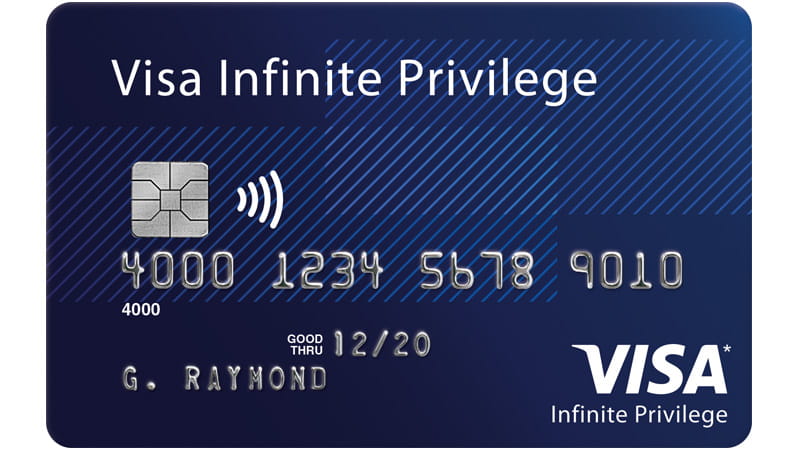
If you are unable to locate the PIN within the app, it is often due to account status or app versioning. For users of the Visa Infinite Privilege tier, premium benefits include enhanced digital support, which can be accessed if technical difficulties persist. It is critical to ensure your device is not jailbroken or running unauthorized software, as these environments often disable the secure display of sensitive financial data for safety reasons.
Updating or Resetting Your Credentials
If you have forgotten your PIN, the standard procedure involves a reset process rather than a retrieval process. Most financial institutions, including those operating within the Canadian regulatory framework, prioritize security by preventing the long-term storage of PINs in a way that allows them to be “retrieved” after loss. Instead, users are prompted to create a new, unique four-digit code. According to the Canadian Payments Association, maintaining unique PINs across different cards is a fundamental best practice to mitigate the risk of fraud in the event of a data breach.
To update your PIN, follow these steps:
- Navigate to the “Cards” section of your Wealthsimple account.
- Select the specific Visa card you wish to modify.
- Select “Manage Card” or “PIN Settings.”
- Follow the prompts to enter a new PIN, confirming it twice to ensure accuracy.
- Authenticate the change using your standard device security method (FaceID, fingerprint, or password).
Security Best Practices for Visa Cardholders
The security of your financial information extends beyond just the PIN. Wealthsimple, like other major issuers, emphasizes that users should never share their PIN with anyone, including customer support representatives. Legitimate financial institutions will never ask for your PIN over the phone, via email, or through unverified chat channels. If you suspect your PIN has been compromised, it is recommended that you change it immediately through the app and monitor your transaction history for any unauthorized activity.
For those carrying the Visa Infinite Privilege card, the stakes for account security are higher due to the increased credit limits typically associated with these premium tiers. As reported by the industry standard for fraud prevention, immediate notification of the issuer is required if a card is lost or stolen. Wealthsimple provides a “Freeze Card” feature within the app, which serves as a temporary safeguard while you investigate a potential security breach or locate a misplaced card.
What Happens After a PIN Update?
Once you have successfully updated your PIN in the Wealthsimple app, the change typically takes effect immediately for electronic transactions. However, if you are using the card at a physical point-of-sale terminal, there may be a brief synchronization period. If the new PIN is rejected at a terminal, it is often useful to perform a “chip and PIN” transaction—where you insert the card rather than using the contactless tap feature—as this forces the terminal to communicate directly with the issuer’s network and update the local registry for your card.

For further assistance or to report a persistent issue with your card, users are encouraged to contact the official Wealthsimple support team through the help center portals. Keeping your contact information updated within your profile ensures that you receive timely alerts regarding security changes or suspicious activity. As of the latest update, the institution continues to manage card services through its centralized digital infrastructure, with no scheduled changes to the current PIN management process. We invite readers to share their experiences or ask questions in the comments section below regarding the management of their financial digital tools.
Related reading