
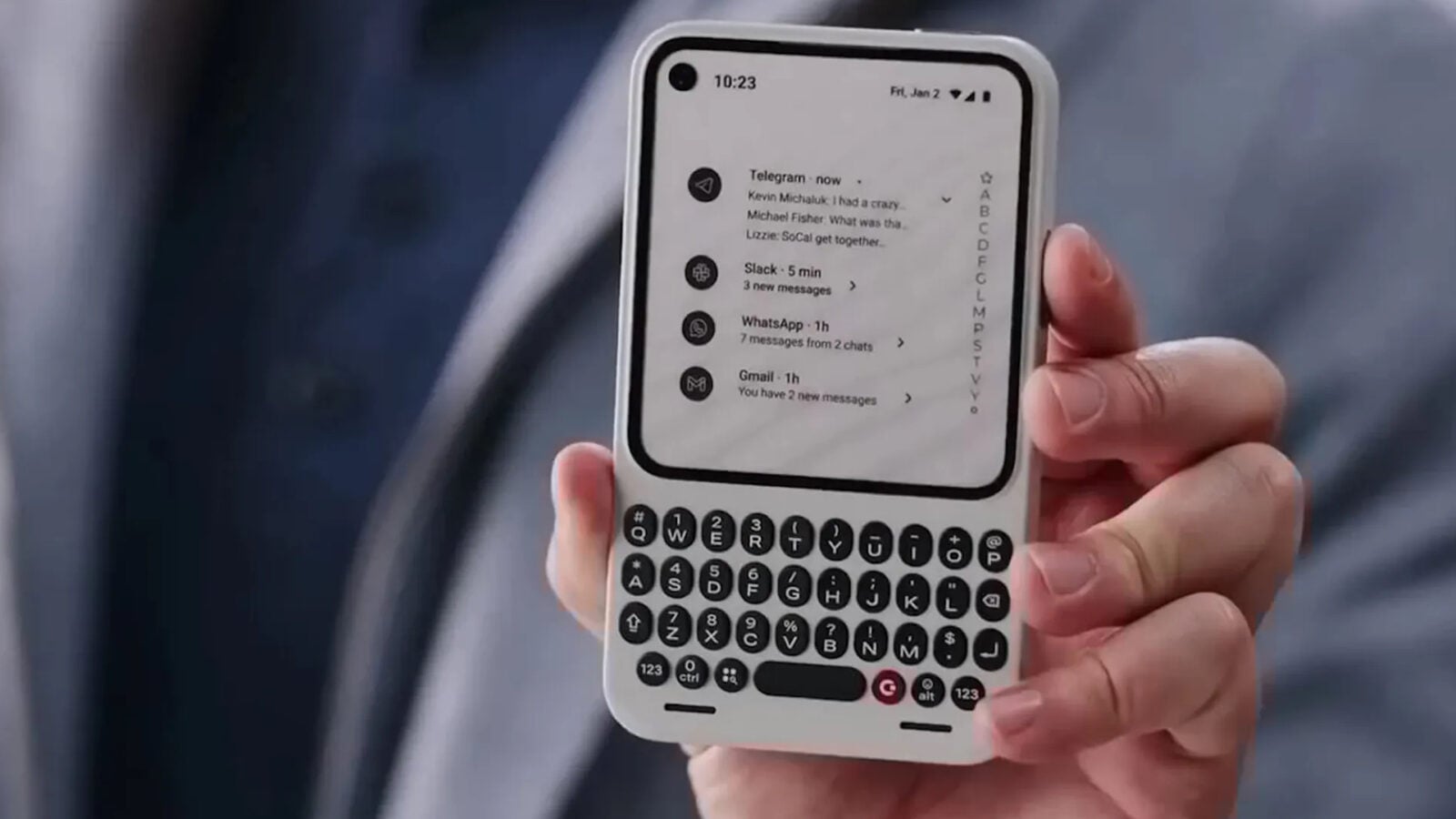
The Clicks Communicator, a physical QWERTY keyboard accessory designed for the iPhone, has entered the consumer market with the goal of bridging modern smartphone utility and the tactile nostalgia of early 2000s mobile devices. Developed by the startup Clicks Technology, the device functions as a protective case that connects directly to the phone’s charging port, allowing users to type on physical keys while maintaining access to the device’s software ecosystem.
According to the company’s official specifications, the accessory is currently compatible with several recent iPhone models, including the iPhone 14 Pro and the iPhone 15 Pro series. The product leverages the phone’s integrated interface, passing keystrokes through the USB-C or Lightning port, which eliminates the need for Bluetooth pairing and the associated battery drain. By physically extending the length of the handset, the Clicks Communicator aims to provide a “computer-like” typing experience that many power users claim is missing from modern glass-screen interfaces.
Design Philosophy and Hardware Integration
The hardware design of the Clicks Communicator reflects a departure from the minimalist aesthetic common in contemporary mobile accessories. The device features a full-sized keyboard layout, complete with backlighting and dedicated keys for common shortcuts, such as the home screen or search functions. Since its initial announcement, Clicks Technology has emphasized that the physical keyboard does not replace the software keyboard, but rather offers an alternative input method that frees up screen space otherwise occupied by the virtual keyboard overlay.

The integration process is strictly physical. When the user slides their iPhone into the case, the hardware connection is established immediately. Clicks Technology has stated that the device does not contain its own battery, instead drawing a negligible amount of power from the iPhone itself. This design choice was intended to ensure that users do not need to manage a separate charging schedule for their keyboard accessory. The case also maintains compatibility with wireless charging pads, provided the user is not using the physical keyboard at that moment.
Market Context: The Return of Tactile Input
The launch of the Clicks Communicator arrives during a period of renewed interest in “dumbphones” and minimalist tech, a trend often attributed to digital wellness movements and a desire to reduce screen time. While the Clicks device does not limit smartphone functionality, it targets a demographic that values the tactile feedback associated with devices like the legacy BlackBerry handsets. According to reports from major tech publications, the reception has been polarized, with some users praising the mechanical feel while others note the significant increase in the phone’s overall footprint.
The device is marketed toward content creators, journalists, and professionals who frequently draft long-form text on mobile devices. By providing a dedicated physical interface, the company argues that it can improve typing accuracy and speed. However, the added length—often described as making the phone feel more like a remote control—remains a primary point of discussion in user reviews. Clicks Technology continues to iterate on its software companion app, which provides firmware updates and allows for future-proofing the keyboard’s shortcut capabilities.
Technical Specifications and Compatibility
For prospective users, compatibility is the primary consideration. As of the most recent product updates, Clicks Technology has focused its manufacturing on the “Pro” series of iPhones, citing the higher demand for productivity-focused tools among these users. The following points summarize the current technical status of the accessory:

- Connectivity: Direct physical connection via USB-C or Lightning, depending on the specific iPhone model.
- Power: Passive, drawing minimal current from the iPhone; no internal battery required.
- Backlighting: Integrated LED backlighting for low-light typing environments, controllable via the keyboard.
- Software: Supported by a companion app available on the Apple App Store for firmware management and shortcut customization.
The company has not yet provided a definitive timeline for expanding compatibility to standard iPhone models or Android devices. Interested consumers can monitor the official Clicks Technology website for updates regarding new model support and international shipping availability. As the market for niche mobile peripherals evolves, the longevity of the Clicks Communicator will likely depend on the company’s ability to maintain software support through subsequent iOS updates.
Readers who have experience with the Clicks Communicator or similar physical input devices are encouraged to share their feedback in the comments section below. Further updates regarding product revisions or new model launches will be reported as they are confirmed by the manufacturer.