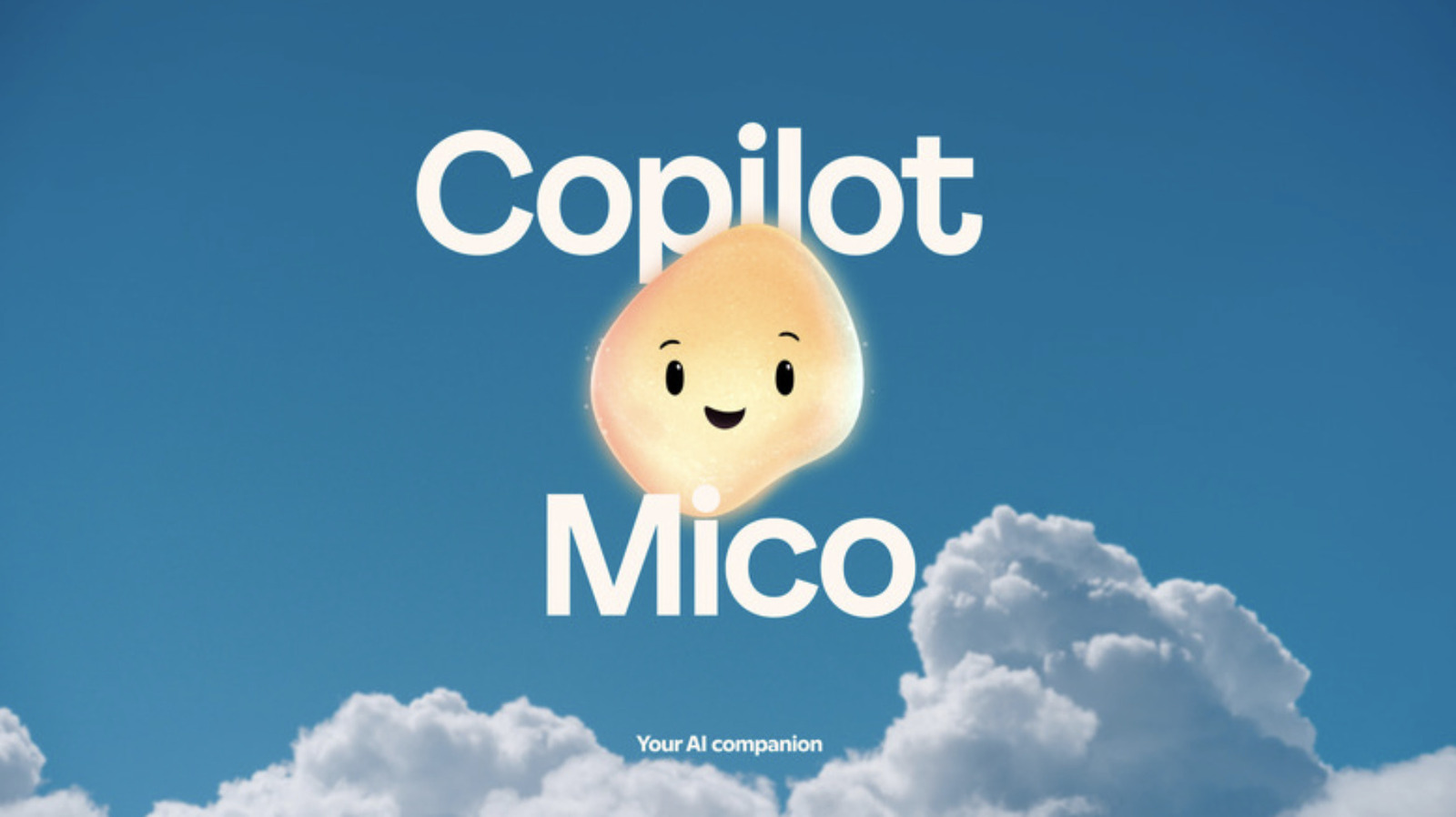
Microsoft has quietly pulled its amorphous, blob-like corporate mascot—frequently characterized by users and tech commentators as a weird little AI guy—from the primary interface of Copilot Voice, according to recent platform updates. The stylized animated figure, which served as a visual anchor during spoken AI interactions, has been phased out of the voice experience as the technology giant refines its conversational user interfaces across Windows and mobile devices. Software updates deployed across Copilot applications indicate a shift toward cleaner, more minimalist design paradigms, removing the floating animated character that once accompanied verbal prompts.
Linda Park, technology editor at World Today Journal, brings an MSc in Computer Science from Stanford University and over nine years of software development and tech journalism experience to analyzing these interface shifts. For users interacting with artificial intelligence assistants daily, these aesthetic adjustments reflect broader industry trends in human-computer interaction. Companies are increasingly moving away from whimsical or overly personified avatars in favor of streamlined, utilitarian output designs that prioritize speed, accuracy, and reduced screen clutter.
The decision to drop the mascot comes amid a broader restructuring of Microsoft’s AI branding and product architecture. Since the initial rollout of Copilot features powered by OpenAI models, the company has experimented with various visual cues to signal active listening and processing states. While early iterations relied heavily on expressive, fluid graphics to humanize synthetic voices, telemetry and user feedback appear to have driven a pivot toward understated indicators.
The Evolution of Copilot Voice Design
Introduced as part of Microsoft’s push to integrate conversational intelligence directly into consumer workflows, Copilot Voice was designed to compete with established voice assistants from Apple, Google, and Amazon. During its initial deployment, the interface featured the animated entity to provide real-time visual feedback while users spoke queries and awaited responses. According to software release notes tracked by industry analysts, the mascot functioned as an engagement tool, attempting to bridge the gap between cold computational processing and organic conversation.
However, enterprise users and productivity-focused consumers often found the animated presence distracting during professional tasks. Tech industry observers noted that while playful mascots work well in consumer-facing toys or entertainment apps, daily workplace tools demand a higher degree of visual sobriety. Microsoft’s latest interface revisions strip away the character entirely, replacing it with subtle waveform animations that indicate audio activity without occupying significant screen real estate or drawing unnecessary visual focus.
This design philosophy aligns with broader shifts in software engineering, where utility and low cognitive load take precedence over novelty. Developers building modern large language model interfaces are learning that users prefer predictable, transparent feedback loops over anthropomorphic distractions. By removing the animated entity, Microsoft reduces the risk of the “uncanny valley” effect, where overly expressive digital characters can inadvertently unsettle users during extended interactions.
Industry Reactions and Broader AI Interface Trends
The quiet demotion of Microsoft’s mascot highlights a wider design dilemma facing tech giants building generative AI products. Competitors have taken divergent paths when visualizing synthetic voices. Some platforms utilize pulsing abstract geometric shapes, while others maintain minimalist glowing rings or simple audio spectrum lines. The absence of a centralized, recognizable character in Microsoft’s voice tool signals a maturing market where AI is treated less like a quirky digital companion and more like standard computing infrastructure.
Software accessibility advocates have also weighed in on interface complexity, noting that minimalist designs often improve usability for individuals utilizing screen readers or other assistive technologies. Cleaner interfaces reduce unnecessary DOM elements, ensuring that auditory and visual feedback mechanisms remain straightforward and reliable.
As Microsoft continues to roll out updates to Copilot across Windows 11, mobile applications, and web browsers, developers and power users will monitor how these interface changes impact overall usability. Official documentation and software change logs remain the primary resources for tracking ongoing feature adjustments. Readers seeking the latest deployment details and official software patches can consult the Microsoft Copilot official update portal for verified release schedules and technical specifications.
The next major checkpoint for Microsoft’s consumer software ecosystem will arrive with upcoming developer conferences and scheduled operating system updates, where further refinements to AI interaction layers are expected to be detailed. Share your thoughts on these interface changes in the comments below, or join the discussion across our community channels.
Keep reading