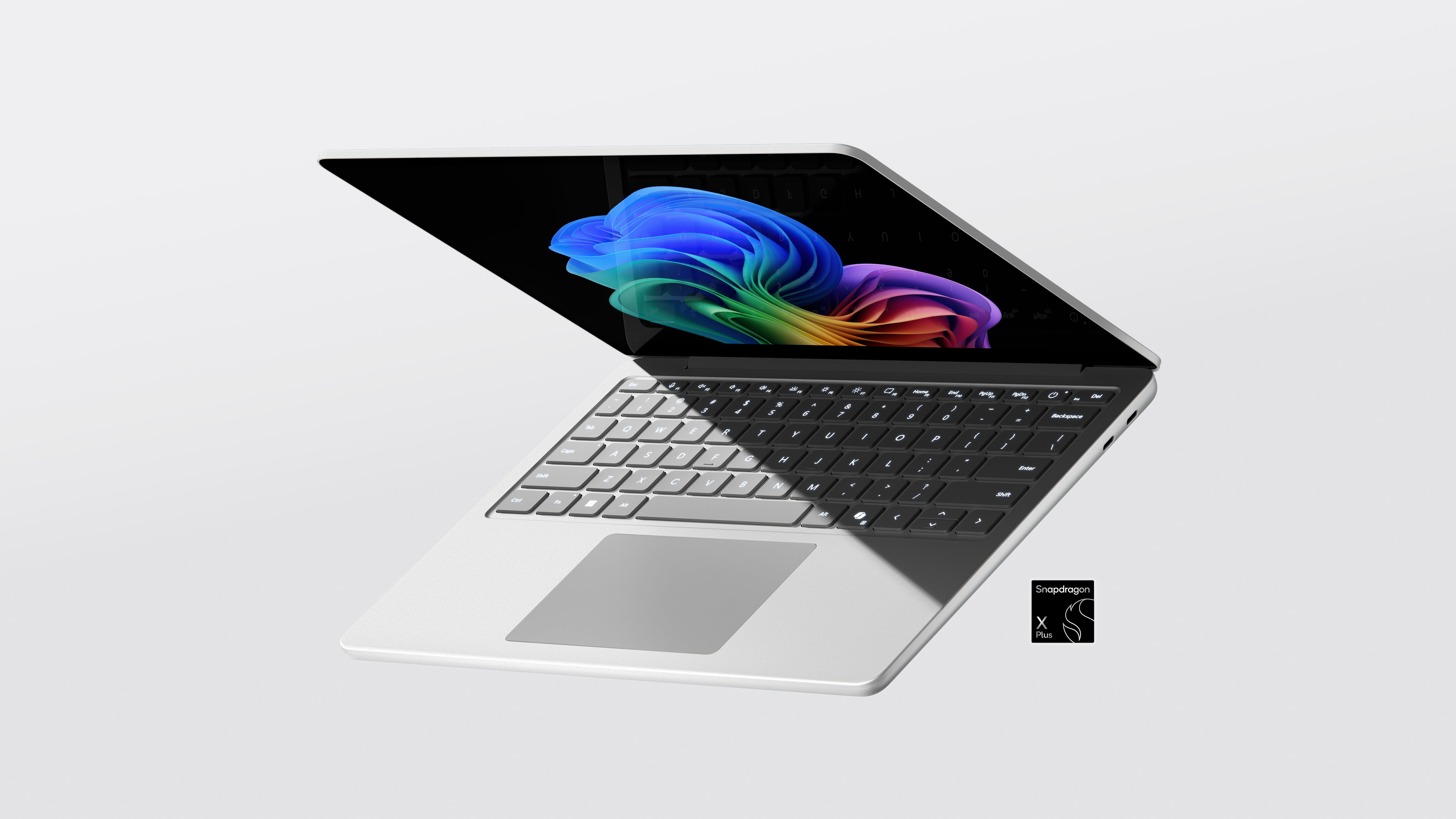
The landscape of personal computing is undergoing its most significant shift in decades, driven by the rapid integration of generative artificial intelligence into the core operating system. As Microsoft pushes its “Copilot+ PC” initiative to the forefront, the hardware requirements for a seamless AI experience have become a central point of contention among enthusiasts and professionals alike. The industry is witnessing a clear bifurcation: on one side, highly efficient, NPU-driven mobile devices; on the other, high-performance workstations leveraging dedicated graphics processing power to handle complex local AI workloads.
This evolution has brought Microsoft’s premium Surface lineup into the spotlight. As the company introduces more powerful hardware tiers designed to bridge the gap between mobile productivity and heavy-duty AI processing, questions regarding memory thresholds, specialized silicon, and the true cost of “AI-ready” hardware are intensifying. For users looking to move beyond simple cloud-based queries into local, high-speed AI execution, the hardware choice has never been more consequential.
The recent discourse surrounding high-end Surface configurations—specifically those targeting the “Ultra” performance tier—highlights a pivotal moment for the brand. By integrating advanced graphics architectures, such as NVIDIA’s RTX series, alongside Microsoft’s own AI-optimized software, the company is attempting to define what a true AI powerhouse looks like in a portable form factor. However, this transition is not without friction, as the industry grapples with the technical realities of running Large Language Models (LLMs) and sophisticated neural networks on consumer-grade hardware.
The 16GB Threshold: Why AI Demands More Memory
One of the most significant technical hurdles in the current AI PC era is the management of system memory (RAM). For years, 8GB of RAM was considered the acceptable baseline for standard productivity tasks. However, the emergence of Copilot+ PCs has fundamentally altered this baseline. To support advanced Windows AI features—such as real-time language translation, enhanced video effects, and the highly anticipated local retrieval systems—Microsoft has established a much higher floor for hardware compatibility.

Industry standards now indicate that 16GB of RAM is a mandatory requirement for many of the most advanced Copilot+ features. This necessity stems from the way local AI models operate; these models must reside in the system’s memory to provide the low-latency responses users expect. When a device is tasked with running an operating system, multiple background applications, and a local neural model simultaneously, 8GB of RAM quickly becomes a bottleneck, leading to system instability or significant performance degradation.

This has led to a growing controversy regarding the availability of lower-spec devices. Critics have pointed out a discrepancy between Microsoft’s previous marketing of entry-level Surface devices and the actual hardware requirements needed to run the next generation of Windows AI. While 8GB models may still function for traditional computing, they are effectively excluded from the full suite of “AI-first” capabilities that define the new era of Windows. For professionals, this makes the 16GB (or higher) configuration not just a luxury, but a functional necessity for future-proofing their investment.
Dedicated Power: The Role of NVIDIA RTX in the AI Ecosystem
While Neural Processing Units (NPUs) have become the standard for efficient, low-power AI tasks like background blur in video calls, they are not a universal solution for all AI workloads. For tasks involving complex image generation, heavy video editing with AI-assisted tools, or running large-scale local LLMs, the industry still relies heavily on the massive parallel processing power of dedicated Graphics Processing Units (GPUs).
The integration of NVIDIA’s RTX architecture into premium Windows hardware represents the high-performance end of this spectrum. NVIDIA’s Tensor Cores are specifically designed to accelerate the mathematical operations that underpin deep learning. In a high-end Surface configuration, the presence of an RTX-class GPU transforms the device from a standard productivity laptop into a mobile workstation capable of intensive local AI computation. This is particularly vital for creators and developers who require the ability to run sophisticated models without relying on the latency or privacy concerns often associated with cloud-based processing.
The synergy between Microsoft’s software ecosystem and NVIDIA’s hardware is a critical component of the modern AI PC strategy. While NPU-based chips like the Snapdragon X Elite provide exceptional battery life and efficiency for “always-on” AI tasks, the dedicated GPU remains the heavy lifter for high-fidelity AI tasks. This creates a tiered hardware landscape: NPU-centric devices for the mobile professional, and GPU-enhanced “Ultra” tier devices for the power user who requires maximum local compute capability.
The Premium Dilemma: Balancing Innovation and Affordability
As Microsoft pushes the boundaries of what a Surface device can achieve, a secondary challenge has emerged: the cost of entry. The components required to drive a true AI experience—high-speed NPU silicon, large amounts of high-bandwidth RAM, and dedicated, high-performance GPUs—are inherently expensive. This has led to a noticeable increase in the price of premium Surface models, sparking debate over whether the specialized hardware justifies the premium cost for the average consumer.

The criticism often centers on the “value proposition” of AI-integrated hardware. For many users, the current AI features may feel like incremental improvements rather than revolutionary shifts that necessitate an expensive hardware upgrade. There is a palpable tension between Microsoft’s ambition to lead the AI revolution and the reality of consumer budgets. If the most capable AI features are locked behind high-priced, high-spec hardware, the company risks creating an “AI divide” where only a small segment of the market can access the full potential of the platform.
the rapid pace of AI development adds a layer of uncertainty. Hardware that is considered “cutting edge” today may be surpassed by software optimizations or new silicon architectures in a matter of months. This makes the decision to invest in a high-end, AI-specialized laptop a significant financial commitment, requiring users to weigh the immediate benefits against the long-term trajectory of the technology.
Key Takeaways for AI PC Buyers
- Prioritize RAM: For any device intended to support Windows AI features, 16GB of RAM is the recommended minimum to ensure stability and performance.
- Understand the Chipset: NPUs are excellent for efficiency and background tasks, but dedicated GPUs (like NVIDIA RTX) are essential for heavy-duty local AI workloads and creative professional tasks.
- Consider the Use Case: Evaluate whether your workflow requires local AI execution (requiring more power/RAM) or if cloud-based AI is sufficient for your needs.
- Future-Proofing: Given the rapid evolution of AI models, investing in higher-tier hardware now may provide a longer functional lifespan as software demands increase.
As the industry moves toward more standardized AI hardware requirements, the next major checkpoint will be the upcoming developer conferences and official hardware roadmaps from both Microsoft and NVIDIA. These events are expected to provide more clarity on the integration of next-generation silicon and the expanding capabilities of the Copilot+ ecosystem.
What are your thoughts on the new hardware requirements for AI? Is the jump to 16GB of RAM and dedicated GPUs worth the premium for your workflow? Let us know in the comments below and share this article with your tech network.
Related reading
- Saudi Aramco Opens First Philippine Service Station in Parañaque City
- AI-Powered Medical Devices: Oxygen Production and Health Monitoring
- Nigel Farage Faces Off Against ‘Count Binface’, A Man Dressed as a Trash Can in By-Election (time.news)
- Bledsoe County Animal Hoarding Suspect Faces New Human Welfare Charge (news-usa.today)