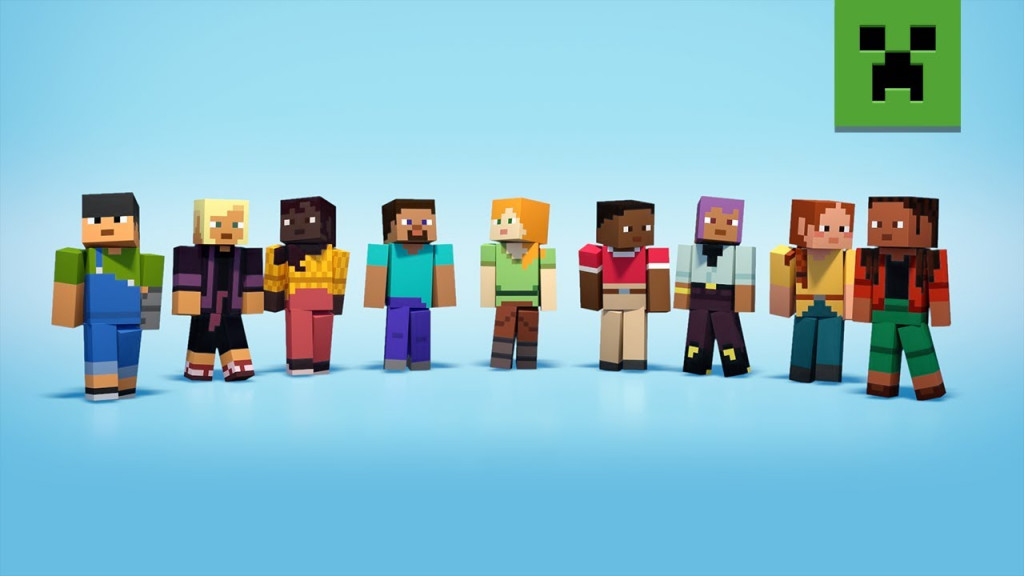
Minecraft Avatar Maker: Expressing Identity in the Blocky World
Minecraft, the globally popular sandbox video game, has long been celebrated for its boundless creativity and open-world exploration. Beyond building virtual landscapes, the game provides a unique space for players to express their individuality. A key component of this self-expression is the ability to customize one’s in-game character, and the Minecraft Avatar Maker has become a popular tool for achieving this. This feature allows players to craft unique avatars, reflecting their personal style within the game’s pixelated universe.
The Minecraft Avatar Maker isn’t a single, monolithic application, but rather a collection of tools and features available across different versions of the game and through third-party websites. It encompasses both in-game character creators and external skin editors, offering a range of options for players to personalize their digital representation. The ability to create a distinctive avatar is more than just cosmetic; it’s a fundamental aspect of identity and social interaction within the Minecraft community. As of March 5, 2026, the demand for personalized avatars continues to grow alongside the game’s enduring popularity.
What is the Minecraft Avatar Maker?
At its core, the Minecraft Avatar Maker is a set of tools designed to create and edit the appearance of a player’s character, often referred to as a “skin,” within the game. These skins are essentially textures that are applied to the default character model, allowing for a vast array of customizations. According to Medcom.id, the feature allows players to adjust various visual elements, including the character model, skin color, hairstyle, clothing, and accessories. This level of customization empowers players to create avatars that truly represent their personalities and preferences.
The process of creating an avatar differs slightly depending on the version of Minecraft being played. Minecraft: Bedrock Edition, which is available on a wide range of platforms including Windows 10, Xbox, PlayStation, and mobile devices, features an integrated Character Creator. Minecraft: Java Edition, the original version of the game, typically relies on custom skins created through external websites or dedicated skin editors. Both methods ultimately achieve the same goal: allowing players to personalize their in-game appearance.
Functions and Benefits of Using a Minecraft Avatar Maker
The primary function of the Minecraft Avatar Maker is to allow players to customize their character’s appearance within the game. This customization extends beyond simple aesthetic choices; it allows players to create avatars that reflect their individual style and personality. What we have is particularly important in multiplayer environments, where a unique avatar can help a player stand out and be easily recognized by others. The ability to express oneself through a digital avatar fosters a sense of ownership and connection to the game world.
The benefits of using a Minecraft Avatar Maker are numerous. Firstly, it allows players to create characters that are unique and distinct from others. Secondly, it provides a creative outlet, allowing players to experiment with different combinations of cosmetic elements to create an avatar that perfectly suits their tastes. Thirdly, in multiplayer servers and communities, a distinctive avatar can make it easier for other players to identify and remember an individual. For content creators and streamers, a well-designed avatar can also serve as a crucial element of their brand identity within the Minecraft ecosystem.
How to Use the Minecraft Avatar Maker
Using the Minecraft Avatar Maker is a relatively straightforward process, whether you’re utilizing the in-game tools or external skin editors. The specific steps vary depending on the version of Minecraft you are playing.
Using Character Creator (Bedrock Edition)
For players using Minecraft: Bedrock Edition, the process is integrated directly into the game:
- Open Minecraft.
- Navigate to the Profile or Character Creator menu.
- Select the “Edit Character” option.
- Customize the avatar’s appearance, adjusting elements such as hairstyle, clothing, and accessories.
- Save the changes to apply the novel avatar within the game.
Using Skin Editors (Java Edition)
Players using Minecraft: Java Edition have a wider range of options for creating and editing skins. Here’s how to use a skin editor:
- Visit a Minecraft skin creation website such as The Skindex, NameMC, or another skin editor.
- Create a new skin or edit an existing one.
- Download the completed skin file.
- Log in to your Minecraft account on the official launcher or website.
- Upload the skin file to replace your current character appearance.
- Once the skin is applied, your character in the game will immediately reflect the new avatar.
The Skindex, in particular, offers a user-friendly interface and a vast library of pre-made skins that can be used as a starting point for customization. NameMC is another popular option, providing a similar range of features and a large community of skin creators.
Beyond Basic Customization: The Growing Ecosystem of Minecraft Skins
The Minecraft Avatar Maker ecosystem extends far beyond the basic customization options offered by the game itself. A thriving community of skin creators has emerged, producing a vast library of custom skins that cater to a wide range of interests and preferences. These skins can range from realistic depictions of real-world characters to fantastical creations inspired by popular culture and original artwork.
The availability of these custom skins has significantly expanded the possibilities for self-expression within Minecraft. Players can now embody their favorite characters, showcase their artistic talents, or simply experiment with different looks without having to create a skin from scratch. This has fostered a vibrant and dynamic community where players constantly share and exchange their creations.
The Future of Avatar Creation in Minecraft
As Minecraft continues to evolve, the tools and features available for avatar creation are likely to become even more sophisticated. Future updates could introduce more detailed customization options, allowing players to fine-tune every aspect of their character’s appearance. Integration with artificial intelligence could also play a role, enabling players to generate avatars based on text prompts or images. The possibilities are endless, and the future of avatar creation in Minecraft promises to be as creative and innovative as the game itself.
The enduring popularity of Minecraft, coupled with the growing demand for personalized experiences, suggests that the Minecraft Avatar Maker will remain a vital component of the game for years to come. It’s a testament to the power of self-expression and the importance of identity within the digital world.
Stay tuned to World Today Journal for further updates on Minecraft and the evolving landscape of virtual identity. We encourage you to share your own Minecraft avatar creations and experiences in the comments below.