
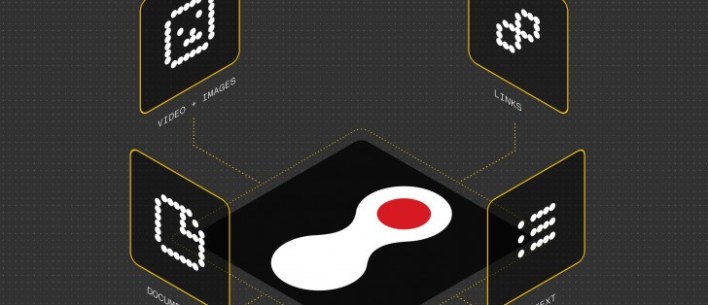
Nothing has officially introduced Nothing Warp, a latest utility designed to streamline the Nothing Warp file transfer process between Android smartphones and computers. The tool aims to remove the friction typically associated with moving data across different operating systems, providing a more integrated experience for users managing multiple devices.
Currently available in beta, Nothing Warp allows users to quickly move a variety of content, including files, web links, copied text, and images. By facilitating a two-way flow of information, the application seeks to enhance productivity by allowing users to pick up where they left off, whether they are switching from a mobile screen to a desktop environment or vice versa.
The introduction of this tool marks a step forward in Nothing’s effort to build a more cohesive ecosystem. Rather than relying on third-party cloud services or cumbersome wired connections, Nothing Warp provides a direct method for sharing essential snippets of information and larger files between a computer and an Android phone via the Nothing Community.
Streamlining Cross-Platform Connectivity
At its core, Nothing Warp is designed for speed and simplicity. The application focuses on four primary types of data transfer to cover the most common user needs: files, links, copied text, and images. This functionality is particularly useful for professionals and students who frequently copy research links or text snippets on their phones and necessitate them immediately available on a PC for editing or archiving.

The ability to transfer copied text—essentially a shared clipboard—is one of the more impactful features, as it eliminates the need to email oneself or use messaging apps as a temporary holding area for text. According to the Google Play Store listing, the app is positioned as a simple way to bridge the gap between the Android OS and computer systems.
Availability and Beta Testing
Nothing Warp is currently in its beta phase, meaning the company is likely refining the stability and user interface based on early adopter feedback. The app is available for download on the Google Play Store, where it was listed as recently as April 1, 2026.
Due to the fact that the app is in beta, users can expect iterative updates as Nothing optimizes the connection protocols and expands the compatibility of the software across different computer operating systems. The beta period allows the company to identify potential bugs in the transfer process before a full, stable rollout to the wider public.
Key Takeaways: Nothing Warp Features
- Multi-format support: Supports the transfer of files, images, web links, and copied text.
- Bidirectional transfer: Works both from the Android phone to the computer and from the computer back to the phone.
- Beta status: Currently available for testing via the Google Play Store.
- Ecosystem focus: Designed to create a more seamless link between Nothing’s mobile experience and desktop computing.
As Nothing continues to expand its hardware and software offerings, tools like Warp signify a shift toward a more holistic user experience. By focusing on the “small” frictions—like moving a single URL or a paragraph of text—Nothing is attempting to increase the overall utility of its devices within a multi-screen workflow.
While the company has not yet announced a date for the final stable release, users interested in the beta can discover the application on the Google Play Store to begin integrating their mobile and desktop workflows.
We will continue to monitor official channels for updates regarding the full release of Nothing Warp and any additional feature expansions. If you have tried the beta, we encourage you to share your experience in the comments below.