Taking Control of Your Home Network with OPNsense
Consumer routers often provide a basic overview of your network. Typically, this includes connected devices, connection types, and bandwidth usage. However, if you desire a deeper understanding and greater control, OPNsense offers a significantly more robust solution.
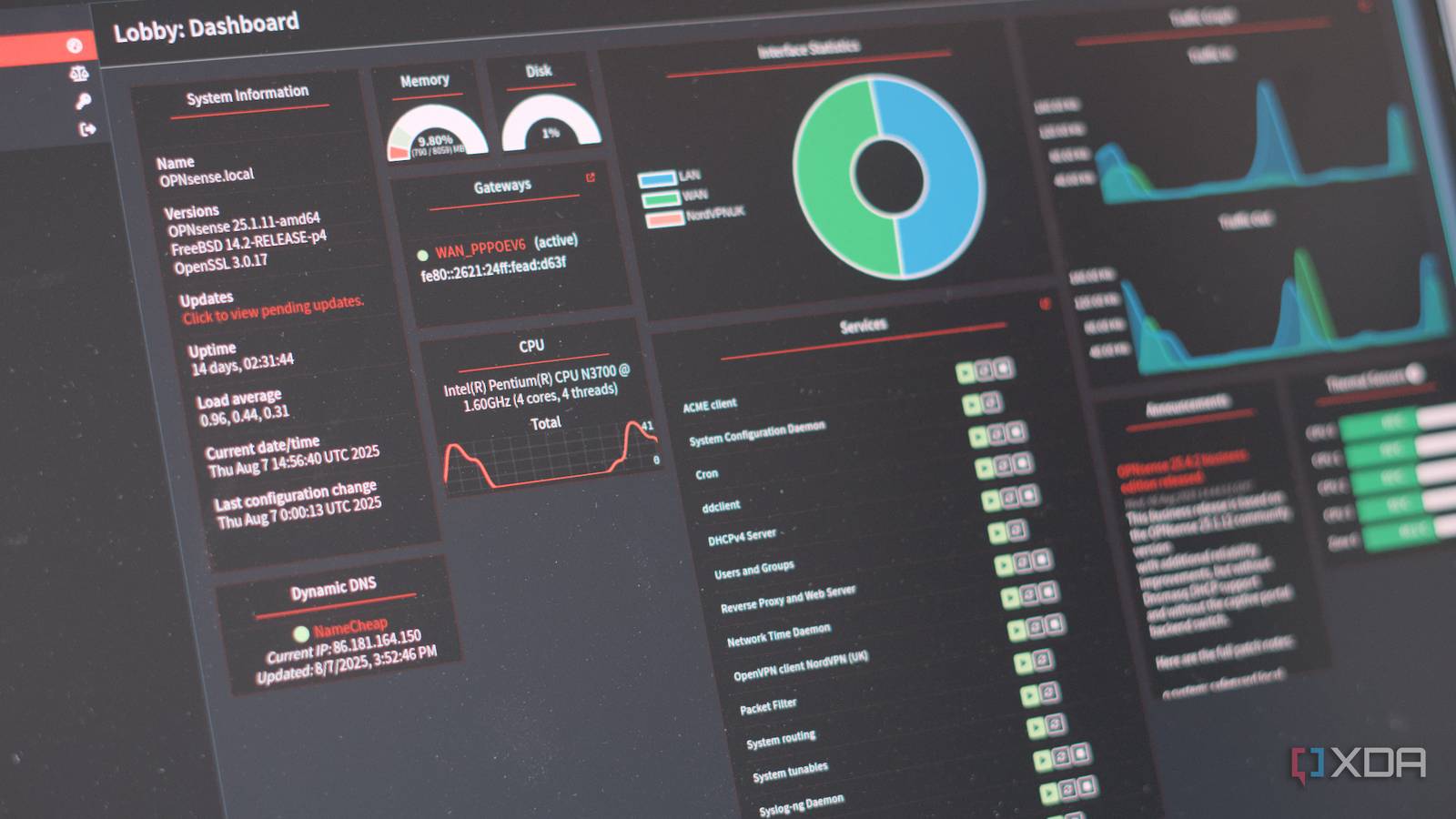
It provides a detailed view of network traffic, broken down by protocol, service, and IP address. This level of insight isn’t just helpful for troubleshooting connectivity issues; it also allows you to monitor usage patterns over time. Furthermore, it’s a powerful security tool, revealing exactly what data is entering and leaving your network.
Is OPNsense Right for You?
Consider these questions: Do you need advanced firewall rules? Are you interested in VPN server capabilities? Do you want granular control over Quality of Service (QoS)? Do you require detailed traffic analysis for security or performance optimization?
If you answered “no” to most or all of these, that’s perfectly fine. It simply means you likely don’t need the complexity of a system like OPNsense. A simple, secure router provided by your internet service provider (ISP) might potentially be sufficient. There’s absolutely no shame in sticking with a solution that works for your needs.
However, if you answered “yes” to even a few, OPNsense is a fantastic option. It empowers you to customize every aspect of your home network.
Hear’s what makes OPNsense stand out:
Granular Control: You can define precise rules for network traffic, blocking unwanted connections and prioritizing essential services.
Advanced security: Benefit from intrusion detection and prevention systems, malware filtering, and complete logging.
VPN Capabilities: easily set up a VPN server to securely access your home network remotely.
Traffic Shaping: Optimize your internet connection with QoS, ensuring smooth performance for critical applications like video conferencing or online gaming.
* Detailed Reporting: Gain valuable insights into your network activity with comprehensive traffic analysis tools.
I’ve found that many users initially feel intimidated by the setup process. however, the OPNsense community is incredibly supportive, and numerous online resources are available to guide you.
Here’s what works best for a smooth transition: start with a dedicated piece of hardware. An older computer or a small form factor device can be repurposed as your OPNsense firewall.This keeps your ISP-provided router as a simple access point, simplifying the initial configuration.
Ultimately,OPNsense is about taking ownership of your network. It’s about understanding what’s happening behind the scenes and having the power to tailor your network to your specific needs. It’s a powerful tool for those who want more than just basic connectivity.