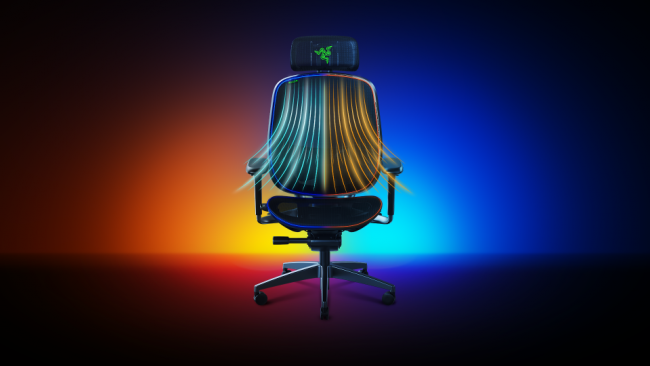
Razer has expanded its ecosystem of peripheral synchronization by integrating its proprietary Chroma RGB lighting technology with over 300 game titles through the Razer Chroma RGB software. This integration allows the company’s hardware, including its latest line of gaming furniture, to reflect in-game events and environmental lighting cues, according to official company documentation regarding the Chroma Workshop development kit.
The synchronization feature relies on the Razer Chroma SDK, which enables developers to program specific lighting triggers for keyboards, mice, and gaming chairs. By mapping these triggers to in-game actions—such as health status changes, ability cooldowns, or environmental shifts—Razer aims to create a more immersive sensory environment for players. This software-driven approach marks a shift from static peripheral lighting to dynamic, context-aware hardware responses.
How Chroma Integration Functions in Gaming Hardware
The technical architecture behind this synchronization involves a direct handshake between the game engine and the Razer Synapse software. When a game supports the Razer Chroma SDK, the game’s code sends commands to the peripheral hardware in real-time. For gaming chairs, this typically manifests through integrated headrest or base lighting strips that pulse or change color based on the user’s current status in the game. According to Razer’s product specifications, these chairs are designed to interface with the same software suite that manages the company’s desktop peripherals, ensuring a unified lighting profile across a user’s entire setup.
The list of over 300 supported titles includes major AAA releases and independent games that have implemented the SDK. Because the integration is software-based, users must ensure that both the Razer Synapse 3 software is running and that the specific game title has the “Chroma Apps” module enabled within the settings menu. This requirement ensures that the hardware does not attempt to interpret standard RGB signals as game-specific data, preventing potential latency or signal conflicts.
Hardware Compatibility and Setup Requirements
Not every Razer chair currently in production supports the full range of Chroma integration. The feature is primarily limited to models that feature built-in addressable RGB lighting arrays. Users looking to verify if their specific model is compatible can check the Razer Chroma Workshop games list, which provides a comprehensive, verified index of titles that support the lighting protocols. The synchronization process is automated once the software detects a supported game, meaning users generally do not need to manually map keys or colors for each individual title.
For those interested in the technical side of the integration, the Razer Chroma SDK is accessible to developers who wish to add their own custom lighting effects to the ecosystem. This open approach to the SDK has been a factor in the growth of the supported game library, as community modders and developers can create custom lighting profiles that go beyond the default manufacturer-provided settings. This utility is managed through the Synapse interface, which serves as the central hub for hardware configuration and firmware updates.
Impact on the Gaming Peripheral Market
The move to synchronize gaming furniture with software-level event data represents an industry-wide trend toward peripheral synergy. While RGB lighting has been a standard feature in keyboards and mice for over a decade, the extension of this technology into furniture represents a higher level of investment in ecosystem lock-in. By centralizing control within the Razer Synapse software, the company encourages users to adopt a full suite of their products to ensure seamless functionality. According to corporate disclosures regarding CES 2023 product launches, the company continues to prioritize the integration of its software suite as a primary differentiator in the competitive gaming hardware market.
Market analysts often point to this type of integration as a method to increase customer retention. Once a user has configured their chair, lighting, and peripherals to respond in unison to a specific game, the barrier to switching to a competitor’s hardware increases. This strategy is consistent with the broader “connected home” and “smart office” trends currently influencing the design of high-end consumer electronics.
Next Steps for Users and Future Updates
Users who own compatible Razer hardware should check for periodic updates to the Razer Synapse 3 software to maintain compatibility with new game releases. As game developers continue to update their titles, new integration patches may be deployed through the software. The next official update cycle for the Razer Chroma SDK is expected to align with major seasonal software patches, though specific release dates are determined by the individual game developers rather than the hardware manufacturer.
For those experiencing issues with lighting synchronization, the company maintains a dedicated support portal where users can troubleshoot driver conflicts and verify if their specific hardware model is receiving the latest firmware updates. If you have questions about specific game compatibility or need assistance with your hardware configuration, please feel free to share your experiences or questions in the comments section below.
Related reading