Joe Rice-Jones
2026-01-24 02:00:00
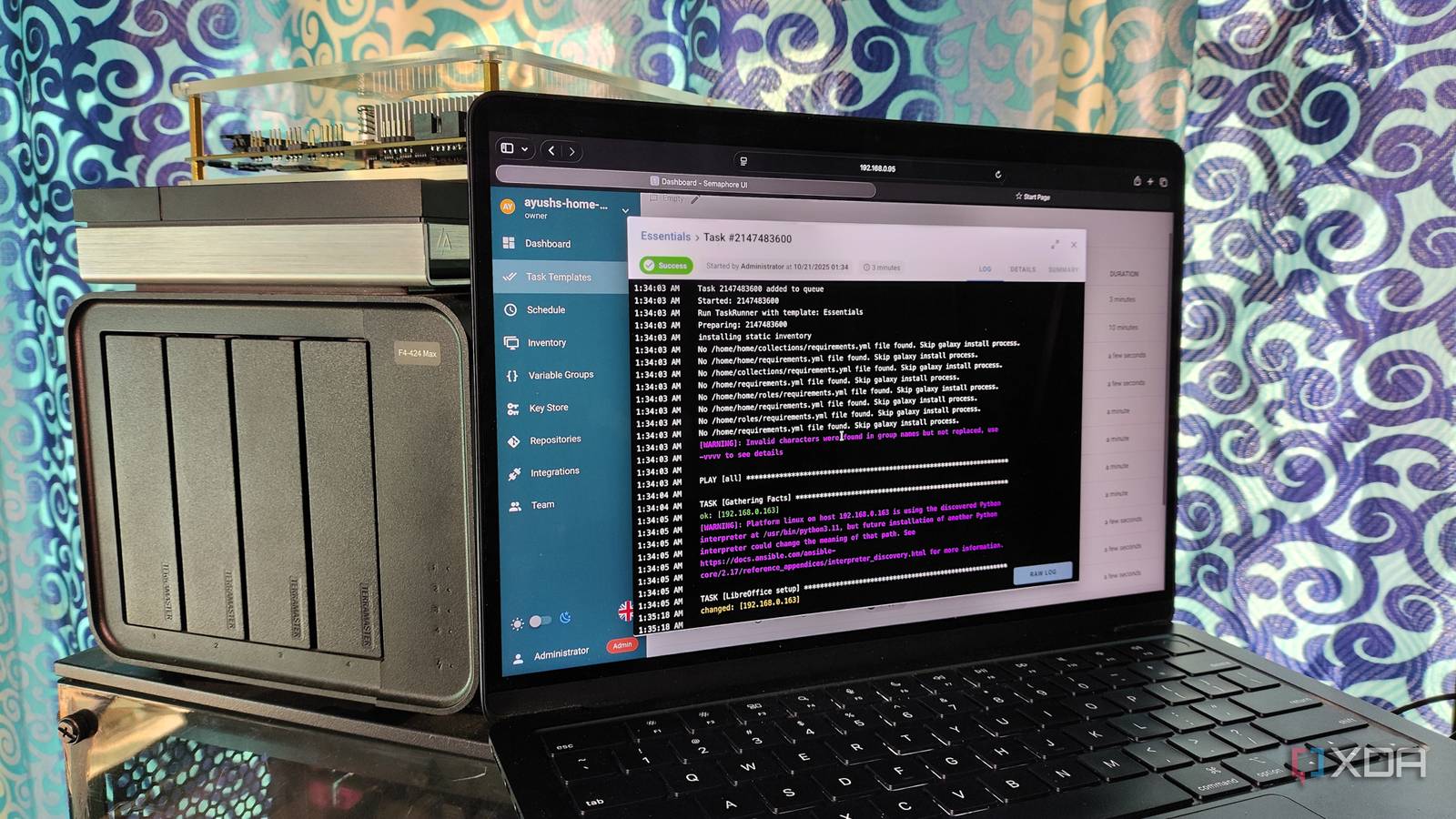
I resisted setting up automation for my home lab for the longest time, partly because I wanted to manually do the process repeatedly, so that it would sink in to help with learning. That meant I skipped out on handy CLI tools for one-line fixes, but I was focusing on the wrong aspect of setup. If I had to go back again, I’d learn automation tools like Terraform, Ansible, and Packer from the start, because the paradigm shift of seeing Infrastructure as Code (IaC) takes longer if you’re already mired in a particular way of working.
Now I’m deep in learning how to write the runes that automation requires me to use (sorry, YAML and Jinja) and setting up folders of text files to chain together into a single ultimate command that will reproduce my home lab with a few keystrokes. It’s honestly intoxicating the amount of power, but a little intimidating too, which is why I’ve been doing it stage by stage. I’m getting closer to that goal with Ansible, but not quite there fully.
Why Ansible is the right answer
Perhaps I was asking the wrong questions all those years
I’ll be honest. My home lab is barely constrained chaos at the best of times. Currently, it’s spread across two mini PCs running Proxmox, which couldn’t be any more different from each other: one with lots of storage and a low-powered CPU, and one with Strix Halo, 128GB of RAM, and 2TB of storage. It’s also got a NAS that still has a few remnants of programs I used to use but haven’t fully replaced (yet), and a Threadripper machine that’s not fully provisioned as I’m waiting for a few parts to arrive.
Networking-wise, it’s another mixed bag, mostly Zyxel stuff, but there are a few Firewalla devices that rotate in and out. The Firewalla router and access points are going to become the untouched home network soon, while the home lab is about to get a major upgrade to some racks of Unifi gear.
The point isn’t the hardware; it’s that I needed a versatile solution that could handle each device, something that is platform-agnostic and easy to manage. I could have gone with Terraform (and maybe I should have after playing with it for a while), but I don’t like abandoning projects partway through, so Ansible has a little bit more time to prove itself while I struggle through.
The end goal is to be able to reproduce my home lab with a single line, ansible-playbook site.yml –vault-password-file ~/.vault_password
. The process is slow, but I hope I only have to do this once, because I’ll end up with a fully documented home lab with VMs, secrets management, networking, and everything else.
It’s not the best solution for Proxmox management
While Ansible can be used for many tasks, it needs some finessing to work with Proxmox. The Proxmox host needs a few tools installed that can leverage the Proxmox Rest API into action, namely Proxmoxer and the Python dependencies it needs.
apt install build-essential python3-dev libguestfs-tools -y
apt install python3 virtualenv
apt install python3 proxmoxer
As with any other external tool, I also needed an API token so that Ansible could run playbooks on my host. I decided to avoid using the root user as I wanted to do things correctly, so ansible@pam was born, and I unchecked the Privilege Separation box to avoid ACL issues down the line.
That wasn’t even the hard part, as I needed to use the community.general.proxmox_kvm module inside Ansible, and not the newer community.proxmox.proxmox.lxc one. That means every VM playbook looks like this (but with my secrets and other information substituted):
---
- name: Provision VMs from definitions
community.general.proxmox_kvm:
proxmox_default_behavior: "{{ proxmox_behavior | default('no_defaults') }}"
node: "{{ item.node }}"
vmid: "{{ item.vmid }}"
name: "{{ item.name }}"
memory: "{{ item.memory | default(2048) }}"
cores: "{{ item.cores | default(2) }}"
sockets: "{{ item.sockets | default(1) }}"
disk: "{{ item.disk | default('100') }}"
storage: "{{ item.storage | default('local-lvm') }}"
ostype: l26 # Linux 2.6+
osimage: "{{ item.osimage | default('ubuntu-20.04-standard') }}"
netif:
net0: "virtio,bridge=vmbr{{ item.vlan | default('0') }}"
ipconfig0: "{{ item.ip_config | default('dhcp') }}"
sshkeys: "{{ lookup('file', '~/.ssh/ansible_homelab.pub') }}"
state: present
proxmox_default_behavior: no_defaults
loop: "{{ vms_to_create | default([]) }}"
when: vms_to_create is defined
tags: vm_creation- name: Start VMs
command: "qm start {{ item.vmid }}"
changed_when: false
loop: "{{ vms_to_create | default([]) }}"
when:
- vms_to_create is defined
- item.state | default('started') == 'started'- name: Wait for VMs to boot and report IP
uri:
url: "{{ proxmox_url }}/api2/json/nodes/{{ item.node }}/qemu/{{ item.vmid }}/status/current"
user: "{{ proxmox_user }}"
password: "{{ proxmox_password }}"
validate_certs: no
register: vm_status
until: vm_status.json.data.status == 'running'
retries: 30
delay: 2
loop: "{{ vms_to_create | default([]) }}"
when: vms_to_create is defined
Our CMS often pulls out the indentation needed for Ansible playbooks. Most IDEs know the rules for indentation, and I’m happily using Cursor at the moment for development.
Documenting everything takes time
Especially since I didn’t do it for anything during the setup process
The eventual goal is to have a full project structure that adheres to best practices, with every aspect broken down into smaller roles:
homelab-infra/
├── ansible.cfg # Global Ansible configuration
├── site.yml # Main entry-point playbook
├── requirements.yml # Ansible collections & roles
├── inventory/
│ ├── 00-static.yml # Manual host/group definitions
│ ├── 01-proxmox-dynamic.yml # Dynamic Proxmox plugin config
│ └── 02-constructed.yml # Post-processing for groups
├── group_vars/
│ ├── all.yml # Global variables
│ ├── proxmox.yml # Proxmox-specific config
│ ├── networking.yml # VLAN, DNS, NTP config
│ └── vault.yml # Encrypted secrets (Ansible Vault)
├── host_vars/ # Host-specific variables (if needed)
├── roles/
│ ├── bootstrap/ # SSH key setup & initial access
│ ├── proxmox_baseline/ # Proxmox node configuration
│ ├── networking/ # VLANs, routing, firewalling
│ ├── vm_provisioning/ # VM creation and destruction
│ ├── services/ # Docker, K3s, monitoring
│ └── security/ # Hardening, backups
├── playbooks/
│ ├── bootstrap.yml # Pre-Ansible setup
│ └── configure.yml # Main configuration
├── roles/common/
│ ├── tasks/
│ │ └── main.yml
│ ├── handlers/
│ │ └── main.yml
│ ├── templates/
│ ├── vars/
│ │ └── main.yml
│ └── defaults/
│ └── main.yml
└── .gitignore # Exclude vault.yml, secrets, etc.
Currently, I’ve got the networking part mapped out and handled, and getting dynamic inventory collection from the Proxmox host working. Some of the things on this plan aren’t currently a feature in my lab, like K3s, but they might be at any moment so I might as well do the work while my brain is engaged in Ansible syntax.
And I can’t forget about secret management
I recently started using Bitwarden to store the secrets I use with my Docker files, and I wanted to do the same for my Ansible playbooks. Ansible Vault creates encrypted strings or text files when used, and then you can reference those encrypted files inside your playbooks, keeping your secrets, well… secret.
ansible-vault create group_vars/vault.yml
This prompts you to create a vault password, and Ansible will open a window for you to add your API keys, passwords, and other secrets. Mine has only a few items because my home lab is fairly simple, but I can add to this file as my needs grow.
---
# Proxmox API credentials
vault_proxmox_user: automation@pve
vault_proxmox_password: "" # Service credentials
vault_docker_registry_username: myuser
vault_docker_registry_password: mypass# Database credentials
vault_postgres_root_password: ""
vault_postgres_replication_password: "" # TLS certificates
vault_tailscale_auth_key: "tskey-XXXXXXX"
Then every playbook that uses a secret needs to reference the vault, like so:
---
- name: Configure Proxmox API access
set_fact:
proxmox_user: "{{ vault_proxmox_user }}"
proxmox_password: "{{ vault_proxmox_password }}"- name: Deploy service with secrets
docker_container:
name: postgres
image: postgres:14
env:
POSTGRES_PASSWORD: "{{ vault_postgres_root_password }}"
POSTGRES_REPLICATION_PASSWORD: "{{ vault_postgres_replication_password }}"
It’s a bit of a pain, to be honest, but I’d rather my passwords and API keys be encrypted, especially as I plan to store the playbooks on a self-hosted Git instance for version control. And I can’t forget about adding no_log: true to those tasks, because nobody wants to leak their secrets in the log files.

Ansible is the active documentation tool I need for my brain
I’m enjoying the struggles of learning Ansible and its syntax. I know I won’t do documentation unless forced, and making the automation tools be the documentation is the kind of brain hack that I can get on board with. I’m looking forward to the day where my home lab can be recreated from a single line, no matter how badly I’ve mangled it. Assuming, of course, that the things I break aren’t physical. That’s a whole different thing to deal with.
Related reading