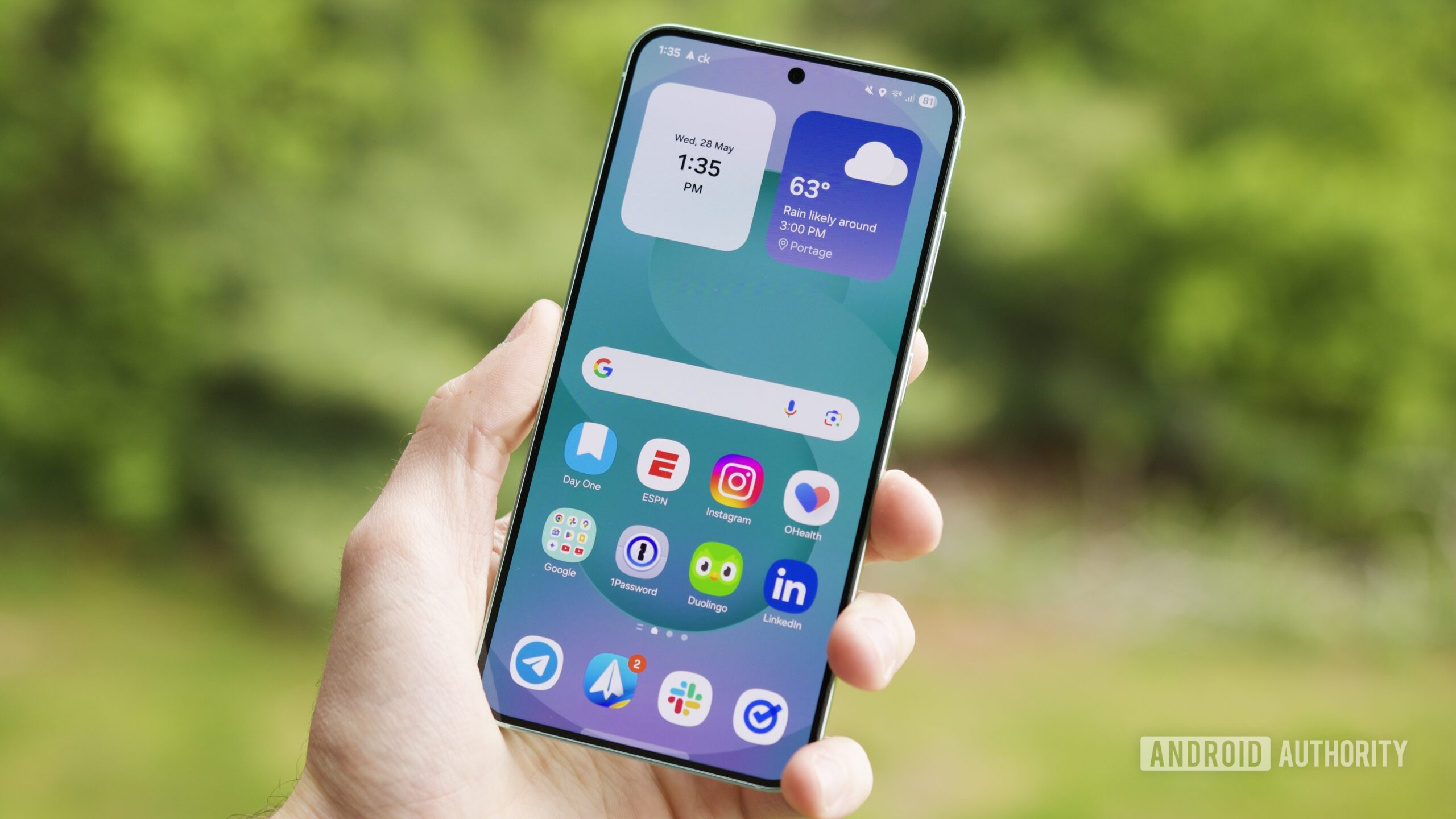
Samsung is redefining the boundaries of mobile productivity and ecosystem synergy with the introduction of One UI 8.5. As the company pushes further into the integration of generative artificial intelligence, the latest software iteration transforms the Galaxy experience from a collection of standalone features into a cohesive, AI-driven environment designed to reduce friction in daily digital workflows.
The rollout began with the official launch of the One UI 8.5 beta program in Korea on December 8, 2025, marking a significant step toward the stable release for the global Galaxy community Samsung Newsroom. This version is not merely a skin update. it is a fundamental shift in how users interact with their devices, focusing on “next-level ease of use” through enhanced productivity, privacy, and system performance.
For those tracking the technical foundation, One UI 8.5 is expected to be based on Android 16 QPR2 Reddit. By leveraging the latest Quarterly Platform Release (QPR) from Google, Samsung is able to implement deeper system-level optimizations and fresh Android 16 features that complement its own Galaxy AI suite. This alignment ensures that the hardware is fully utilized, providing a smoother experience across the diverse range of Galaxy devices.
As an editor who has spent nearly a decade at the intersection of software development and journalism, I see One UI 8.5 as a strategic move to lock users into the Galaxy ecosystem. By making the transition between a phone, tablet, and PC nearly invisible, Samsung is moving away from the “app-centric” model and toward a “task-centric” model, where the device becomes secondary to the action being performed.
Galaxy AI and the Evolution of Content Creation
The most immediate impact of One UI 8.5 is felt in the creative suite. Samsung has heavily invested in Galaxy AI-powered features that aim to remove the repetitive “busy operate” associated with digital art and photo editing Samsung US. The updated Photo Assist is a prime example of this philosophy.

Previously, AI photo editing often required a “save-and-restart” cycle, where users had to save an iteration of a photo before applying the next AI modification. One UI 8.5 eliminates this bottleneck. Users can now generate and edit images continuously without interruption. This seamless workflow allows for an iterative creative process where the AI acts as a real-time collaborator rather than a static tool. To ensure no great idea is lost, the system includes a comprehensive edit history, allowing users to review all iterations and select their favorite version for the final save Samsung Newsroom.
Sharing these creations has also been streamlined. The enhanced Quick Share now incorporates intelligent recognition. By identifying the people present in a photograph, the system proactively suggests the most relevant contacts for sharing. This reduces the number of taps required to move a photo from the gallery to a recipient, effectively turning the sharing process into a predictive action based on the content of the image itself.
Breaking Barriers: Cross-Device Connectivity
Beyond AI, One UI 8.5 addresses one of the most persistent pain points in the consumer electronics industry: the “walled garden” of file management. Through the introduction of Storage Share, Samsung is creating a more fluid data layer across its hardware. This feature allows the My Files app to display files from other Galaxy devices—including tablets and PCs—directly within the phone’s interface Samsung Newsroom.
The utility of Storage Share extends beyond the mobile screen. Users can now access their phone’s files from other Samsung devices, including Samsung TVs. This creates a unified storage experience where the physical location of a file (whether on a microSD card in a phone or an SSD in a laptop) becomes irrelevant to the user. For professionals and students who jump between a Galaxy Tab for note-taking and a Galaxy Book for heavy lifting, this removes the need for manual cloud uploads or cable transfers.
Connectivity is further expanded through Audio Broadcast, which utilizes Auracast and LE Audio (Low Energy Audio) technology. While Bluetooth has traditionally been a one-to-one connection, Audio Broadcast allows a Galaxy phone to communicate with multiple LE Audio-supported devices nearby. A particularly innovative addition is the ability to broadcast voice via the phone’s built-in microphone. This transforms the smartphone into a portable transmitter, which is highly practical for group settings such as guided tours or corporate events, where a leader can broadcast audio directly to the earbuds of multiple participants Samsung Newsroom.
System Stability, Security, and Compatibility
While the flashier AI features garner the most attention, the underlying architecture of One UI 8.5 is focused on “staying safe” and maintaining high performance. Samsung has integrated enhanced security protocols to protect user data as AI processes more personal information on-device. The goal is to provide a balance where the AI is helpful but privacy remains parametric.
In terms of availability, the beta program demonstrates Samsung’s commitment to a broad device lifecycle. The One UI 8.5 beta is available on devices that have One UI 2.1 or above and are running Android Q (Android 10) or higher Samsung Newsroom. This wide compatibility window ensures that a significant portion of the legacy Galaxy user base can benefit from the new connectivity and security updates, even if the most demanding AI features are reserved for newer hardware with dedicated NPUs (Neural Processing Units).
Key Takeaways for Galaxy Users
- AI Workflow: Photo Assist now allows continuous editing without the need to save each step, supported by a full edit history.
- Intelligent Sharing: Quick Share now recognizes people in photos to suggest the most likely contacts for sharing.
- Unified Storage: Storage Share integrates files from tablets and PCs directly into the phone’s My Files app and enables phone file access on Samsung TVs.
- Audio Innovation: Audio Broadcast via Auracast allows voice and media streaming to multiple LE Audio devices simultaneously.
- Foundation: The update is based on Android 16 QPR2, ensuring the latest Google platform optimizations.
What This Means for the Global Market
The shift toward “ecosystem fluidity” seen in One UI 8.5 is a direct response to the increasing complexity of the modern digital life. Most users no longer own a single device; they own a constellation of screens. The value proposition of a smartphone is no longer just about the screen in your pocket, but about how that screen orchestrates the other devices in your life.
By implementing features like Storage Share and Audio Broadcast, Samsung is reducing the cognitive load on the user. You no longer have to think about how to get a file from your tablet to your TV; the system simply makes it available. This “invisible” technology is where the industry is heading—where the software anticipates the need and removes the manual steps required to fulfill it.
the focus on Android 16 QPR2 suggests that Samsung is working in tight lockstep with Google to ensure that the “Galaxy experience” is not just a layer on top of Android, but a deeply integrated version of it. This leads to better battery management and more stable performance, which are critical for the power-hungry demands of generative AI.
For the global audience, this update signals that Samsung is prioritizing accessibility and efficiency. Whether you are a content creator in Seoul, a business professional in San Francisco, or a student in London, the goal of One UI 8.5 is to let you “do more with less effort.”
The current phase of the rollout remains in beta, allowing Samsung to gather critical telemetry and user feedback to squash bugs before the stable version reaches the general public. Users interested in the beta should check their Samsung Members app for availability in their respective regions.
The next major milestone will be the transition from the beta phase to the stable public rollout. While Samsung has not officially announced the final global release date for the stable version, the progression from the December 8 beta launch typically suggests a phased rollout throughout the first half of the year. We expect official confirmation on the stable release schedule to follow as the beta program concludes its testing cycles.
Do you think AI-driven photo editing is the future of mobile creativity, or is it taking too much control away from the user? Let us know your thoughts in the comments below and share this article with your fellow Galaxy users.
Worth a look