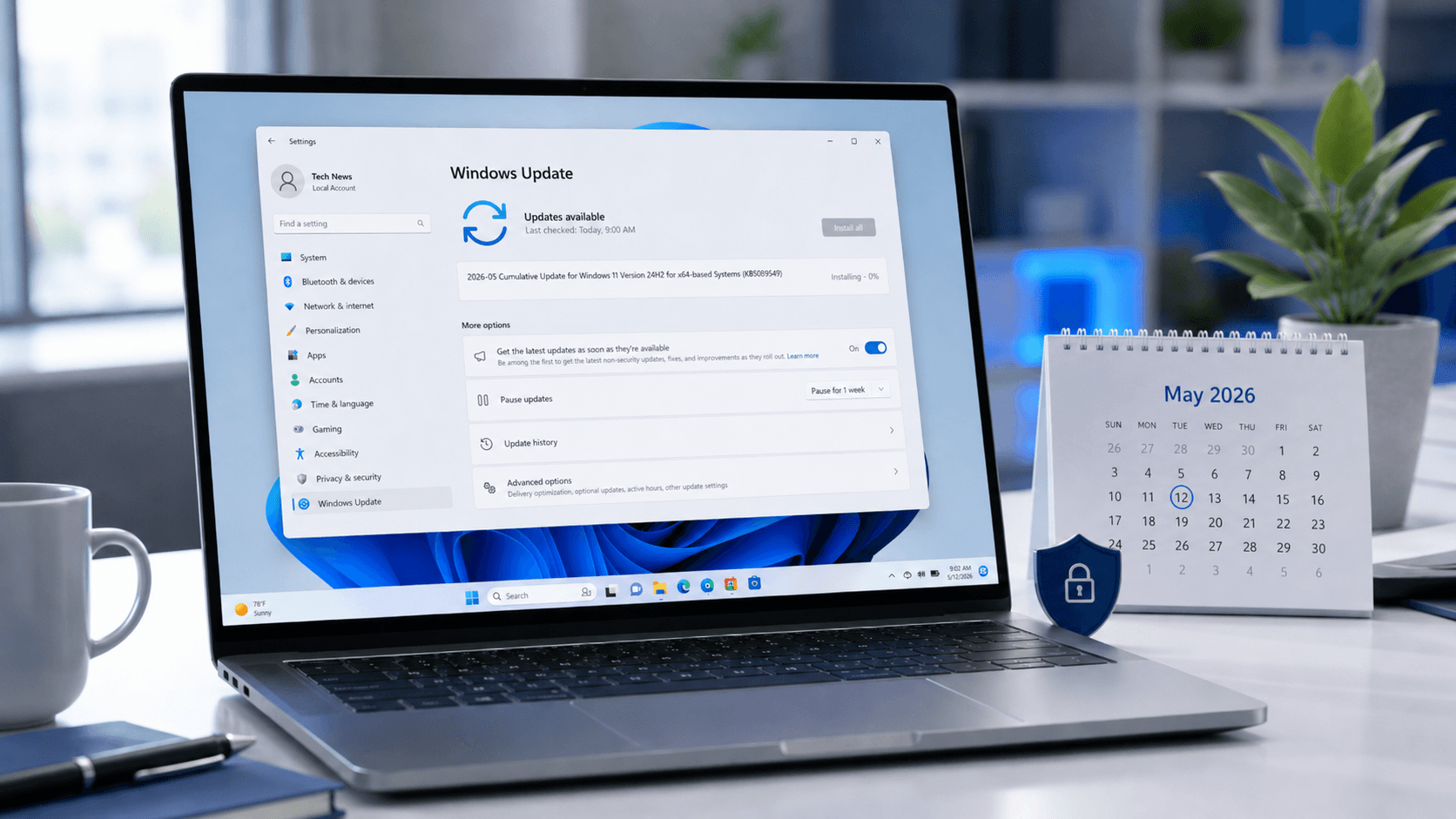
Microsoft has officially rolled out its first major software milestone of the year, delivering the Windows 11 KB5089549 update. This release marks a significant pivot for the operating system, moving beyond mere incremental patches to introduce features that fundamentally change how the OS handles high-demand workloads, specifically in the realms of gaming and professional productivity.
As the computing landscape continues to evolve, the May 2026 update appears designed to address the growing tension between power users—who demand raw performance for gaming and creative tasks—and the need for a secure, streamlined environment for everyday computing. By focusing on four key pillars—gaming integration, interface refinement, system efficiency, and security hardening—Microsoft is attempting to solidify Windows 11’s position as the premier platform for both enterprise and enthusiast users.
The update, identified by the KB5089549 designation, is rolling out via Windows Update. While the deployment will be gradual, it represents one of the most comprehensive sets of feature enhancements seen in the Windows 11 lifecycle to date. For users looking to optimize their machines, this update provides a roadmap for more responsive and specialized computing experiences.
Gaming Evolution: The Introduction of Xbox Mode
Perhaps the most anticipated element of the KB5089549 update is the introduction of a dedicated Xbox mode. While Windows has long featured “Game Mode” to prioritize resources, this new iteration represents a deeper, more integrated approach to gaming optimization. This mode is designed to transform the operating system into a more specialized environment when high-performance gaming is detected.
The primary goal of the Xbox mode is the intelligent management of system resources. When activated, the OS can more aggressively manage background processes, ensuring that CPU cycles and memory bandwidth are prioritized for the active game engine. This is particularly critical for modern titles that demand near-instantaneous response times and consistent frame rates. By reducing the interference of non-essential background tasks, the update aims to provide a smoother, more consistent experience that minimizes micro-stutters, and latency.
the integration suggests a more cohesive relationship between the Windows kernel and Xbox-related software stacks. This could mean more efficient GPU scheduling and better handling of high-refresh-rate displays. For gamers, this isn’t just about a single toggle in the settings menu; it is about an operating system that recognizes the context of the user’s activity and adapts its resource allocation accordingly.
Refining the Workflow: File Explorer and Performance Enhancements
Beyond the gaming community, Microsoft is targeting the daily workflows of millions of users through significant improvements to File Explorer. The File Explorer has long been a cornerstone of the Windows experience, and the KB5089549 update brings several refinements aimed at enhancing usability and speed. These improvements focus on reducing the friction often associated with file management, making the interface feel more modern and responsive.
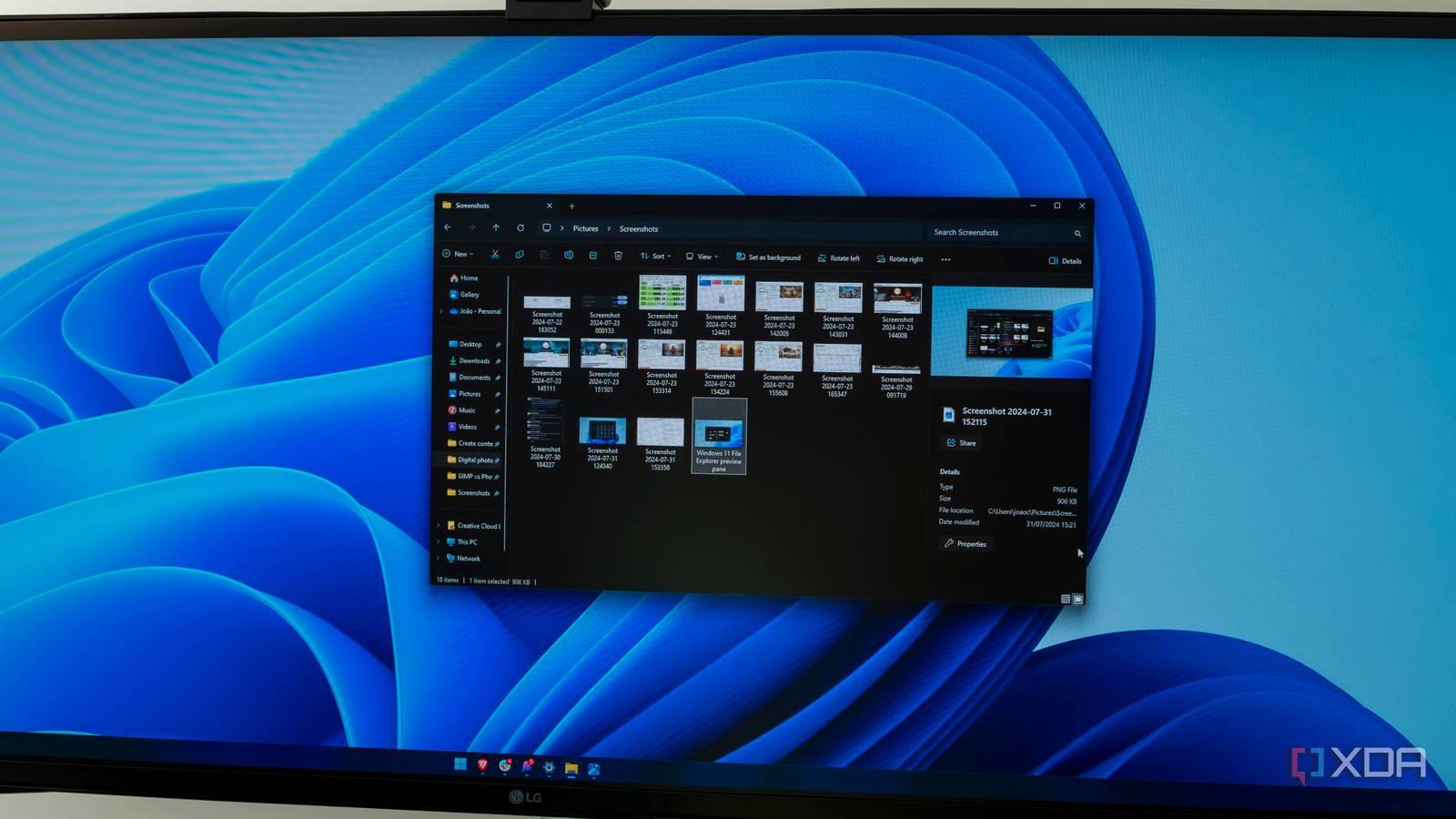
Users can expect a more fluid interaction model within the Explorer, addressing long-standing requests for better navigation and faster loading times. These enhancements are not merely cosmetic; they are part of a broader effort to modernize the shell experience, ensuring that the way users interact with their data remains intuitive and high-speed. As file sizes grow and cloud integration becomes more seamless, a more robust and agile File Explorer is essential for maintaining productivity.
Complementing these interface updates is a suite of core performance optimizations. Microsoft has focused on the underlying architecture of Windows 11 to improve overall system efficiency. This includes optimizations to how the OS handles memory management and how it interacts with modern hardware components. The result is a system that feels more “snappy”—a noticeable reduction in the time it takes for applications to launch and for the system to respond to user inputs.
These performance gains are particularly relevant for users operating on diverse hardware configurations. By optimizing the way the kernel manages system-wide tasks, Microsoft is aiming to provide a more consistent experience across a wide spectrum of devices, from high-end workstations to more modest consumer laptops. This focus on efficiency ensures that the OS remains lightweight enough for daily tasks while remaining powerful enough for intensive workloads.
Strengthening the Digital Perimeter: Security Hardening
In an era of increasingly sophisticated digital threats, security remains a non-negotiable priority for any operating system. The KB5089549 update includes several critical security changes designed to fortify the Windows 11 environment. These updates are part of Microsoft’s ongoing commitment to proactive defense, aiming to mitigate vulnerabilities before they can be exploited.
The security enhancements in this release focus on both the user-facing side and the deep system layers. On the surface, this includes improved protections against common malware and phishing attempts, as well as more robust identity verification processes. However, the most significant work occurs under the hood, where Microsoft is continuing to harden the core components of the operating system. This involves strengthening isolation technologies that prevent malicious code from accessing sensitive areas of the system memory or compromising the kernel.
By integrating these security improvements directly into the system’s core architecture, Microsoft is making it increasingly tough for attackers to gain a foothold. For enterprise users, these updates are vital, as they contribute to a more resilient infrastructure that can better withstand the evolving landscape of cyber threats. The emphasis is on creating a “secure by design” environment where protection is an inherent part of the operating system’s operation rather than an afterthought.
Deployment and Installation Guidance
As with all major updates, the deployment of KB5089549 is handled through the standard Windows Update mechanism. Microsoft typically rolls these updates out in waves to ensure stability and to monitor for any unforeseen compatibility issues. Users are encouraged to check for updates regularly to ensure they receive the latest security patches and feature enhancements as soon as they are available for their specific device.

To initiate the update, users should navigate to Settings > Windows Update and select Check for updates. Once the update is identified, the system will guide the user through the installation process. Because this is a significant update involving core system changes, a restart will be required to complete the installation. It is always a best practice for users to ensure their work is saved and their devices are connected to a stable power source before beginning the update process.
For organizations managing large fleets of devices, the update can be deployed via Windows Server Update Services (WSUS) or Microsoft Endpoint Manager, allowing IT administrators to control the timing and testing of the rollout. This ensures that critical security and performance updates are applied in a managed and predictable manner across the entire enterprise environment.
Key Takeaways: Windows 11 KB5089549
- Xbox Mode: A new, deeply integrated gaming mode that optimizes CPU and GPU resources for high-performance gameplay.
- File Explorer Improvements: Enhanced navigation and faster response times to streamline file management and productivity.
- System Performance: Core optimizations to the Windows kernel to improve overall responsiveness and resource efficiency.
- Security Hardening: Critical updates to system-level protections to defend against modern cyber threats and strengthen core isolation.
- Deployment: Available through standard Windows Update channels, with a gradual rollout to ensure stability.
The release of KB5089549 marks a decisive step in the evolution of Windows 11, proving that the operating system can be both a powerhouse for gamers and a highly efficient tool for professionals. As Microsoft continues to refine the platform, the focus on specialized modes and core stability will likely remain a central theme of its development strategy.
The next major milestone for Windows development is expected to be announced during the upcoming Microsoft developer briefings. Stay tuned to World Today Journal for further analysis and technical deep dives.
What do you think of the new Xbox mode and the Explorer updates? Let us know in the comments below and share this article with your tech community!
Related reading
- Big Tech’s $1 Trillion AI Spend: Impact on Energy, Chip Shortages, and Hidden Debt
- Samsung Galaxy Z Fold 8: Leaks, Features, and Controversies Explained
- FDA's Compounded Semaglutide Ban, Explained: What Changes for Patients (daybreakwire.com)
- Samsung Galaxy S27 Ultra Leaks Reveal Big Battery and Design Upgrades (archyde.com)