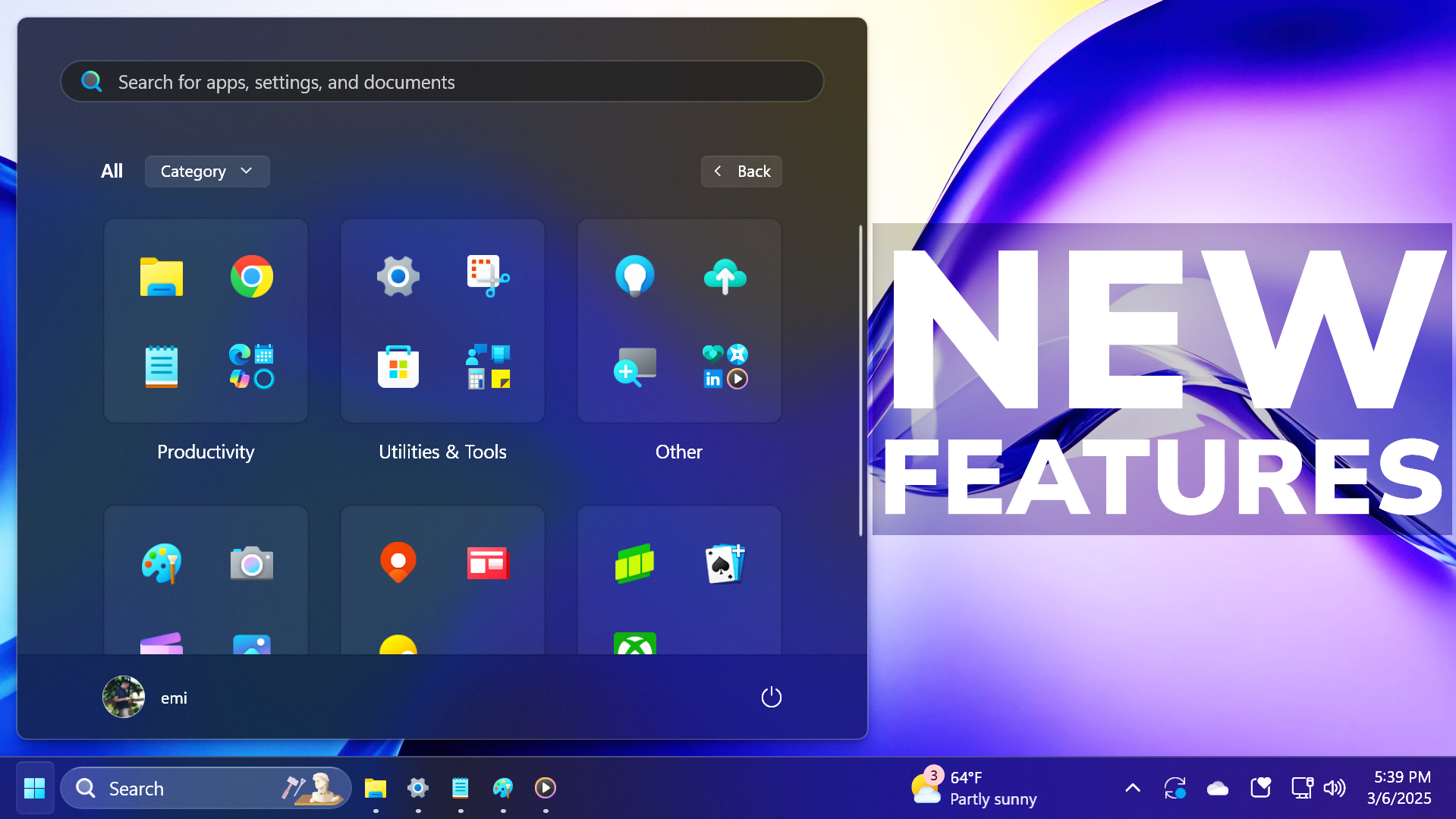
Microsoft Tests New Windows 11 Customization Features for Taskbar and Start Menu
Since its initial rollout, Windows 11 has undergone a significant visual transformation, moving away from the dense, utilitarian interfaces of previous generations toward a more streamlined and centered aesthetic. While many users embraced the modern look, a recurring theme in user feedback has been a desire for greater control over the desktop environment. Microsoft appears to be responding to these calls for increased agency by testing new Windows 11 customization updates aimed at the two most critical components of the user interface: the taskbar and the Start menu.
Current testing, primarily conducted through the Windows Insider Program, suggests that Microsoft is looking to reintroduce flexibility that was notably absent in the early builds of the operating system. These updates focus on two primary areas: the ability to reposition the taskbar and the introduction of more efficient, compact layouts for the Start menu. By addressing these specific pain points, Microsoft aims to bridge the gap between its modern design philosophy and the functional requirements of power users.
Expanding Taskbar Versatility and Positioning
One of the most significant criticisms of the Windows 11 launch was the perceived rigidity of the taskbar. Unlike its predecessors, Windows 10 and earlier versions, which allowed users to move the taskbar to the top or sides of the screen, Windows 11 initially locked the bar to the bottom of the display. This limitation proved frustrating for users with ultrawide monitors or specific multi-monitor workflows where vertical screen real estate is at a premium.
Recent testing indicates that Microsoft is exploring ways to bring more movement back to the desktop. The updates being evaluated include the ability to change the taskbar position, potentially allowing it to be moved to the top of the screen. This shift would grant users more vertical space for active windows, a feature highly valued by professionals working in creative suites, coding environments, or data-heavy applications. While these changes are currently in the testing phase, they represent a major pivot toward acknowledging that a “one size fits all” approach to desktop positioning does not suit a global, diverse user base.
In addition to positioning, the testing also touches upon how the taskbar interacts with other UI elements. The goal appears to be a more seamless integration that reduces visual clutter while maintaining quick access to essential system functions and pinned applications.
Refining the Start Menu with Compact Layouts
The Windows 11 Start menu was designed to be clean and centered, but for many, the new layout felt overly spacious. The increased padding and larger icon spacing—while aesthetically pleasing—often resulted in fewer visible apps and pinned shortcuts, forcing users to scroll more frequently to find what they needed. To combat this, Microsoft is testing compact Start menu options.

These refinements are intended to offer a more information-dense interface. A compact layout would allow users to:
- View a higher number of pinned applications at a single glance.
- Reduce the amount of scrolling required to access frequently used tools.
- Optimize the interface for smaller screens or high-resolution displays where space efficiency is critical.
Microsoft is working on “cleaner” Start controls. This involves streamlining the way recommendations and recently opened files are displayed, ensuring that the menu remains a launchpad for productivity rather than a source of visual distraction. By offering these layout options, Microsoft is moving toward a model of “user-defined density,” where the user can decide whether they prefer a minimalist, airy look or a high-efficiency, compact setup.
The Role of the Windows Insider Program
these features are not yet available to the general public. They are currently being vetted through the Windows Insider Program, Microsoft’s collaborative testing environment. This program is divided into several distinct channels, each serving a different purpose in the software development lifecycle:
- Canary Channel: The most experimental stage, where the earliest and most unstable code is deployed to gather fundamental data.
- Dev Channel: A slightly more stable environment for testing new features and upcoming functional changes.
- Beta Channel: The most stable of the testing tiers, intended to provide a final look at features before they are prepared for a wide release.
By testing these Windows 11 feature updates in these controlled environments, Microsoft can monitor system stability, identify bugs related to UI scaling, and gather direct telemetry on how users interact with the new customization settings. This iterative process is essential for ensuring that when these features eventually reach the mainstream, they enhance the user experience rather than disrupting established workflows.
Why Desktop Customization Matters for Productivity
The push for increased customization is not merely about aesthetics. it is a matter of workflow optimization. For professional users, every pixel matters. The ability to move a taskbar or adjust the density of a menu can significantly reduce “interaction cost”—the mental and physical effort required to complete a task. When a user can find an application instantly without scrolling or searching, their cognitive load is reduced, allowing for deeper focus on their actual work.
as hardware continues to evolve, so too must the software that manages it. With the rise of foldable displays, ultra-wide monitors, and various tablet-hybrid form factors, a static user interface is increasingly becoming a bottleneck. Providing tools for Microsoft desktop customization ensures that Windows 11 remains a versatile operating system capable of adapting to a wide array of hardware configurations.
Frequently Asked Questions
Will these updates be available for Windows 10?
Currently, these specific UI refinements are being developed and tested exclusively for Windows 11. While Windows 10 continues to receive security updates, the major architectural changes to the taskbar and Start menu are part of the Windows 11 evolution.
How can I get these new features early?
To access experimental features like movable taskbars or compact menus, you must enroll in the Windows Insider Program. However, be aware that these builds are for testing purposes and may contain bugs or stability issues.
Does moving the taskbar affect system performance?
While UI changes can theoretically impact resource usage, Microsoft’s goal is to integrate these features into the existing shell architecture. Any significant impact on performance would likely be identified and corrected during the Insider testing phases.
As Microsoft continues to refine the Windows 11 experience, the focus appears to be shifting from radical redesign to granular, user-centric optimization. The next major checkpoint will be the release of the next set of Windows Insider builds, which will reveal whether these customization options are moving closer to a stable, public rollout.
What do you think about the return of taskbar positioning? Do you prefer a compact or a spacious Start menu? Let us know in the comments below and share this article with your fellow tech enthusiasts.
Related reading