
Microsoft has officially begun the global rollout of a new Xbox mode
for Windows 11, transforming the traditional PC desktop experience into a console-inspired interface. Starting April 30, 2026, the feature is arriving for a wide array of devices, including high-performance desktops, gaming laptops, and tablets according to Xbox Wire.
The update aims to bridge the gap between the Xbox ecosystem and the Windows PC environment. By providing a controller-optimized, full-screen experience, Microsoft is positioning the PC as a more flexible gaming hub, allowing users to jump into titles with minimal friction. This move is widely viewed as a direct response to the popularity of Steam’s Big Picture Mode, offering a similar “lean-back” experience for those playing from a couch or using a handheld device.
For many users, the update is arriving via the optional update KB5083631, which also includes performance enhancements and a more reliable File Explorer as reported by Windows Latest. While the rollout began in select markets on April 30, Microsoft intends to expand the feature to all Windows 11 users over the coming weeks.
A Console-Inspired Interface for the PC
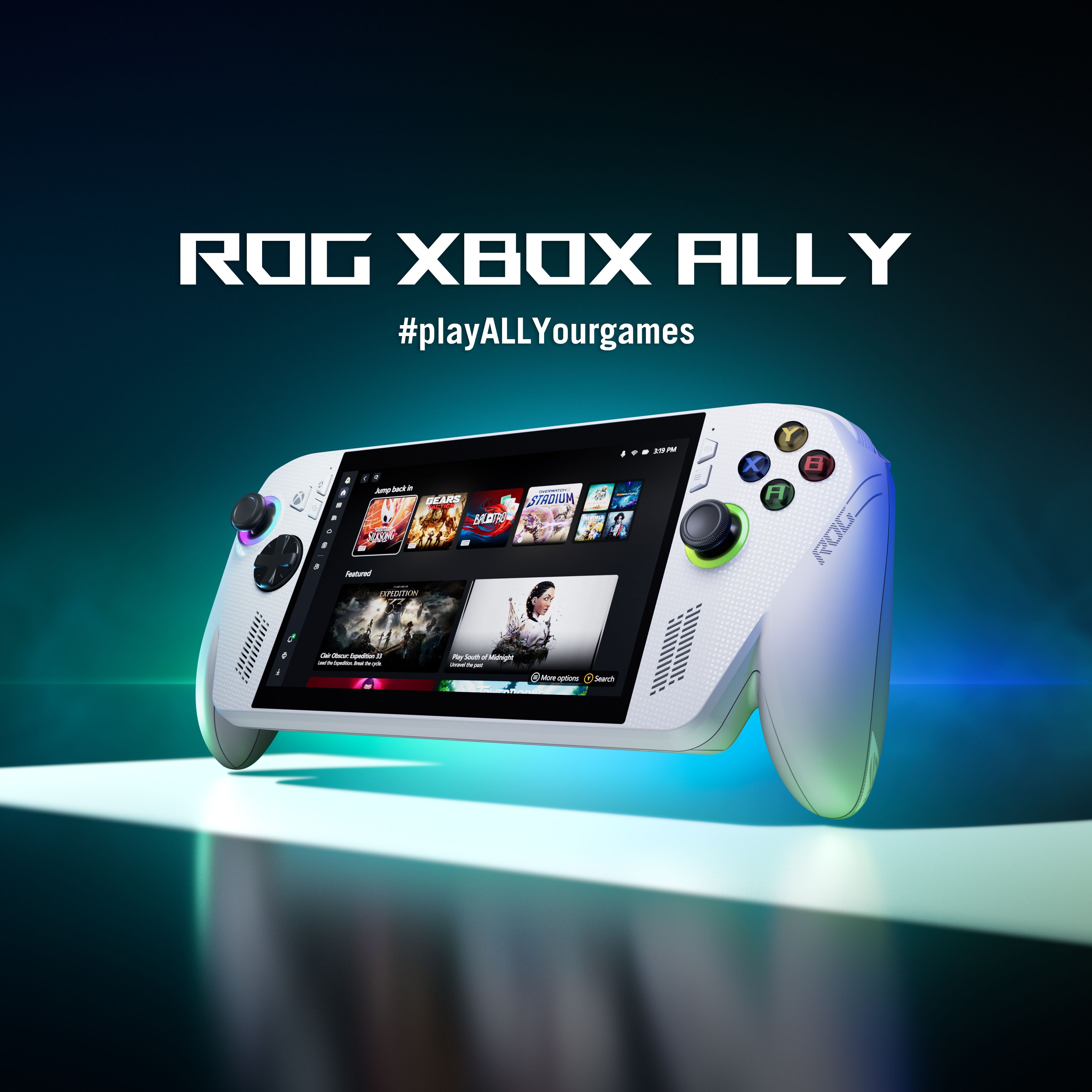
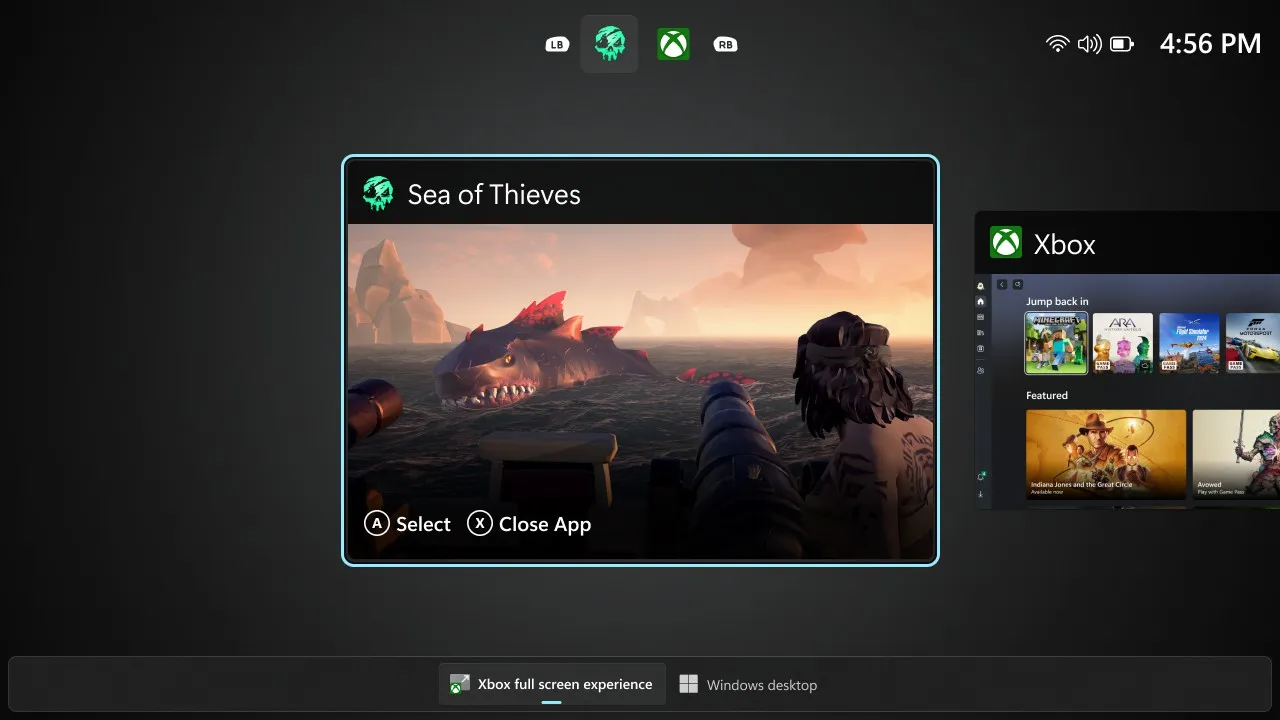
The core of the new Xbox mode is a streamlined, full-screen user interface (UI) that removes the distractions of the standard Windows desktop. Instead of navigating through traditional windows and folders, players are greeted with a dedicated gaming dashboard that prioritizes their library and recently played titles. This interface is specifically designed for controller navigation, making it an ideal solution for gaming handhelds and HTPCs (Home Theater PCs).
The feature is not entirely new in concept; it is an evolution of the Full Screen Experience
that previously debuted on the Asus ROG Ally X handheld. After testing the interface on specialized hardware and expanding it to other handhelds like the MSI Claw, Microsoft has now scaled the technology to the broader Windows 11 ecosystem according to Engadget.
Key functional improvements include:
- Aggregated Library: A unified view of games, allowing users to browse and launch titles from various sources more efficiently.
- Reduced Distractions: The mode minimizes background system notifications and desktop clutter to keep the focus on the gameplay.
- Controller Optimization: Full navigation support for Xbox controllers, eliminating the need for a mouse and keyboard to start a game.
Performance vs. Presentation
While the visual shift is significant, some industry analysts suggest the update is primarily a UI overhaul rather than a deep architectural change to how Windows handles gaming. Reports indicate that while the interface is more intuitive, users should not necessarily expect a massive leap in raw frame rates or system performance solely from the mode’s activation as noted by PC Gamer.
However, the integration of the mode into the broader Windows 11 update cycle—specifically accompanying the KB5083631 patch—suggests that Microsoft is pairing the new UI with underlying stability fixes and faster startup times for applications to create a more seamless overall experience.
Impact on Handhelds and the ‘Gaming PC’ Identity
The rollout is particularly significant for the growing market of Windows-based handheld gaming PCs. For devices like the ROG Ally and other handhelds, the Xbox mode provides a level of polish that was previously missing, making the device feel less like a tablet with a controller attached and more like a dedicated gaming console.
Microsoft’s strategy appears to be the creation of a “unified gaming identity.” By making the Windows 11 experience mirror the Xbox console UI, the company is strengthening the synergy between its hardware and software. This allows a user to move from an Xbox Series X in the living room to a Windows 11 laptop in a bedroom while interacting with a consistent visual language and library management system.
This evolution also hints at future ambitions for Windows. By refining how the OS handles full-screen, controller-driven environments, Microsoft is laying the groundwork for a more flexible operating system that can adapt its entire shell based on the input device being used—a concept often discussed in the context of “Project Helix” and the future of Windows gaming.
How to Access Xbox Mode
For users wondering how to find this new feature, it is integrated into the Xbox app on Windows 11. Once the system is updated to the latest version (or the KB5083631 optional update is installed), users can trigger the full-screen experience through the Xbox app settings or via a dedicated toggle, depending on their specific hardware configuration.
| Feature | Standard Windows 11 | Xbox Mode |
|---|---|---|
| Primary Input | Mouse & Keyboard | Controller-Optimized |
| Interface | Desktop/Windowed | Full-Screen Dashboard |
| Focus | Multitasking & Productivity | Game Launching & Library |
| Notifications | Standard OS Alerts | Minimized/Gaming-Focused |
What Comes Next for Windows 11 Gamers?
The launch of Xbox mode is part of a larger trend of Microsoft treating Windows 11 as a gaming platform first. Beyond the UI changes, the company continues to integrate features like Auto SR (Super Resolution) previews for handhelds to improve image quality and performance according to the Windows Experience Blog.
The broader global rollout is expected to conclude in the coming weeks, with the features eventually becoming a standard part of the mandatory May security updates. As Microsoft continues to refine this “console-fication” of the PC, the line between a gaming computer and a gaming console continues to blur.
The next major checkpoint for users will be the May security update, which is expected to bring these features to all users who did not opt into the early preview or optional KB5083631 patch.
Do you prefer the traditional desktop layout, or does a console-style interface make your PC gaming experience better? Share your thoughts in the comments below.