The Growing Concern Over Mandatory Smartphone Apps: A Deep Dive into Sanchar Saathi and Beyond
The recent mandate requiring the installation of the Sanchar Saathi app on all mobile devices in India has sparked a notable debate about user privacy, government overreach, and the evolving landscape of digital security. I’ve found this situation particularly concerning, and it warrants a closer look, especially when viewed alongside similar trends emerging globally.
let’s break down what this app does, what permissions it requests, and why the forced installation is raising eyebrows.
Understanding Sanchar Saathi: Permissions and Functionality
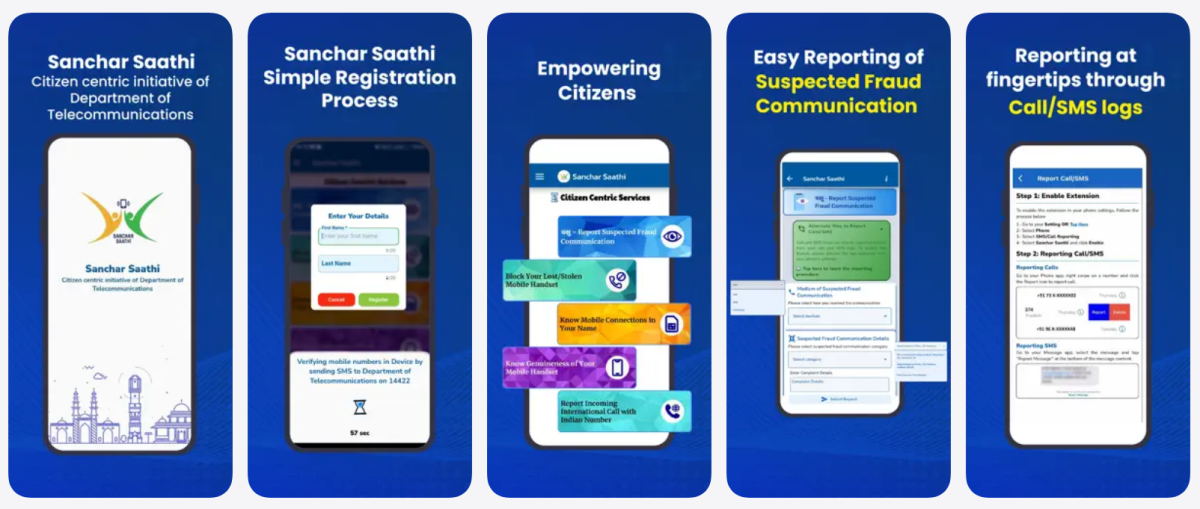
Sanchar Saathi, designed to combat mobile fraud and facilitate the reporting of lost or stolen devices, requires a range of permissions on your smartphone. Here’s a breakdown of what the app accesses on Android and iOS devices:
Android Permissions:
* Make & Manage Phone Calls: This is used to identify mobile numbers associated with your device.
* Send SMS: The app utilizes this to complete registration via SMS verification to the Department of telecommunications (DoT) on 14422.
* Call/SMS Logs: This permission allows the app to report on your call and text message activity, ostensibly for features within the app.
* Photos & Files: You’ll need this to upload images of calls/texts when reporting issues or reporting a lost/stolen handset.
* Camera: This is required for scanning the barcode on your device’s IMEI number to verify its authenticity.
iPhone Permissions:
* Photos & Files: Similar to Android, this is for uploading supporting images.
* Camera: used for scanning the IMEI barcode.
The app’s privacy policy states that personal information won’t be automatically collected without your knowledge and that data won’t be shared with third parties except when legally required by law enforcement. This is likely intended to aid in tracing lost or stolen phones, which may explain the resistance to allowing users to uninstall or disable the app.
why Mandatory Installation Feels Wrong
While the stated goals of Sanchar Saathi – reducing fraud and aiding in device recovery – are laudable, forcing its installation on every device sets a risky precedent. It fundamentally undermines the principle of user choice. If an app offers genuine value, people should be able to choose to use it, not be compelled to do so.
This isn’t an isolated incident. We’re seeing a global trend toward increased digital surveillance under the guise of security.
A Global Pattern of Expanding Digital control
Consider the situation in Europe. Age verification is becoming mandatory in many countries, and initiatives like “Chat Control” are being proposed. Essentially, Chat Control aims to create a backdoor allowing governments access to your messages and photos to combat Child Sexual Abuse Material (CSAM).
These measures, while addressing serious concerns, raise significant questions about privacy and the potential for abuse. What starts as a targeted effort to combat a specific crime can easily expand to encompass broader surveillance.
It’s a slippery slope.
The Erosion of Digital Freedom
I believe we’re witnessing an erosion of digital freedom. The justification often centers around security and protecting vulnerable populations, but the consequences are far-reaching. Mandatory apps,backdoors into encrypted communications,and broad data collection initiatives all contribute to a chilling effect on free expression and personal autonomy.
The core issue isn’t necessarily the technology itself,but the lack of transparency and user control. You deserve to know exactly what data is being collected, how it’s being used, and who has access to it. You should also have the right to opt out without penalty.
What Can You Do?
While resisting mandatory app installations can be challenging, it’s crucial to stay informed and advocate for your digital rights.
* Stay Vigilant: Pay attention to the permissions apps request
Keep reading
- Total Solar Eclipse and Perseid Meteor Shower to Occur on August 12, 2026
- AMD Q2 2026 Financials: Record $11.5B Revenue Driven by Data Centers as Gaming Drops
- Galaxy S25 One UI 9 Beta Nears India Release As Samsung Activates Page (archyworldys.com)
- Apple Surpasses $10 Billion in Annual Sales in India (newsdirectory3.com)