
Google has begun rolling out new interface features for Android devices, centered on enhanced multitasking capabilities and refined system-level interactions. While industry speculation has often surrounded version numbering, the current focus for Google’s mobile platform remains on the consistent deployment of “Pixel Drop” feature updates, which integrate system-wide refinements such as improved bubble management and interactive screen reactions for supported hardware, according to official Google product documentation.
These updates, frequently categorized by users and tech observers as part of ongoing Android evolution, prioritize streamlining how applications coexist on a single display. By leveraging refined API behaviors for notification bubbles and system UI gestures, Google aims to reduce the friction typically associated with switching between messaging apps, media players, and productivity tools on smaller smartphone screens.
Enhancing Multitasking with Improved Bubble Interfaces
At the heart of the recent interface adjustments is a more robust implementation of notification “Bubbles.” Originally introduced in earlier versions of Android to allow users to keep conversations accessible while using other apps, the current iteration focuses on stability and performance. According to Google’s developer guidelines, these bubbles utilize a dedicated space within the system UI, ensuring that active tasks remain pinned and reachable without obstructing the primary content on the screen.
The goal is to provide a consistent “50/50” split-screen or overlay experience that does not degrade system performance. By standardizing how bubbles interact with the window manager, Google is attempting to solve long-standing issues where floating elements would occasionally overlap with navigation bars or keyboard inputs. These refinements are designed to ensure that background tasks, such as active calls or messaging threads, remain responsive while the user interacts with a secondary, foreground application.
Integration of Screen Reactions and System UI Updates
Beyond multitasking, the latest software drops for Pixel devices include expanded support for screen reactions—a feature that allows users to trigger visual effects across the interface based on specific inputs or detected gestures. These reactions are processed locally on the device, utilizing the Tensor processing units integrated into modern Pixel hardware to maintain battery efficiency, as noted in Google’s official support resources.
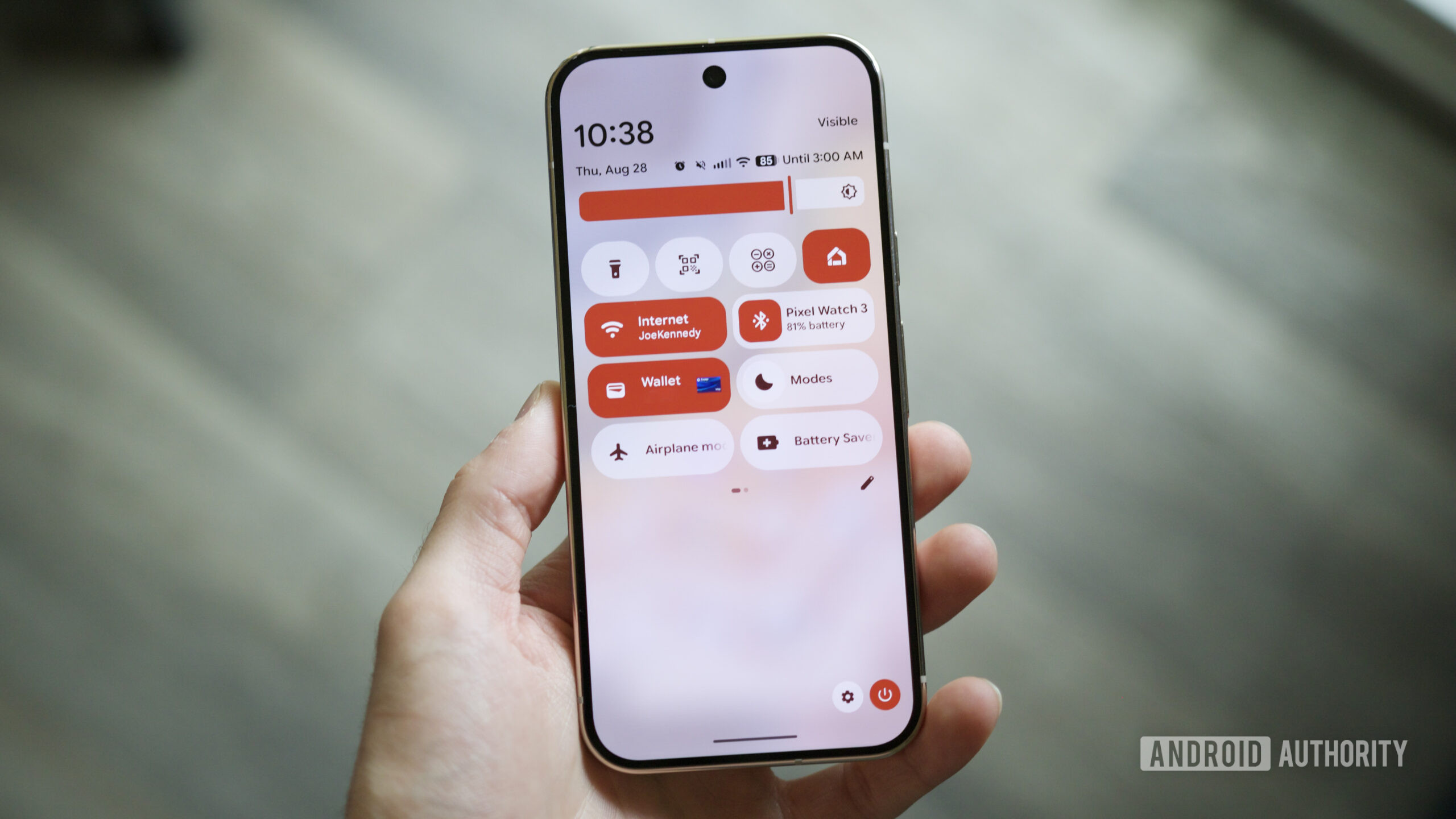
This update cycle also addresses user feedback regarding the fluidity of the “Quick Settings” and notification shade. By optimizing the animation framework, Google has reduced the latency between a user’s touch input and the system’s visual response. This is particularly noticeable on devices running the latest firmware, where the system UI now handles high-frequency inputs with improved frame-rate stability.
What These Changes Mean for Android Users
For the average user, these updates represent a shift toward “invisible” improvements—changes that make the phone feel faster and more organized without requiring a complete overhaul of the user’s workflow. The emphasis is on reducing the number of taps required to move between apps. According to the Android Developers Blog, the long-term strategy for the platform is to ensure that multitasking is not just a feature for power users, but a core component of the daily mobile experience.
The deployment of these features follows a phased rollout schedule. Users typically receive these enhancements through the monthly “Feature Drop” cycle, which Google uses to distribute new capabilities to Pixel devices independently of major annual OS version upgrades. This approach allows the company to iterate on interface design based on real-world telemetry and user usage patterns.
Future Developments and Official Support
As Google continues to refine the Android interface, the focus remains on the integration of artificial intelligence to predict user needs—such as suggesting which apps should be moved to a bubble or when a split-screen view might be most beneficial. Users interested in tracking the specific rollout status for their device model can monitor the Android Security Bulletin and the official Pixel support pages for the most accurate information regarding firmware availability.
The next major checkpoint for Android users will be the subsequent monthly security and feature update, typically released by Google on the first Monday of each month. Readers are encouraged to check their device settings under “System Update” to ensure they are running the latest software version provided by the manufacturer. Have you noticed a difference in how your device handles multitasking after the most recent update? Join the conversation in the comments below.
- NASA Swift Observatory Rescue Mission Faces Hurdles After Spacecraft Spins
- 10 Best Tools and Apps for Discovering, Learning, and Making Music
- Google Chrome Passkeys Vulnerable to Malware Hijacking on Windows (time.news)
- Call the Midwife: Christmas Special Updates and Prequel First Look (newsdirectory3.com)